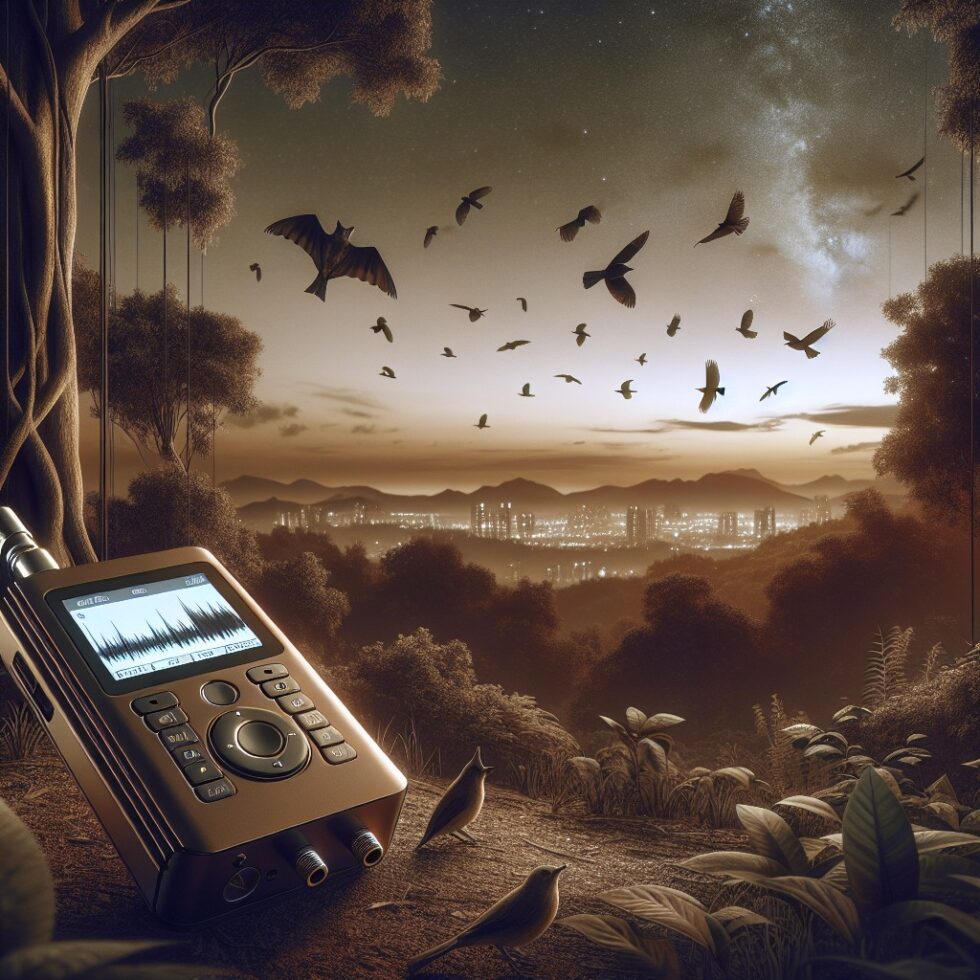
Why Listen to Your Neighborhood?
Your block has a soundtrack. Dawn chorus, insect buzz, distant traffic, and seasonal storms layer into a soundscape that changes day by day. With a simple, reliable bioacoustics logger, you can capture those changes, quantify them, and learn from them. You can track migrant birds, detect bats at night, flag noisy equipment, and see how weather, construction, or planting a tree shifts what you hear. The goal here is not a one‑off science fair project, but a dependable, long‑running system you can leave outside, trust, and use to make decisions.
This guide walks you through the details: picking the right microphone, recording without gaps, managing storage and power, classifying sounds, and sharing results in ways that respect privacy. We’ll stay practical, avoid hype, and show exactly what matters in a real deployment.
Design the Logger You Can Maintain
Choose Your Targets First
What you want to hear drives everything else:
- Songbirds and urban soundscapes: Most energy lives below ~12 kHz. A 48 kHz sample rate (24 kHz Nyquist) usually covers it with headroom.
- Bats and other ultrasonics: Echolocation can exceed 60 kHz. You’ll want 192 kHz or 384 kHz sampling and mics built for ultrasonics.
- Noise and compliance tracking: Absolute level accuracy matters. Consider calibration and frequency weighting (A‑weighting for perceived loudness).
Hardware That Holds Up
Build with parts you can replace locally. Favor documented, commodity modules over fragile, exotic boards.
Microphones
- Digital MEMS (I2S) for birds and general: Low cost, small, stable. Examples include SPH0645‑class I2S MEMS. Look for flat response up to ~12–16 kHz, low self‑noise, and weatherproof housings or protective grills.
- Analog electret + USB audio interface: Flexible and often quieter. You can pick a capsule and preamp that suit outdoor use and long runs of cable.
- Ultrasonic options for bats: Specialized ultrasonic mics or ready‑made sticks (e.g., USB ultrasonic microphones) that support 192–384 kHz.
Whichever you pick, add a windscreen (foam or faux fur) and an insect mesh. Wind thumps and insect ingress will ruin data faster than most electronics issues.
Compute and Storage
- Raspberry Pi‑class SBC: Easy to script, supports USB audio and I2S. Plenty of CPU for segmentation, light inference, and scheduled uploads.
- Microcontroller (ESP32) + I2S mic: Very low power and cost. Great for duty‑cycled snapshots or streaming features (not full audio) for privacy‑preserving detection.
- Storage: Use a high‑endurance SD card or USB SSD. For months of data, lossless FLAC of selected clips offers big savings over WAV. For ultrasonic work, storage use jumps—plan generously.
Power and Network
- Power over Ethernet (PoE): Reliable and safe for fixed installs, with a single cable for power and data.
- Mains + UPS: Indoors with a cable to the mic outside. Add a small UPS to ride out blips.
- Solar: Works if you duty cycle recording and use a low‑power stack. Size panels and batteries for your worst weather week, not your best day.
- Network: Wi‑Fi is fine near the house. If you’re far from APs, consider Ethernet runs or place the compute node indoors and extend the mic with shielded cable.
Enclosure and Mounting
- Weatherproof box (IP65+): Polycarbonate is a good balance of durability and RF transparency.
- Desiccant packs and vent plugs: Control condensation and allow pressure equalization.
- Mount away from vibrations: Don’t bolt to rattling gutters or thin fences. A sturdy mast or wall mount reduces structure‑borne noise.
Gain and Calibration: Start Right, Save Time Later
Set fixed gain if you can, rather than automatic gain control (AGC). AGC hides real amplitude changes and complicates level measurements. To compare across weeks or sites, use a known reference:
- Clap or click test for relative checks: A simple repeatable impulse recorded at set distance can reveal drift.
- Calibrator for absolute levels: For serious noise studies, a 94 dB SPL 1 kHz calibrator and a mic with known sensitivity lets you log in dBA reliably.
Record Like a Scientist, Operate Like a Sysadmin
Sampling, Windows, and Duty Cycles
For birds and general soundscapes, 48 kHz sampling at 16‑ or 24‑bit PCM is a sensible baseline. Record in short windows (for example, 60 seconds) to simplify indexing and reduce loss if a file is corrupted. For bats, set 192–384 kHz and keep cable runs short to minimize high‑frequency losses.
Continuous 24/7 recording is ideal but heavy on storage and power. Consider duty cycles that target activity peaks:
- Dawn and dusk bursts: 30 or 60 minutes around sunrise and sunset for bird choruses.
- Night windows for bats: Start at civil twilight and log through the night in 1–2 minute windows.
- Weather‑aware triggers: Skip howling wind or intense rain if your goal is wildlife detection, or record those periods if you study weather acoustics.
File Format and Naming That Scales
- WAV during capture: Simple, resilient, and supports broadcast WAV metadata if you need it.
- FLAC for archiving birds/ambient: Lossless compression yields 30–60% smaller files, much more on quiet nights.
- WAV for ultrasonics: Many ultrasonic tools expect uncompressed PCM. Consider shorter windows to keep file sizes manageable.
- Use ISO 8601 timestamps in UTC: Example: siteA_2026‑03‑19T05‑30‑00Z.wav. Add mic type and sample rate if you deploy multiple configs.
Clock, Health, and Failure Modes
Avoid silent failures. Add watchdogs, free‑space checks, and heartbeat logs. Sync time via NTP or a tiny GPS module if you lack stable internet. If you run headless outdoors, an internal temperature sensor helps diagnose thermal drift and enclosure issues.
Compression and Upload Schedule
Run a nightly job: compress yesterday’s WAVs to FLAC (when appropriate), generate spectrogram thumbnails, and upload to cloud storage. Keep a rolling local cache (e.g., last 7 days) to recover quickly from network outages.
From Sound to Signals: Detection and Classification
On‑Device vs. Batch Processing
- On‑device: Immediately segment and classify clips, then upload only detections. Saves bandwidth, reduces privacy risk, and works well for targeted species lists.
- Batch: Upload raw or compressed audio to a workstation or cloud and run heavier models at leisure. Best for research‑grade work and reanalysis.
Birds: Practical Baselines
For birds, widely used open models and toolkits can identify species from short clips. A typical pipeline:
- Segment audio into 3–10 s windows with overlap.
- Compute mel spectrograms with 32–64 mel bands up to ~12–14 kHz for most songbirds.
- Classify with a pretrained model; set conservative confidence thresholds to limit false positives.
- Filter by geography and season to reduce unlikely matches; a simple species allowlist per site goes a long way.
Don’t trust any single detection. Instead, look for temporal clusters of hits across neighboring windows and use that to score presence. Store both raw scores and a “rolled‑up” event view (e.g., species X detected 7 times over 5 minutes).
Bats: Special Considerations
Bat calls require high sample rates and often benefit from domain‑specific pre‑processing like frequency lowering (heterodyning) or zero‑crossing analysis. Classifiers are more sensitive to mic placement and noise. Start with simple presence/absence at the genus level and move to species only when your hardware and local reference data support it. Nightly bat activity indices are still very informative even if you don’t name every species.
Noise and Soundscape Indices
Absolute levels are useful for urban planning and neighborhood health. If you calibrated your mic and use A‑weighting, you can compute Leq (equivalent continuous sound level) for each minute and daily Lday/Lnight. For ecological studies, consider acoustic indices like NDSI (anthropophony vs. biophony balance) or ACI. These reduce huge audio volumes into a small set of comparable numbers you can graph.
Privacy and Ethics That Stand Up to Scrutiny
Outdoor microphones raise valid concerns. Good design reduces risk and builds trust.
- Record features, not voices: If you can classify on‑device, store only spectrograms or detection metadata. Many bird calls are above typical speech bands.
- Band‑limit or redact speech: Apply a high‑pass filter (e.g., >2 kHz) or run a lightweight speech detector that skips storage during detected speech. Post logs when redaction triggered, not the audio.
- Clear signage: If your mic is visible, inform neighbors you are monitoring wildlife and ambient noise, not conversations. Offer a contact email.
- Limited retention: Keep raw audio briefly (e.g., 7–30 days) then retain summaries and species detections long term.
A small ethics page in your project README—stating what you collect, why, and how long you store it—makes collaboration easier and avoids misunderstandings.
Data Operations Without the Headaches
Folder Layout and Metadata
- Per‑day folders (UTC dates), with site and mic in filenames.
- Sidecar JSON for each audio file: sample rate, gain, mic model, enclosure notes, temperature, and battery state.
- One CSV or Parquet for detections per day, with start time, end time, species, confidence, and file reference.
Versioning Models and Parameters
When you tweak thresholds, mel band counts, or model versions, write those into your detection file headers. Six months from now you’ll want to compare results across updates and know exactly how they were generated.
Backups and Sharing
- Local mirror: Keep a second drive synced weekly. Use checksums to catch silent corruption.
- Cloud object storage: Store compressed audio and daily summaries. Enable lifecycle policies to expire old raw files.
- Community dashboards: Simple web charts of species counts by hour, noise levels, and recent detections can turn neighbors into contributors.
Visualizing Your Soundscape
Human‑Readable Overviews
Generate daily spectrogram mosaics: one image per hour, stacked into a single day view. You’ll quickly spot storms, traffic rush hours, insect choruses, and migration pulses. Add a color bar with calibrated dB scales if you track levels. For quick checks on your phone, thumbnail spectrograms are far more informative than random clips.
Species Timelines and Seasonality
Plot detections by hour across weeks. Migrants will pop as tight bands in spring and fall. Residents will show steady patterns with weather‑driven dips. For bats, nightly activity vs. temperature is a classic, simple chart that teaches a lot with minimal data wrangling.
Noise Heatmaps
For noise studies, heatmap daily Leq by hour and day of week to reveal repeating patterns—garbage pickup thumps, HVAC cycles, or the quiet miracle after a new tree planting. Tie annotations to real events: pruning day, streetwork, new fence, storm front.
Deployment Patterns That Survive Real Weather
Small Yards and Balconies
- Mic outside, compute inside: A short, shielded cable to a balcony mic reduces risk and heat. Power and storage stay safe indoors.
- Wind management: Balcony corners can be turbulent. Try a foam + fur windscreen and turn the mic slightly off axis to the prevailing wind.
Detached Gardens and Roofs
- PoE to a mast: Stable, one‑cable solution for roofs. Ground the mast and protect cables from UV.
- Lightning and surge: Add surge protection on the Ethernet run. Keep the enclosure lower than antennas or metallic peaks.
Remote Plots
- Solar with duty cycle: Dawn/dusk only can reduce energy needs by 80% and still catch most birds.
- No uplink? Log to SD, sync when in range weekly. A simple “walk‑by Wi‑Fi” with a phone works fine.
Scale Up: A Block‑Level Sound Network
One logger is a great start. A handful across a neighborhood is even better. To compare sites, you need consistency:
- Standardize gain and sample rate: Use the same mic model and fixed gain where possible.
- Common species lists and thresholds: Share a config file across nodes for fair comparisons.
- Shared time base: Keep all nodes in UTC with weekly checks for drift.
- Central summary: Each node uploads a daily detection CSV to a folder named by site. A small script merges and refreshes a shared dashboard.
If bandwidth is tight, send only detections nightly and keep raw audio locally, rotating every 7–30 days. A rare detection can trigger a “pull” of the original clip for verification.
Troubleshooting: What Fails and How to Fix It
Clipping and Noise Floor
- Clipping: If spectrograms show flat‑topped bands or loud spikes are chopped, your gain is too high. Reduce by 6–12 dB and retest.
- Hiss and self‑noise: MEMS mics vary. Upgrade to a quieter capsule or move away from power supplies and RF emitters.
- Wind thumps: Larger windscreens and mic orientation help. Avoid mounting near edges where vortex shedding is strongest.
Gaps and Corrupted Files
- Storage endurance: Swap to high‑endurance SD cards or USB SSDs. Schedule short windows to contain damage.
- Power dips: Add a small UPS or supercap. Set the OS to flush buffers more frequently.
- Thermal throttling: Outdoor boxes get hot. Add shade, paint light colors, and small vents with hydrophobic membranes.
Classifier Oddities
- False positives in wind/rain: Increase thresholds during stormy periods or skip classification when wind exceeds a set speed (ingest weather data).
- Out‑of‑range species: Use a site‑specific allowlist. Keep a “review bin” for surprises; some will be real migrants.
- Model drift: Retrain or update models seasonally, and log the version in your outputs.
Field Notes: The Small Optimizations That Matter
- Spectrogram presets: Fix your color scale and dynamic range across days so visuals compare cleanly.
- Microphone height: Shoulder to head height often balances near‑ground noise and wind. For bats, higher is better but watch cable lengths.
- Follow the foliage: Ivy and dense shrubs reflect and absorb sound. Reposition seasonally if your view gets muffled.
- Label everything: External stickers with site code, mic model, and install date save future you from guesswork.
From Hobby to Shared Science
Local sound connects to bigger stories. Share anonymized detections with community science projects, post monthly summaries, and invite neighbors to adopt a node. Small networks catch change: a new species on the block, a bat flight path after sunset, a quiet pocket you didn’t know existed. With careful setup, your logger will run for months with minimal work and produce trustworthy, comparable data you’ll be proud to show.
Starter Build Recipes
Birds and General Soundscape (Reliable and Simple)
- Mic: Weather‑protected I2S MEMS with foam + fur windscreen.
- Compute: Raspberry Pi 4 or 5, 64‑bit OS, high‑endurance 128 GB SD or USB SSD.
- Power: PoE splitter or mains with surge protection.
- Record: 48 kHz, 24‑bit PCM in 60 s windows; FLAC nightly.
- Detect: On‑device mel spectrogram + bird classifier; store top 5 species per window at >0.6 confidence.
- Privacy: Skip storage when speech detector triggers, log redaction events only.
Ultrasonic Bats (Focused and Fast)
- Mic: USB ultrasonic microphone (192–384 kHz capable) in a weather shroud aimed skyward.
- Compute: Raspberry Pi or small fanless PC for sustained high‑rate IO.
- Record: 384 kHz WAV in 10–30 s windows for a few hours after sunset.
- Detect: Zero‑crossing feature extraction, then classifier; log presence and call parameters (peak frequency, duration).
- Storage: Keep raw overnight; compress or delete after event extraction.
Summary:
- Define your target sounds first; they determine mic, sample rate, and power.
- Pick robust hardware: weatherproof mic, SBC or microcontroller, high‑endurance storage, and stable power.
- Record in short, consistent windows with fixed gain; use UTC timestamps and clear filenames.
- Classify with conservative thresholds, filter by season and site, and roll detections into events.
- Respect privacy by redacting speech, band‑limiting, and retaining raw audio briefly.
- Manage data with sidecar metadata, model versioning, and nightly compression and sync.
- Visualize with daily spectrograms, species timelines, and noise heatmaps for quick insight.
- Standardize configs to compare multiple sites, and add simple dashboards to engage neighbors.
- Expect wind, heat, and storage failures; plan watchdogs, vents, and maintenance.
- Start small, share results, and grow a trustworthy neighborhood sound network.
External References:
- Xeno-canto: Community collection of bird sounds
- Audacity: Free, open-source audio editor
- Sonic Visualiser: Visualisation and analysis of audio files
- BirdWeather: Community-driven bird sound monitoring
- Raven Lite: Free software for viewing and annotating spectrograms
- Raspberry Pi Imager: Prepare OS images for SBCs