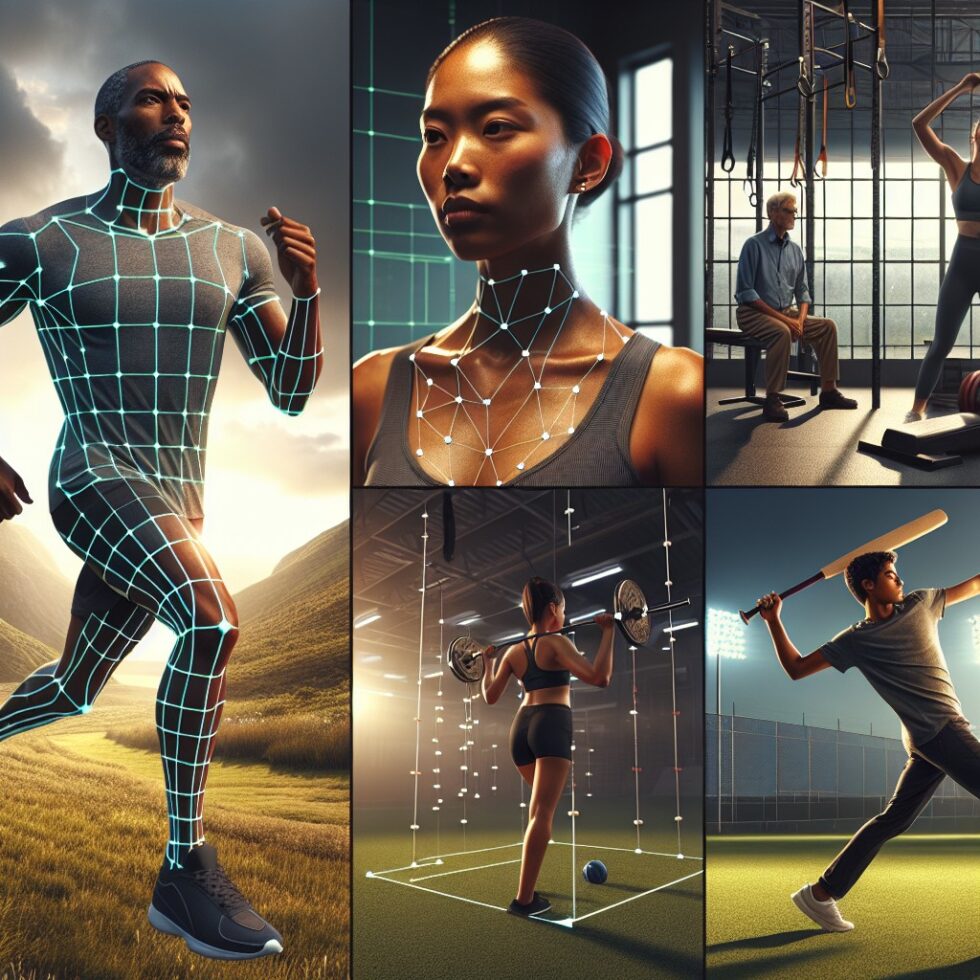
Coaching yourself is hard because mirrors lie, muscle memory is biased, and a single clip on your phone rarely shows the full picture. The good news: lightweight computer vision can now extract useful movement metrics from simple video. You do not need a lab, markers, or an expensive motion system. A tripod, your phone, steady lighting, and the right workflow are enough to turn form into numbers you can trust.
This article shows you how to set up a practical pose tracking routine for running, strength training, and swing sports like tennis, baseball, and golf. We focus on repeatable capture, reliable angles, simple feedback, and staying safe. The aim is not to replace a coach. It is to make every solo session more informed and more consistent.
What Pose Tracking Actually Measures
Most modern systems detect a skeleton of keypoints—hips, knees, shoulders, elbows, wrists, ankles—on each frame of video. From those points you can compute joint angles, timing, velocity, and symmetry. Two big ideas matter:
- 2D landmarks vs. 3D estimates: Phone video is usually 2D. If the camera angle stays consistent, 2D angles still help a lot. Some models infer approximate 3D from one camera, but treat 3D as a bonus, not a requirement.
- Relative measures beat absolutes: Angles are more useful as trends than as universal targets. Your hip extension improving by 5° matters more than copying a pro’s number.
Good pose tracking is less about fancy models and more about controlling the setup. Keep distance, height, and angle the same every time. Keep clothing and background simple. If the input is stable, the metrics stabilize too.
Know Your Use Case: Running, Lifting, Swings
Each sport benefits from different views and metrics. Start with the simplest that gives clear feedback and grows with your skill.
Running: Side and Rear Views That Don’t Lie
For distance running, a side view at hip height gets you a lot. You can track overstriding, foot strike placement, knee lift, and hip extension. A rear view helps with knee valgus (knees collapsing inward), pelvic drop, and foot crossover.
- Side view: Place the camera 6–8 meters away, at ~hip height, perpendicular to your path. Mark your path so you pass the camera at the same spot each rep.
- Rear view: Set the camera 5–10 meters behind your line of travel. Center your body in the frame. A small runway line helps keep you straight.
Metrics to start with:
- Stride timing: Count frames per stride at a known frame rate to estimate cadence. Use a metronome later to test cadence changes.
- Overstride index: Horizontal distance from hip to foot at foot strike. Smaller distances usually reduce braking and impact.
- Hip extension at toe-off: The angle formed by torso–hip–ankle. Improving extension often correlates with better propulsion.
- Pelvic drop (rear view): Vertical difference between left and right hips during single-leg stance. Excess drop may point to glute strength or control issues.
Lifting: Slow Is Smooth, Smooth Is Strong
Strength training is ideal for pose tracking because it is controlled and repeatable. A side view for sagittal-plane lifts and a front view for knee tracking go a long way.
- Back squat: Side view to check torso angle and hip depth. Front view to check knee travel relative to toes and valgus.
- Deadlift: Side view to track bar path over mid-foot, hip and knee angles at the start, and spinal neutrality.
- Overhead press: Side view for bar path verticality and scapular elevation. Front view for shoulder symmetry.
Metrics to start with:
- Bar path deviation: Track the bar’s center over time. Less horizontal sway means more efficient force transfer.
- Hip–knee timing: In squats and deadlifts, watch which joint moves first. Consistent sequencing reduces shear loads.
- Depth and range: Measure hip crease relative to knee height and total range of motion. Build range gradually, not all at once.
Swings: Angles, Sequence, and Tempo
Swings are complex but rhythmic. A single side view can reveal a lot if you plan it well. Add a front or rear view later if you like.
- Golf: Side-on at hand height. Look at pelvis–torso separation, lead knee extension timing, and club–arm angle lag.
- Tennis: Side-on for groundstrokes, rear for serves. Watch shoulder external rotation at racket drop, hip clearance, and contact point.
- Baseball: Side-on at chest height. Track hip–shoulder separation, stride length, and bat path through contact.
Metrics to start with:
- Separation (X-factor): Torso vs. pelvis rotation difference at key moments. It’s a timing indicator, not a max-you-must-chase.
- Contact consistency: Frame index of contact across reps. Tighter spread indicates stable tempo.
- Follow-through balance: Center of mass over support at finish. Wobbles hint at control issues.
Build a Simple Pipeline at Home
You can go two ways: no-code tools that add angles on video, or a light DIY pipeline that runs on your laptop or even in the browser. Start simple and expand only if you need more control.
No-Code: Annotate, Compare, Improve
- Kinovea (Windows): Free, purpose-built for sports analysis. You can draw angles, track points, overlay two clips, and measure timing. It’s manual but fast once you learn it.
- Slow-motion on your phone: Many phones record 120–240 fps. Combine slow-mo with a simple angle overlay app to see more with less blur.
- Tripod + remote: A stable tripod and a Bluetooth remote remove camera shake and make clips comparable.
No-code works well for a handful of key angles and side-by-side comparisons. It’s also safer because you must watch your own movement closely and think about changes before you attempt them.
DIY: Landmarks to Angles in Minutes
If you want automatic metrics, use a lightweight pose model and compute angles from landmarks. You do not need to train anything. A basic flow:
- Capture: Record consistent video at 60–120 fps if possible, with bright, even lighting.
- Detect: Run a pre-trained model (e.g., MoveNet, MediaPipe Pose, MMPose). These give you 2D keypoints per frame.
- Compute: Convert keypoints to angles and distances. Smooth with a short moving average (3–7 frames) to reduce jitter.
- Compare: Plot a few metrics over time and across sessions. Highlight peaks and key events like foot strike or bar pass.
This can run fully offline on a laptop. For privacy and comfort, that’s often the best choice.
Calibrate Your Camera Like a Pro (Without Fancy Gear)
Calibration is about reducing variation. You want each session to look like the last so your metrics remain comparable.
- Fixed distance: Mark the floor where your tripod sits. Measure it once and reuse.
- Fixed height: Use hip height for running side views. Use mid-chest or shoulder height for swings. Write it down.
- Framing guide: Tape two lines on the floor so your feet land inside them during reps. It keeps your scale constant.
- Lens choice: Don’t use ultra-wide. Slight telephoto (2x) reduces perspective distortion and improves angle accuracy.
- Light: Even light with minimal shadows. Outdoors: avoid harsh noon sun. Indoors: add two lamps at 45° angles.
If you want more precision, place a calibration object in frame. A meter stick on the wall or a printed checkerboard lets you estimate scale and correct a bit of distortion. Keep it simple. You do not need lab-grade calibration to get useful change-over-time metrics.
From Landmarks to Coaching Cues
Angles are numbers. Coaching is decisions. Turn your metrics into simple, testable cues.
- Pick 2–3 metrics per cycle: For running, maybe overstride index and hip extension. For squats, bar path and torso angle. For swings, separation and contact timing.
- Define “green zones”: Instead of chasing a single perfect number, define ranges that feel safe and strong. Aim to keep most reps inside the zone.
- Add a trigger: If hip extension drops below your target, do a glute activation drill before the next set.
- Review weekly: Compare average and variation. Are you more consistent? Small gains that stick are the wins that matter.
Real-Time Feedback vs. Post-Session Review
Real-time cues are motivating but can be distracting. Post-session review is calmer and often safer. Use both, but pick the right moments.
- Real-time (audio cues): A simple beep when an angle crosses a threshold can help with cadence or depth. Keep cues sparse.
- Post-session: Watch one rep per set in slow motion. Annotate angles on 3–5 key frames. Compare to last week’s markers.
For complex movements, real-time guidance tends to push too hard. Use quick cues only for a single, low-risk metric like cadence or squat depth.
Privacy, Safety, and Practical Limits
Not every clip needs the cloud. Most useful analyses run fine on a laptop or phone. This keeps your data local and your focus on movement, not uploads.
Safety comes first. Pose tracking is a measurement tool, not medical advice. If pain appears, stop and consult a qualified professional. And remember: improvements often come from basic consistency, not radical changes.
- Edge-first: Run models locally when possible.
- No full-body online posts: If you share, crop to the angles or anonymize. You can blur faces or export only charts.
- Respect fatigue: Don’t chase form improvements late in a long session when your control is low.
Common Pitfalls and How to Dodge Them
Pose tracking isn’t perfect. You can still get clean, trustworthy trends by reducing known errors.
- Occlusion: Limbs hide each other. Use side or rear views to minimize overlaps. Keep elbows away from the torso when possible.
- Left-right flips: Some models mislabel sides if you rotate. Lock your camera angle and label sets manually if needed.
- Jitter and dropped frames: Smooth angles over a few frames. If frame rate varies, resample or record in a high-FPS mode.
- Clothing and background: Wear solid colors that contrast with your surroundings. Avoid loose, flowing layers that hide joints.
- Overfitting your form: Chasing single-session perfection can backfire. Look at averages and variability across days, not isolated hero reps.
Example Workflows You Can Copy
Running Session (20 minutes)
- Warm up 5 minutes easy jog.
- Set tripod side-on at hip height, 8 meters from your path. Mark your pass point with tape.
- Record 4 x 20-second strides at your target pace. Between reps, rest 60 seconds.
- Compute hip extension at toe-off and overstride index for each rep. Average across reps.
- Adjust cadence by ±5 steps/min using a metronome. Record 2 more reps. See if overstride index shrinks without hurting hip extension.
- Note a single cue for next time: “Soften foot strike under hips” or “Drive hip through toe-off.”
Squat Session (25 minutes)
- Warm up 5 minutes dynamic mobility.
- Front and side cameras at knee height, 3 meters away. Use a light, even background.
- Do 3 working sets. For each set, mark one rep to analyze.
- Track bar path deviation and torso angle at three points: descent mid-range, bottom, ascent mid-range.
- If deviation > 5 cm from vertical line over mid-foot, reduce load next set and cue “knees out, chest tall.”
- Stop if form drifts and save heavier work for another day.
Golf Range Session (30 minutes)
- Side camera at hand height, 4–5 meters away, slight telephoto.
- Warm up with wedges. Record 5 swings with a 7-iron.
- Track pelvis–torso separation at top, lead knee extension timing, and contact frame index.
- Test one focus point per block of 5 swings: “Delay torso turn,” or “Post on lead leg,” not both.
- Keep the change that tightens contact timing spread without spiking effort.
Make Your Metrics Stick: Simple Data Hygiene
Clean data habits make your metrics durable and useful. You do not need a full database—just a repeatable naming and logging pattern.
- Filename schema: sport_date_view_set.mp4 (e.g., run_2026-01-10_side_02.mp4)
- Session note per file: Add one-line metadata inside a simple text file or note: pace, load, cue, pain-free or not.
- Weekly dashboard: A small spreadsheet with average and standard deviation for 2–3 metrics. Green if trending better and stable.
Quantify the minimum that helps decisions. Extra metrics you never use are noise.
When to Add a Second Camera (and When Not To)
Two views reduce occlusion and help verify angles, especially for lifts. Start with one, then add another only if you hit the limits of single-view analysis.
- Two-view sweet spots: Squats (front + side), deadlifts (side + 45° front), tennis serve (rear + side).
- Sync: Clap once at the start so both videos have the same audio spike. Align by that spike during analysis.
- Bandwidth: Two cameras mean twice the data. Don’t add a second view unless it answers a question the first view cannot.
Edge Models Worth Knowing (No Training Required)
You can get excellent results with general-purpose pose models. Try a couple and pick the one that behaves best in your lighting and sport.
- MediaPipe Pose: Lightweight, cross-platform, good for mobile and web. Offers 2D landmarks and optional 3D inference.
- MoveNet: Very fast and accurate for single-person tracking. Great for real-time cues.
- MMPose: A rich ecosystem for pose tasks, from 2D to 3D, with many pretrained models.
Don’t obsess over model differences. If angles look stable across sessions and react to deliberate changes, you are good.
Validating Your Angles Without a Lab
Trust but verify. A few quick checks go a long way:
- Known angles: Film yourself holding a straight arm (180°), right angle (90°), and T-pose. See if the system reads close to expected.
- Repeatability test: Film two identical sets a few minutes apart. Your average angles should match within a small margin.
- Cross-check with manual: Use a manual tool like Kinovea on a few frames to confirm automatic angles are in the ballpark.
Trend, Don’t Chase: How to Use the Numbers Week to Week
Great sessions come and go. Trends decide progress. Track a rolling 4-week average for each metric and tag any week with unusual fatigue, travel, or illness. If a metric dips for two weeks straight, simplify your plan. If it rises steadily with stable variability, lock in your routine and only change one small thing at a time.
What’s Next: Better 3D from a Single Phone, and Smarter Cues
Phone cameras are getting better sensors and more consistent frame rates. Pose models are improving at handling occlusions and estimating simple 3D from one view. Combined with lightweight audio cues, you can expect gentle, timely guidance that leaves you in control. The smartest systems will not overload you with data. They will surface one relevant cue at a time, validate it against your history, and help you build form you can maintain, even on tired days.
Summary:
- Pose tracking from phone video is enough for useful joint angles and timing if your setup is consistent.
- Pick metrics that match your sport: overstride and hip extension for running, bar path and sequencing for lifting, separation and timing for swings.
- Start with one camera, good lighting, and clear framing. Add a second view only if it solves a real problem.
- No-code tools like Kinovea help you annotate and compare. Lightweight models like MediaPipe and MoveNet automate angles.
- Turn numbers into cues with green zones, simple triggers, and weekly reviews. Trend over time beats single-session perfection.
- Run models locally for privacy. Validate angles with known poses and occasional manual checks.
- Keep sessions safe and changes small. Consistency builds durable form and performance.