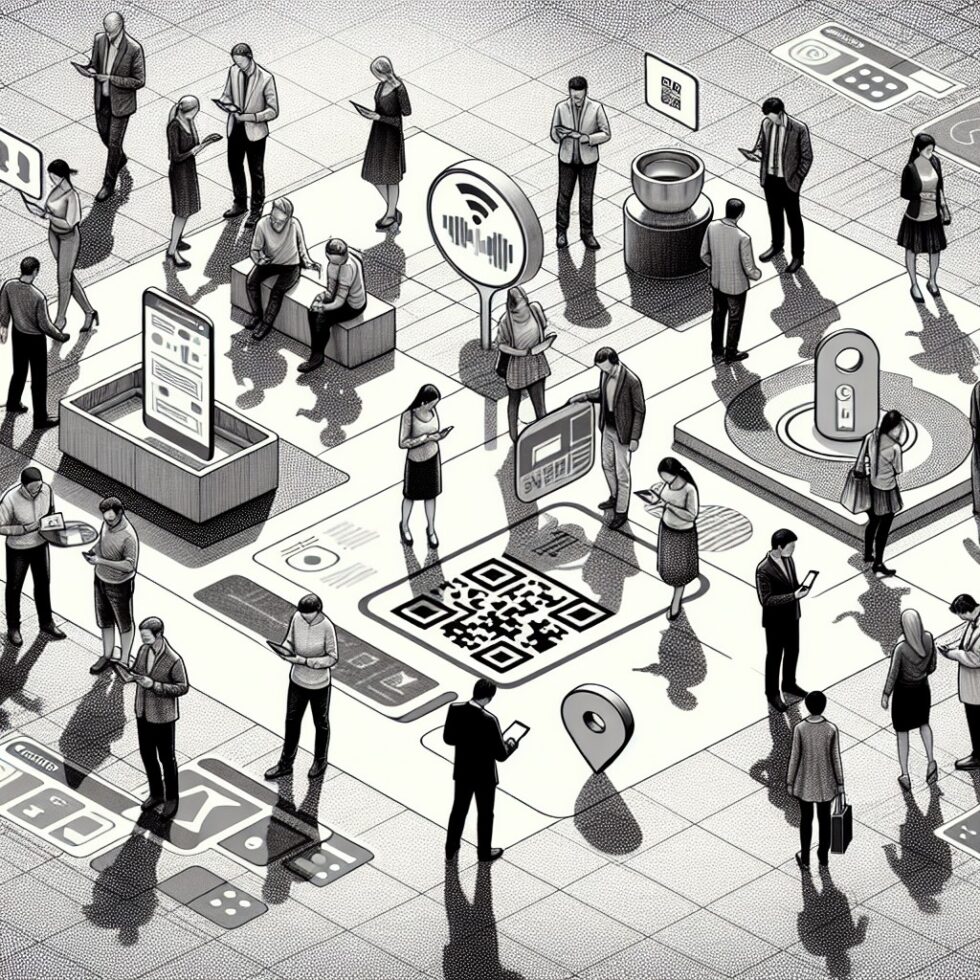
You do not need centimeter‑level tracking to help someone find the right clinic door, lecture hall, or conference booth. What you need is a simple, reliable, and maintainable system that points people from one decision point to the next—without spying on them or draining your team’s time. This article is a practical, end‑to‑end guide to indoor wayfinding that runs on everyday phones and uses a mix of Bluetooth beacons, QR anchors, and floor‑aware maps. It is designed for venues like hospitals, campuses, museums, and offices that want solid results without the cost and complexity of ultra‑wideband or camera‑heavy AR setups.
What We’re Building
Our goal is not to draw your position on a map with surgical precision. Our goal is to give visitors the best next step. That means:
- Anchors at decision points: low‑energy Bluetooth beacons and printed QR codes that declare “you are here.”
- Floor‑aware maps with a routing graph that knows elevators, stairs, ramps, and detours.
- Profiles for different needs—fastest route, step‑free, quiet corridor, stroller‑friendly.
- Private by design: no tracking, no cloud dependency, minimal permissions.
Think of it as a set of breadcrumbs and a good walking plan, not a surveillance system.
Bluetooth Beacons, Explained Simply
Beacons are tiny radios that broadcast short messages several times a second. Phones can hear those broadcasts and decide what to do—show a hint, confirm an anchor, or switch floors on the map.
Beacon frames that work for wayfinding
For indoor wayfinding, you need a frame that you control and can change later. The practical choices:
- AltBeacon: open and flexible; you can put your own IDs into the frame.
- Eddystone‑UID: a stable, two‑part ID that your app can match to a place.
- Eddystone‑TLM: optional telemetry (battery voltage, temperature) for maintenance.
Avoid hard‑coding vendor‑specific formats you cannot maintain. Open formats help you switch hardware later.
Power, interval, and battery life
Beacon settings are tradeoffs:
- Transmit power (Tx): higher power is louder but eats batteries and bleeds across walls. Start at medium.
- Advertising interval: shorter intervals (e.g., 300–500 ms) help phones react fast near decision points, but shorten battery life. Entrance areas can run faster; quiet corridors can run slower (1000–1500 ms).
- Batteries: coin cells are fine for 1–3 years at moderate settings. For high‑traffic chokepoints, consider USB power or rechargeable packs hidden in signage.
Placement rules that actually work
Beacons are most useful at decision points—the places where people must choose a path:
- Entrances: “Welcome, you’re on Floor 1 near Registration.”
- Stairs and elevators: “These stairs go to Floor 2; the elevator door is 8 m to your left.”
- Intersections: “Turn right for Labs A–C; straight for Cafeteria.”
- Door clusters: “Clinics 201–209 this way.”
Mount beacons chest‑high to head‑high on non‑metal surfaces, at least 1 m from corners, and never inside closed metal enclosures. Use tamper‑resistant mounts and label the device (“Wayfinding Beacon, Venue Property”).
QR Anchors: Fast, Cheap, and Accessible
Printed codes are your most dependable fallback. They work when Bluetooth is jammed, when batteries die, and when a phone’s Bluetooth is off. Use them to let the visitor assert their current location with one tap.
Design QR anchors for real use
- Readable at a glance: large codes, high contrast, with short URLs.
- Physical durability: lamination for indoors, metal plates for outdoors.
- Plain‑text labels: “Elevator A, Floor 2 East” printed next to the code.
- Consistent placement: same height and side of the corridor so visitors can predict where to look.
Your QR URL scheme should be simple and versioned. For example: https://maps.venue.tld/a/2e/elevA where “a” is wing A, “2e” is floor 2 east, and “elevA” is a specific anchor ID. Keep it human‑legible and short. If you prefer a standard, consider the geo: URI for pure location points and pair it with a place ID in your app’s state.
Build a Floor‑Aware Map That Makes Sense
Most frustration indoors comes from level changes and unclear transitions. A good map does not just draw rooms; it encodes what paths exist and who can use them.
Think in graphs, not pictures
Model your building as a graph:
- Nodes: decision points, doors, stair landings, elevator lobbies, ramp starts.
- Edges: walkable segments with attributes—length, slope, width, noise level.
- Transitions: elevator/stairs edges that connect floors with tags like “step‑free” or “restricted.”
With a graph, you can run A* or Dijkstra’s algorithm to find the path a person wants, not the path a robot would take. Create profiles: fastest, step‑free, fewer turns, minimal glare (handy in glassy spaces), and low noise for sensory‑friendly routes.
Make landmarks first‑class
Landmarks turn a raw path into instructions people trust: “Pass the coffee cart; take the next left after the art wall.” Add persistent POIs to your graph and store simple descriptions. Your navigation text generator can include them at natural breakpoints.
Handle closures and events
Hallways get blocked. Elevators go offline. Build a tiny admin tool that lets staff mark edges as closed or add a detour with a start and end time. Your app should pull updates quickly near the start of a route but cache routes offline after that to avoid mid‑journey surprises.
Privacy and Safety by Design
People are more willing to use wayfinding if it does not feel creepy. The core principles are simple:
- No tracking: do not log per‑device paths. Log only aggregate counts (e.g., “Beacon 12 seen 412 times today”).
- Ephemeral IDs: if your beacons support rotating IDs, use them. If not, keep IDs generic.
- No background geofencing alerts unless the user opts in for campus‑wide assistance. Keep everything foreground and obvious.
- Clear signage: label beacons and QR signs as wayfinding aids with a support number.
Be aware of mobile OS behavior. iOS and Android throttle passive scanning to save power. That is fine; our anchors are at decision points where the user can pause for a second, and our app can ask for a quick foreground scan when needed.
The App: Small, Focused, and Offline‑Smart
You can ship a web app for QR and map rendering plus a lightweight native shell for Bluetooth. Or choose a fully native app for deep OS‑level beacon APIs. Either way, keep it small and responsive.
Core features to implement
- Anchor confirmation: when a beacon matches or a QR code is scanned, snap the user to that node and re‑route.
- Floor auto‑switch: if you detect an elevator beacon or a QR at a stair landing, switch floors on the map and recalculate.
- Turn‑by‑turn text: concise text with distance estimates in meters and steps. Offer haptic cues at 10 m and at “now turn.”
- VoiceOver/TalkBack support: every instruction and control should be screen‑reader friendly and keyboard navigable.
- Local cache: store the current building graph for offline use. Sync in the background on Wi‑Fi.
Instruction style that reduces stress
Good instructions feel calm and specific. Use this pattern:
- Headline: “Turn right in 8 m at the vending machines.”
- Context: “You’re on Floor 1 near Registration.”
- Confidence cue: “If you pass the blue wall, you went 10 m too far.”
Short, consistent phrases work better than flowery prose. For non‑native speakers, keep vocabulary simple and avoid idioms.
Deployment Playbook
Rollouts fail when they try to cover everything at once. Start small and expand with confidence.
Pilot in one wing or floor
- Survey the space. Note metal walls, mirrored surfaces, and sources of RF noise.
- Anchor map: place beacons at each decision point and QR codes next to them.
- Route graph: encode only what a first‑time visitor needs. You can add fine detail later.
- Test paths: pick five common destinations and walk them with people who do not know the building.
Measure usability, not just signal strength
Technical metrics help, but the most important numbers are human:
- Time‑to‑destination for first‑time visitors vs. control group.
- Instruction clarity score from quick post‑journey surveys.
- Abort rate: how often users bail out and ask staff for help.
If you improve these, your system is working—even if your RSSI plots are messy.
Beacon Tuning Without the Guesswork
Bluetooth signal strength (RSSI) is bouncy indoors. Do not try to turn it into distance. For navigation, you only need to know which anchor the user is closest to.
Simple rules that beat overfitting
- Use hysteresis: require a beacon to be strongest for a short window (e.g., 1–2 seconds) before switching.
- De‑bounce chatter: ignore tiny RSSI changes; switch only on meaningful gaps (e.g., 6–10 dB).
- Anchor zones: give each beacon a comfort radius; do not switch when beacons from adjacent rooms tie.
- Confirm with QR when in doubt: prompt the user to scan if your confidence drops below a threshold.
Channel and interference basics
BLE advertising uses three primary channels (37, 38, 39). You cannot pick a single channel on many devices, but you can mitigate interference by:
- Spacing beacons at least a few meters apart in line‑of‑sight.
- Avoiding clusters near Wi‑Fi access points or metal mesh ceilings.
- Staggering intervals for neighbors so they do not always collide.
Accessibility as a First‑Order Feature
Indoor wayfinding becomes essential for visitors with low vision, mobility differences, or sensory sensitivities. Bake this in from day one.
Mobility‑aware routing
- Step‑free guarantee: a profile that never suggests stairs. If elevators are out, tell users up front and show the nearest accessible alternative.
- Wide‑path bias: prefer wider hallways and doors for wheelchairs and strollers.
- Surface notes: mark slippery floors or steep ramps when known.
Low‑vision support
- High contrast UI with large text and solid color cues.
- Voice prompts that announce landmarks, distances, and floor changes.
- Haptics to confirm a turn or arrival with different vibration patterns.
Sensory‑friendly options
- Quiet‑route profile avoiding cafeterias, loud machine rooms, or crowded atriums when possible.
- Lighting cues: prefer routes with indirect lighting if your building allows.
Security, Maintenance, and Cost
Wayfinding should be cheap to run and hard to break.
Security basics
- Signed payloads if your beacon hardware supports them, or rotate IDs regularly to deter spoofing.
- Tamper‑resistant mounts and a small engraved label stating ownership.
- App‑side sanity checks: ignore impossible jumps (e.g., elevator beacon from Floor 5 heard while on Floor 1 without a transition).
Maintenance checklist
- Quarterly tests of routes with a fresh device, including screen reader mode.
- Battery sweeps using Eddystone‑TLM or a handheld meter. Replace in batches to keep schedules simple.
- QR refresh for any damaged or relocated signs. Keep spares ready.
- Graph updates when spaces are renovated; remove dead paths fast.
Costs you can explain to stakeholders
- Beacons: $15–$40 each depending on battery, enclosure, and telemetry.
- QR signs: a few dollars each; more for vandal‑resistant plates.
- Setup labor: 1–2 minutes per beacon plus mapping time.
- Ongoing: a few hours a month for checks and updates in a medium building.
Remind decision‑makers: you do not need full building coverage. Start with entrances and key junctions. Expand only where data shows confusion.
Interoperability and Data Formats
Plan for growth. Use formats and conventions that survive vendor changes.
- Beacon IDs: keep a simple registry in a CSV or small database: anchor_id, type, floor, location, notes.
- Map: store the routing graph as JSON with nodes and edges; export a GeoJSON layer for visualization if helpful.
- POIs: tag landmarks with category and human‑readable names; reuse in multiple languages.
For community updates, consider aligning with the Simple Indoor Tagging conventions used in OpenStreetMap so your team can benefit from common tooling. You do not need to publish your internal graph, but adopting similar semantics will make life easier.
When to Add More Tech—and When Not To
If your venue later needs aisle‑level positioning for asset tracking or inventory, you can explore Bluetooth direction finding or add cameras in limited areas. But for visitor wayfinding at human walking speed, resist complexity.
- Do add more anchors if people still hesitate at certain junctions.
- Do refine instructions and landmarks based on real feedback.
- Don’t chase centimeter accuracy for hallway navigation—it rarely improves visitor outcomes.
A Mini Rollout Example: Clinic Wing
Let’s make this concrete. You manage a clinic wing on Floors 1–3. Visitors often get lost switching from the main lobby to Radiology and then to Lab Sample Drop‑off.
- Anchors: beacons and QR signs at Lobby Entrance, Registration, Elevators A/B, top/bottom of Stairs 1, Corridor intersections near Labs 110 and 210, and outside Radiology 305.
- Graph: nodes at each anchor plus one in front of every major door; edges with lengths and a “step‑free” tag. Elevators marked as “step‑free; high usage; profile boost for mobility.”
- Profiles: default and “step‑free.” The latter prefers Elevators A/B and avoids Stairs 1 even if faster.
- Instructions: “From Registration, go straight 20 m. Turn left at the blue vending machines. Take Elevator A to Floor 3. Exit right; Radiology 305 is 12 m ahead on your left.”
- Testing: five new patients walk from Lobby to Radiology. You measure time, confusion points, and collect a one‑question clarity score.
- Iteration: one junction still causes hesitation. You move that beacon closer to eye level, add a QR, and include a new landmark in the step—“after the seating area.”
Common Pitfalls and How to Avoid Them
- Over‑beaconing: more is not better. Dense clusters create radio soup and oscillation. Anchor only at decisions.
- Tracking creep: tempting as it is, do not add silent analytics SDKs. If you must count, count anonymously at the anchor level.
- Forgetting floor transitions: the top of a stairwell and the bottom are different anchors; treat them as separate nodes.
- Vague language: “Go down the hall” is unhelpful. “Go straight 25 m; pass the green mural” is clear.
- No maintenance plan: dead batteries will break trust. Make battery swaps routine and predictable.
Why This Approach Works
It respects how people actually navigate: they look for cues, confirm where they are, and make simple choices. It runs on today’s phones without special hardware. And it stays within a venue’s budget and risk comfort. Most importantly, it avoids the trap of chasing technical precision when clear instructions and good placement solve the real problem.
Summary:
- Use Bluetooth beacons and QR anchors at decision points to confirm “you are here.”
- Model your building as a floor‑aware graph with profiles for mobility and preferences.
- Write short, landmark‑rich instructions with haptics and screen‑reader support.
- Tune beacons for stability, not distance; prefer hysteresis and anchor zones.
- Keep it private: no tracking, minimal permissions, clear signage.
- Start with a small pilot, measure human outcomes, and iterate.
- Plan maintenance: battery sweeps, QR refreshes, and graph updates.
External References:
- Bluetooth Assigned Numbers: Generic Access Profile
- Eddystone Beacon Format (GitHub)
- AltBeacon Specification
- Android Beacon Library
- Apple CoreLocation: Monitoring iBeacon Proximity
- OpenStreetMap: Simple Indoor Tagging
- RFC 5870: The geo URI Scheme
- W3C Web Content Accessibility Guidelines 2.2
- Bluetooth Direction Finding Overview
- Android Accessibility Help: TalkBack