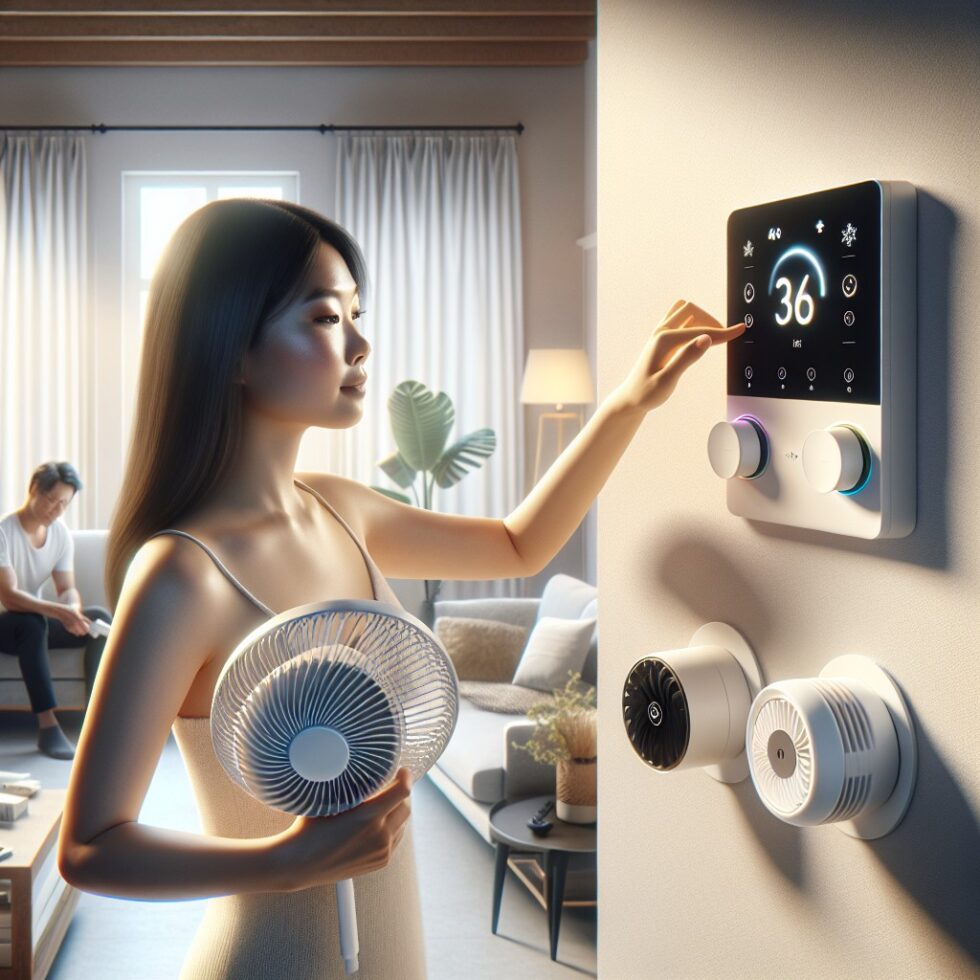
Most people chase comfort with a single lever: the thermostat. If the room feels warm, down goes the setpoint; if it feels chilly, up it goes. That guess‑and‑check loop burns energy and still misses what your body cares about. Real thermal comfort is shaped by six factors: air temperature, humidity, air speed, mean radiant temperature, clothing, and metabolic rate. You can tune these in a normal home without complex gear or a renovation. This guide shows practical steps to measure what matters, dial it in with fans and dehumidifiers, and build quiet automations that help rather than hassle your household.
What Thermal Comfort Really Is
Two simple models describe what humans find comfortable indoors:
- PMV/PPD (Predicted Mean Vote / Predicted Percentage Dissatisfied): A physics‑based model that blends the six comfort factors to predict how people will rate their thermal sensation from cold (−3) to hot (+3). Near 0 is neutral; PPD estimates how many people will still be unhappy at a given condition.
- Adaptive Comfort: An observational model for naturally ventilated spaces. People accept a wider range of indoor temperatures when they can open windows, use fans, and adapt to seasonal norms.
Both models agree on one practical truth: air temperature alone is not destiny. If you ignore humidity, radiant surfaces, and airflow, you waste energy chasing a number that only partly affects how you feel.
The Six Variables, Explained in Plain Terms
- Air temperature (Ta): What your wall thermostat sees. It’s a baseline, not the whole story.
- Humidity (RH / dew point): Moist air slows sweat evaporation, making you feel hotter. Dry air makes you feel cooler but can irritate skin and sinuses.
- Air speed: Moving air over skin boosts heat loss. A gentle breeze can make a 78°F room feel like 74°F.
- Mean radiant temperature (MRT): The average temperature of the surfaces “seen” by your body. Sunlit glass, cold walls, and hot ceilings all change how you feel regardless of air temperature.
- Clothing (clo): How much insulation your outfit provides. Shorts and a t‑shirt ≈ 0.5 clo; a light sweater adds ~0.3 clo.
- Metabolic rate (met): Heat your body produces. Sitting quietly is ~1.0 met; light chores might be ~1.2–1.4 met.
Ignore any one of these and you’ll chase comfort with blunt adjustments. Measure or estimate all six, and you’ll have levers that solve problems gently and efficiently.
Measure the Right Things Without Fancy Gear
Good data doesn’t require a lab. Start with simple sensors and practical placement.
What to Measure, Where to Put It
- Temperature and humidity: Place sensors at seated head height away from direct sun, vents, and exterior walls. One per main room is enough to learn your home’s patterns. Calibrate by comparing two identical sensors for a day; adjust if one reads consistently high or low.
- Air speed: Optional for most homes. You’ll usually set fan speeds directly and see the comfort effect. A handheld anemometer is helpful if you’re curious or balancing larger rooms.
- Mean radiant temperature: A low‑tech “globe thermometer” estimates MRT. More on that below.
- Occupancy: Useful for automations. A simple motion sensor or smart plug telemetry (is the room’s lamp on?) is often enough.
A Cheap Mean Radiant Temperature Hack
MRT matters because your skin exchanges heat with surfaces by radiation. That’s why sitting near a cold window feels drafty even with calm air. To estimate MRT, build a simple globe thermometer:
- Paint a ping‑pong ball matte black.
- Insert the tip of a small, fast temperature sensor (e.g., a digital sensor probe) into the ball, seal the hole with a dab of black tape or glue.
- Place it where you sit, away from direct sun or vents.
The black globe warms or cools by exchanging radiation with surrounding surfaces. Compare its reading to the room air temperature to infer radiant effects. You won’t get lab‑grade accuracy, but you’ll see when sunlit glass or a cold wall pushes your comfort around.
Calibrating and Sanity‑Checking
- Temperature: Ice‑water test: immerse the probe tip in slushy ice water for 2–3 minutes; it should read near 32°F (0°C). Don’t submerge electronics.
- Humidity: Place two sensors side by side for 24 hours; many will agree within ±3% RH. Consistent offsets can be corrected in software.
- Repeatability: Move a sensor to several rooms for a day each. You’ll learn which rooms are naturally warmer or more humid and how your system distributes air.
Turn Data Into Action: Practical PMV and Adaptive Targets
You don’t need to crunch the full PMV equation manually. A handful of inputs feed calculators or simple spreadsheets. The workflow below gives you usable control with minimal math.
Quick Inputs That Work
- Clothing: Default to 0.5 clo (shorts and t‑shirt) in summer; 0.8–1.0 clo (long pants, light sweater) in winter.
- Metabolic rate: Sitting at a desk: 1.0–1.1 met. Standing, light tasks: 1.2–1.4 met. Cooking or active chores: 1.6–2.0 met.
- Air speed: No fan: 0.05–0.10 m/s. Gentle fan: 0.3 m/s. Strong fan: 0.6 m/s. Ceiling fans at medium typically land around 0.3–0.5 m/s at seat level.
With those inputs plus your room temperature, humidity, and the globe thermometer proxy for MRT, you can estimate PMV. Aim for −0.5 to +0.5 most of the time. Use an adaptive target on mild days when windows are open: occupants often accept a wider band if they control air movement and clothing.
Move Air First: Fans Are Comfort Multipliers
Air speed is the cheapest and fastest way to feel cooler. As air brushes your skin, evaporation and convection increase, making a warm room feel comfortable without deep cooling.
Ceiling Fans Done Right
- Size and placement: A 52–60 inch fan suits many living rooms; 44–48 inches for bedrooms. Center over seating or the bed.
- Speed matters: Medium speed often delivers the best tradeoff between comfort and noise for everyday use. High speed is great for recovery after exercise or hot cooking sessions.
- Direction: Summer mode blows air downward; winter mode pulls air up to mix stratified layers without a draft. Balance fan blades to avoid wobble and hum.
- Controls: Use pull chains, wall controllers, or a quiet smart controller. Avoid automations that yank speeds abruptly when people are asleep.
Portable and Whole‑House Fans
- Desk and pedestal fans: Point them at your torso, not your face, for sustained comfort with less dryness. Oscillation distributes benefits among multiple occupants.
- Cross‑ventilation: On cool evenings, crack windows on opposite sides and use a fan to pull fresh air through. Watch outdoor humidity if you plan to dehumidify later.
- Whole‑house fans: Excellent in dry climates for fast evening cooldown. Use when the outside dew point is low; close before outdoor air warms.
Because fans use tens of watts, you can often raise your cooling setpoint by 2–4°F with the same or better comfort. That’s significant energy savings with minimal tradeoffs.
Humidity: The Other Half of Summer Comfort
High humidity makes rooms feel sticky and hotter than the thermostat suggests. Low humidity makes you feel cooler but can chap lips and skin. Most people feel best when indoor relative humidity stays between 40–60%. Dew point is an even better guide; aim for ~50–60°F (10–16°C) in summer if you can.
Dehumidifiers and Dry Coils
- Dedicated dehumidifiers: They pull moisture directly. Place them in damp areas, connect a drain hose where possible, and clean filters regularly.
- Air conditioning: Cooling removes moisture during longer cycles. Oversized systems short‑cycle and remove less humidity; if that’s your case, a dehumidifier can fill the gap.
- Ventilation fans: Run bath and kitchen exhaust during and after moisture‑producing activities. A 15–20 minute run‑on timer helps.
Humidifiers help in dry winters but monitor carefully. Over‑humidifying invites condensation on windows and mold in cold climates. Keep RH below ~45% when it’s freezing outside.
Mean Radiant Temperature: Surfaces Shape Comfort
Radiant effects surprise people. You feel chilly sitting next to a cold window in winter because your body “sees” and radiates heat to that surface. The reverse happens near sunlit glass in summer.
- Shade and insulate: Close blinds during peak sun; add insulating curtains on winter nights. Low‑e window film can reduce radiant losses with a weekend project.
- Rearrange seating: Move chairs out of high‑sun or high‑loss zones. Small layout changes can remove a daily discomfort trigger.
- Rugs and wall hangings: Soft surfaces reduce radiant asymmetry near cold floors and exterior walls, and they improve acoustic comfort too.
- Spot checks: A basic IR thermometer lets you scan surface temperatures safely. Look for big gaps between surfaces and room air; that’s where you’ll feel it.
Quiet Automations That Don’t Fight People
Automations can make comfort consistent without calling attention to themselves. Keep rules small, local, and human‑friendly.
Principles for Calm Control
- Local-first: Run core rules on a local hub (or within the device) so fans and dehumidifiers still work when the internet drops.
- Human override wins: A wall switch or remote should always stop or change a device for at least an hour. Nothing breaks trust faster than a system that fights you.
- Ramp, don’t jerk: Change fan speeds gently. Avoid frequent toggling. Build a minimum run time and rest time to reduce wear and noise.
- Respect sleep: Quiet hours should lock speeds below a threshold in bedrooms. Allow higher speeds if someone requests it.
Example Rules You Can Reuse
- Fan for warm, not sticky: If PMV > +0.5 and RH ≤ 60%, set ceiling fan to medium. If PMV ≤ 0, set fan to off after 10 minutes.
- Dry the air first: If RH > 60% and dew point > 60°F, turn on dehumidifier until RH falls to 55%; then re‑evaluate PMV. Only drop the AC setpoint if PMV stays > +0.5.
- Window logic: If outdoor dew point < indoor dew point − 3°F and outdoor temp < indoor temp, suggest opening windows (notification) or turn on a window fan.
- Sleep preserve: Between 10 p.m. and 6 a.m., limit fans to low unless room temp exceeds 78°F and RH is below 60%. Then allow medium for 30 minutes.
Seasonal Playbooks
Summer
- Target: 76–80°F with RH 45–60% and gentle air speed.
- Run ceiling fans medium in occupied rooms; use oscillating fans for spots that need extra help.
- Dehumidify proactively on muggy days. Pre‑dry in the late afternoon to avoid overnight stickiness.
- Close blinds on sun‑facing windows before midday.
Shoulder Seasons
- Target: 70–76°F with windows open if outdoor dew point is comfortable.
- Use adaptive comfort: people accept a wider range when they have fans and window control.
- Ventilate in the evening to flush heat; shut before outdoor humidity spikes.
Winter
- Target: 68–72°F with RH 35–45% (colder climates stay toward the low end to avoid condensation).
- Use ceiling fans on low, reverse mode, to mix warm air without drafts.
- Add insulating curtains at night. Move seating away from cold surface zones.
- Humidify modestly if needed, but check windows and corners for condensation.
Safety, Noise, and Maintenance
- Electrical safety: Dehumidifiers and fans are continuous loads. Use outlets and circuits that can handle the draw. Keep cords tidy; avoid daisy chains on power strips.
- Condensate management: If your dehumidifier uses a hose, ensure a continuous downward slope to a drain. Clean the bucket and filter to prevent slime and odors.
- Noise targets: Bedrooms benefit from ≤ 35–40 dBA background at night. For shared spaces, ≤ 45 dBA keeps conversation easy. Choose fans with published noise ratings when possible.
- Filter hygiene: Replace or clean HVAC and device filters on schedule. Clogged filters reduce airflow and increase noise.
Costs, Savings, and What to Expect
Every degree you raise your cooling setpoint can save roughly 3–5% on cooling energy in many climates. Fans often consume 15–60 watts on medium speed, which costs pennies per day, while enabling a 2–4°F higher setpoint comfortably. Dehumidifiers use more power (300–700+ watts), but targeted use on muggy days keeps the AC from overcooling just to feel dry.
A simple investment roadmap:
- $50–$150: A couple of reliable temp/RH sensors, an IR thermometer, and a quality desk fan.
- $150–$400: Add a ceiling fan or two with quiet controllers; consider a small dehumidifier for problem rooms.
- $400–$1,000: Larger dehumidifier with hose drain, more fans, insulating curtains or window film for sun‑exposed or cold‑loss areas.
Many households recoup these costs within one or two seasons through better setpoints and reduced AC runtime—without sacrificing comfort.
Troubleshooting: Fix the Specific Discomfort You Feel
- Cold feet, warm head: You have vertical stratification. Reverse ceiling fans on low, close high returns slightly, and improve undercut on interior doors to equalize pressure.
- Sticky even at 75°F: Humidity is high. Dehumidify to 50–55% RH first, then recheck comfort before lowering setpoint.
- Drafty near windows in winter: Radiant loss. Use insulating curtains, shift seating, and add a low‑speed, upward‑direction fan to mix gently.
- Hot spot under skylights: Radiant gain. Add reflective blinds or film and use a targeted fan.
- One room always off: Check supply and return balance, closed dampers, or blockages. A small booster fan can help, but address the cause first.
- Unknown air leaks: Use a smoke pencil or incense to see air movement at exterior doors, can lights, and attic hatches. Seal obvious gaps with weatherstripping and caulk.
Build a Simple Comfort Dashboard
A glanceable dashboard makes learning fast and decisions calm. You don’t need complex home automation to get value.
Two Easy Options
- Spreadsheet method: Log hourly temperature, RH, fan state, and a “comfort score” (how you felt from −3 to +3). Add columns for clothing and activity. After a week, plot comfort vs. dew point and fan speed. You’ll see your personal sweet spots.
- Local hub: Use a local home hub to display room temp/RH, a computed PMV, and device states. Add just one or two automations at first (fan on warm, dry days; dehumidifier on sticky days). Build trust before adding more.
However you do it, keep the interface simple. Show the one or two numbers that matter right now. Hide the rest behind a tap or click for curious minds.
Why This Approach Works
No single knob can master comfort because your body is constantly exchanging heat with the air and the room’s surfaces while regulating moisture through skin. This guide steers you toward the levers that matter most in homes:
- Air speed solves warm discomfort at low energy cost.
- Humidity control fixes “sticky” without overcooling.
- Radiant tweaks remove persistent cold/hot zones without brute force.
- Quiet automations stabilize comfort without grabbing attention.
It’s not about chasing a number; it’s about tuning a set of small influences to make rooms feel right for the people in them.
Summary:
- Thermal comfort depends on six factors—air temp, humidity, air speed, mean radiant temp, clothing, and activity—not just the thermostat.
- Measure temperature and humidity well; use a simple globe thermometer for radiant effects; place sensors at seated head height.
- Use PMV targets (−0.5 to +0.5) or adaptive comfort in mild seasons; estimate clothing and activity realistically.
- Fans deliver big comfort per watt. Medium speed often enables 2–4°F higher cooling setpoints without complaints.
- Keep RH roughly 40–60%; dehumidify sticky rooms before dropping temperature further.
- Address radiant issues with blinds, curtains, seating changes, and subtle fan mixing.
- Automations should be local, quiet, and easy to override; ramp speeds and respect sleep.
- Expect meaningful savings: each degree of higher cooling setpoint can save ~3–5% of cooling energy.
- Troubleshoot specific symptoms: stratification, drafts, humidity, and room‑to‑room imbalances.
- A simple dashboard—spreadsheet or local hub—helps you learn your personal sweet spots fast.
External References:
- CBE Thermal Comfort Tool (University of California, Berkeley)
- ASHRAE Standard 55: Thermal Environmental Conditions for Human Occupancy
- U.S. Department of Energy: Thermostats and Heating/Cooling Tips
- U.S. Department of Energy: Ceiling Fans
- ENERGY STAR: Dehumidifiers
- U.S. EPA: Brief Guide to Mold, Moisture, and Your Home