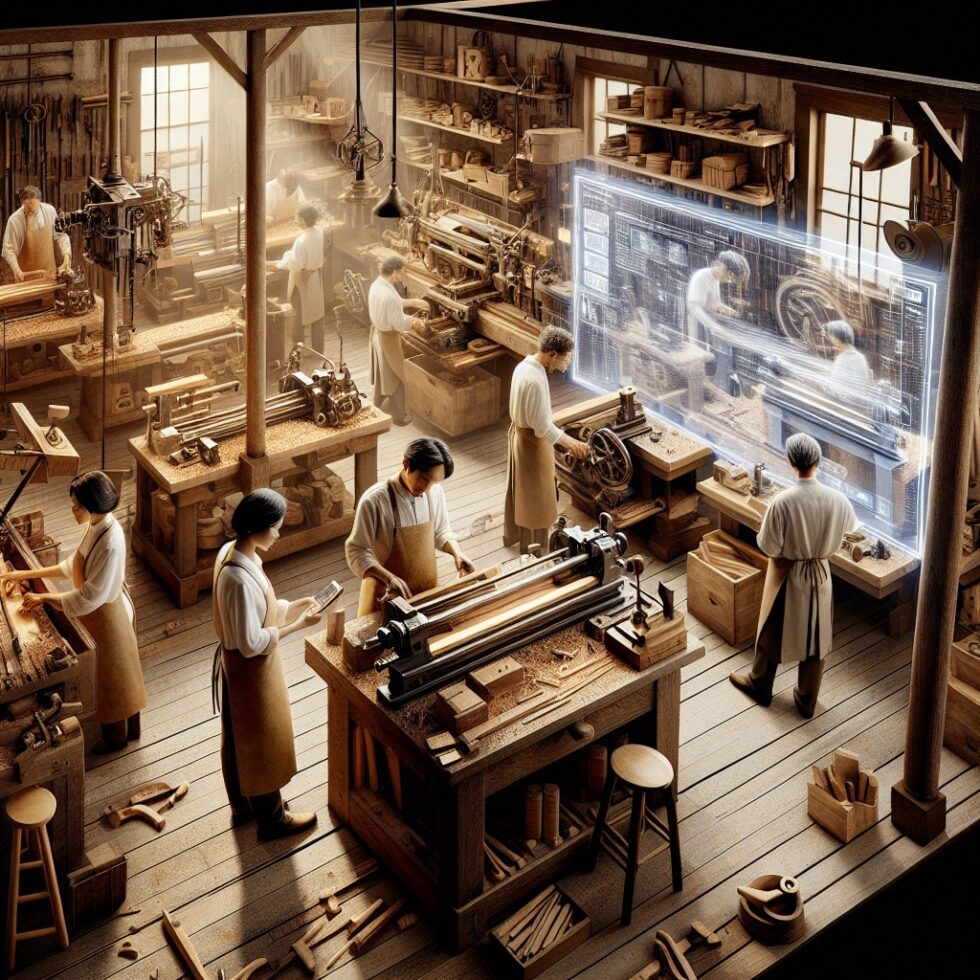
Digital twins are not only for giant plants and custom consultants. A small workshop with a few machines can build a useful, living model of its shopfloor in weeks, not months. You do not need a data lake, a huge budget, or an advanced robotics team. You need a few well-chosen sensors, a clean data path, a clear model of how your equipment behaves, and a simple way to visualize and test changes.
This article shows how to design and ship a digital twin for a small factory, maker shop, or lab. We will focus on practical pieces you can assemble now: connecting data, defining a state model, building a web view, simulating throughput, and adding guardrails so your twin helps people make decisions without adding risk.
What a Digital Twin Actually Is (and Isn’t)
A digital twin is a software model that mirrors a physical system and stays in sync with it. It is more than a dashboard. A good twin has:
- Live state: “Is this spindle running?”, “What job is on machine 2?”, “What is the temperature in the curing room?”
- Behavior: rules or logic that explain state changes, such as warm-up, fault, and cooldown phases.
- Prediction: a simple way to answer “what if?” based on real data and a model of constraints.
It is not a photo-real 3D game. Start simple. A 2D floor plan and clear status indicators beat a fancy scene that lies. Your twin should help answer practical questions: When will this order finish? Where is my bottleneck today? Which device is trending toward a fault?
Scope and Goals First: Choose Decisions You Want to Improve
Pick two to three decisions you make every week. Design your first twin to help with those only. Examples:
- Scheduling: Which machine runs which job next?
- Quality: Can we spot drift early and pull a sample?
- Uptime: Can we notice conditions that cause stoppages?
- Energy: Are we running high-draw tools at the same time?
From those decisions, pick your minimum viable signals. For many shops, the first set includes:
- Run/idle/fault state for each machine
- Cycle time per job or per part
- A count of units produced or tasks completed
- Temperature or vibration for one critical component
- Queue length or WIP in front of the bottleneck
Define three to five KPIs that you will show on the twin and review daily. Keep the math simple at first: average cycle time, % uptime, queue length, and a running tally of late orders are good starts.
Connect the Shopfloor: Signals Without the Headache
Small, Reliable Building Blocks
Live data is the twin’s lifeblood. You have three common paths to capture it:
- Direct from controllers: Many machines expose signals through OPC UA or Modbus. Use an industrial gateway if needed to translate to modern protocols.
- Clip-on sensors: Current clamps, vibration sensors, and temperature probes give you a fast, non-invasive view. They can infer run state and load without opening a control cabinet.
- Operator input: A simple tablet or button box can record job start/stop, scrap count, or reason codes when something stops. Human-in-the-loop data makes your twin smarter instead of guessing.
Transport: Keep It Simple and Observable
Use a single, well-understood protocol for streaming messages. MQTT fits small shops well. It is lightweight, works on flaky networks, and plays nicely with edge devices. Structure topics like:
shop/line1/cnc1/state→{"run":true,"mode":"auto","job":"A-142"}shop/line1/cnc1/metrics→{"cycle_sec":47.2,"temp_c":38.3}shop/pack/queue→{"wip":12}
For legacy equipment, use a small edge bridge to talk to OPC UA or Modbus on one side and publish to MQTT on the other. A fanless mini PC, a Raspberry Pi class device, or an industrial gateway can do the job. Run a tiny set of software you can trust: a message broker, a data flow app, and a metrics collector.
Store and Label Data for the Twin
Use a time-series database for fast, cheap metrics and a relational database for assets and jobs. A common pattern:
- InfluxDB or Prometheus for time-stamped sensor data
- PostgreSQL for assets, station definitions, job metadata, and relationships
- Node-RED or a small Python service to transform and route messages
Tag every metric with at least: asset id, station, and unit. A consistent naming scheme is a quiet superpower. If you change a tag, write a translator for historical data so charts and models do not break.
Model the Shop: Simple States, Clear Relationships
Define Assets and Links
Your twin needs a catalog of physical things and how they relate. Create a small schema:
- Asset: id, name, type, station, capabilities, sensors
- Link: upstream asset → downstream asset, with capacity and buffer size
- Job: id, routing steps, target cycle time, due date
Think of this as a graph. The twin uses the graph to trace the route of a job, discover the bottleneck, and compute WIP across the line.
State Machines Beat Raw Booleans
Instead of streaming a dozen flags, define a machine state model like:
- OFF: power down
- READY: power on, no job loaded
- RUN: making parts
- HOLD: waiting for material or operator
- FAULT: error code present
- SETUP: tool change, warm-up, or calibration
Use simple logic to map signals to states. For example, if spindle current is above a threshold and the job flag is true for more than 10 seconds, yield RUN. Small hysteresis avoids flicker from noisy sensors. Emit a single compact message with the derived state. The twin uses this clean signal for KPIs and display.
Digital Shadow vs Digital Twin
A digital shadow visualizes data. A digital twin also knows how your process behaves. If you remove an upstream asset, the twin can recompute throughput and WIP and tell you the impact. Aim for a twin, not just a shadow, by encoding these simple behaviors:
- Routing: which stations can run each step
- Capacity: how many items can wait between stations
- Changeover time: per product and per station
- Failure/repair: mean time to failure and repair, even if rough
Build the Interface: Floor Plan First, 3D Later
Floor Plan That Answers Today’s Questions
Plot your stations on a simple 2D map. Show current state color, the active job, and the queue size. Use tooltips for details like cycle time, last stop reason, and maintenance notes. Add a mini timeline under each station to show the last hour of state changes at a glance.
When you are ready, add a light 3D view with Three.js. Keep it pragmatic: boxes for machines, arrows for flow, highlights for faults. The goal is clarity. If you are torn between dramatic graphics and a faster page, choose speed. Operators will actually use it.
Drill-Downs for Action
Every visual element should lead to an action. Clicking a station might offer:
- Start a new job or load a saved setup profile
- Record a stop reason with one tap
- Open the maintenance checklist
- Preview a what-if simulation for moving a job to another station
Keep write actions behind role-based access. Read-only views for most users. Supervisors can schedule and approve changes. Log every write with who, when, and why.
Add a Simple Simulator: What-If Without the PhD
Discrete-Event Simulation That Mirrors Reality
You do not need a heavy tool to answer “what happens if we add a second saw?” A small discrete-event simulation (DES) can run in Python with a library like SimPy. Feed it your routing graph, cycle time distributions, and buffer sizes. Start with these steps:
- Measure or estimate cycle time per step; store min, median, and max
- Measure time lost to changeovers and setups
- Approximate downtime with simple rates (e.g., 1 failure per 8 hours, 10 minutes to recover)
- Use current WIP as initial conditions
Calibrate the sim against yesterday’s data. If the simulation’s throughput matches the real throughput within 10–15%, you are good. The goal is decision support, not perfect physics. Use the sim to try:
- One extra operator on peak hours
- A change in routing for a short batch
- Different buffer sizes between stations
- Parallelizing a bottleneck step with a rented machine
Forecasting and Queues
DES pairs well with a small forecaster. A rolling average of cycle times per product often beats fancy models in small shops. For variability, store the last 100 cycles and resample those values in the sim. This preserves real-world “lumpiness” without complex math.
Predict Failures the Simple Way
Condition-based maintenance does not require deep learning. Start with three simple detectors:
- Trend drift: use a moving average on vibration or motor current. Flag when the average climbs faster than a threshold over a day.
- CUSUM: cumulative sum change detection for temperatures that creep up.
- Rule-based checks: heat + long cycle time together may signal dull tooling or bad lubrication.
Combine them into a single health score per asset. Show it on the floor plan with a small bar or color ring. Offer a “why” so trust grows: “Health 62/100. Current +12% vs last week. 2 slow cycles in last hour.”
Security and Safety: Read-Only by Default
Your twin will be popular fast. Protect it so it does not harm your process.
- Network boundaries: put the broker and bridges on a VLAN that does not touch the open internet. Do not expose PLC ports.
- Read-only first: start without any control writes. When you add them, require per-action permissions and audit logs.
- Secrets managed: no passwords in code. Use environment variables or a small secrets manager.
- Backpressure: if the UI crashes, production must continue. Edge bridges should buffer and retry, not hang a controller.
Cost and Hardware: What You Actually Need
You can prototype with a modest setup:
- 1–2 fanless mini PCs at the edge (4–8 GB RAM, SSD) for data flow and broker
- Clip-on current sensors or vibration sensors on key motors
- A small managed switch, PoE if cameras or sensors need it
- One tablet per area for operator inputs
Software can be open-source and free to start. Budget for a few paid seats in tools your team already uses for charts and auth. Expect a few hundred dollars in sensors and a few thousand for durable edge hardware if you scale.
Shipping It in Four Sprints
Sprint 1: Get Signals Flowing
- Set up MQTT broker and Node-RED
- Bridge one machine via OPC UA or clip-on sensors
- Write raw signals to a time-series DB
- Display first KPIs in a bare-bones page
Sprint 2: Add the Model
- Define assets, links, and machine states
- Emit derived states from raw signals with simple logic
- Show a clean floor plan with state colors and tooltips
- Hold a daily standup at the board and gather feedback
Sprint 3: Reliability and Ops
- Harden the edge: watchdogs, local buffering, and auto-restart
- Add roles and audit logs for any write actions
- Collect health metrics for the twin itself: queue sizes, error rates
- Document runbooks for restarting and updating components
Sprint 4: Simulation and What-Ifs
- Build a small DES model with your routing and cycle times
- Calibrate against real days; refine changeover and downtime assumptions
- Add one-click scenarios in the UI: “Can we finish order X today?”
- Celebrate the first decision improved by the twin
Change Management: Make It a Team Tool
A twin fails when it becomes a manager-only dashboard. Make it a shared workspace:
- Mount a big screen where work happens. Keep it fast and legible from a distance.
- Let operators annotate stops and add notes. Their input beats any algorithm.
- Review yesterday’s flow for 10 minutes in the morning. Pick one fix to try today.
- Make “model change” a checklist item like any process change. Small PRs, short reviews.
From Twin to Ecosystem: Integrations That Matter
Your shop already runs planning and finance tools. Connect, but avoid tight coupling at first. A small adapter service that syncs jobs from your ERP into the twin’s job table is enough. Send back the finished quantity and estimated completion times. Let the twin act as a predictive and operational layer, not a brittle system of record.
If you run a quality app for inspections, add a link from the twin to the active checklist. If you run a CMMS, create a “raise work order” button pre-filled with the asset and a screenshot.
Case Sketch: A Two-Line Woodshop
Consider a woodshop with one CNC router, a panel saw, a bander, two assembly benches, and a curing room. The team’s pain points are late orders on busy weeks and surprise stoppages from dust collection issues.
- Signals: current sensors on the saw and router, a temperature probe in the curing room, a vibration puck on the bander drive, and a simple button for operators to mark a stop reason.
- Model: routing steps for each product type; buffers of 3–5 units between stations; changeover per product measured over a week.
- UI: a floor plan with colors and a timeline strip per station; a queue count shown between boxes.
- Sim: ran “what if we rent a second router for two days?”; showed 18% throughput gain and earlier delivery on two late orders.
- Wins: a dust collector trend alarm caught filter clogging early; a small scheduling rule avoided stacking two long runs back-to-back on the same station.
Pitfalls and How to Avoid Them
- Too much scope: start with one line or even two machines. Win early.
- Noisy sensors: add hysteresis and debounce. Use medians over means for cycle times.
- Timestamp chaos: record a server-side timestamp on ingest. Sync edge clocks weekly.
- Beautiful but slow UI: keep asset cards under 50 ms to update. Pre-compute KPIs.
- No operator voice: add a simple stop-reason input. It will explain your strangest outliers.
- Writing to controls too soon: treat write actions like power tools: rare and guarded.
How This Scales When You Grow
As your shop expands, the architecture still holds. You can split the broker per area, and forward aggregate signals upstream. You can run more edge bridges in parallel. If you outgrow a mini PC, move the broker and services to a small cluster or managed platform. The key is to keep asset IDs, topics, and schema stable so you can add lines without rewiring everything.
When you add more analytics, keep a path for shadow mode where a new detector runs silently for a week before it changes anyone’s day. This builds trust and prevents fire drills from false alarms.
Owning the Twin: Lightweight Operations (TwinOps)
Assign one person a few hours a week to keep the twin healthy. Their checklist:
- Review message rates and error logs
- Update routing or asset definitions as equipment changes
- Rotate credentials and test backups
- Run a monthly fire drill: can we rebuild the twin from scratch?
This is TwinOps in practice: small, regular care so the model and the shop never drift apart. Document onboarding steps so a new teammate can learn in hours, not weeks.
Why Start Now
Digital twins used to be expensive and abstract. Today, open protocols, lightweight databases, and browser graphics make them accessible. The payoffs show up fast:
- Better promises: more accurate delivery dates and clear trade-offs
- Fewer surprises: catch slowdowns before they stop a line
- Smarter changes: test ideas in software before you move anything heavy
- Shared view: operators, planners, and maintenance see the same truth
Start small, wire one machine, and make one decision better. That is the real test of a twin. If it helps your team choose what to do next, it is already paying for itself.
Summary:
- Pick a narrow scope tied to weekly decisions; derive a small set of KPIs.
- Use simple, reliable data paths: OPC UA or sensors into MQTT, then time-series storage.
- Model assets as a graph and machines as state machines for clarity and stability.
- Build a fast 2D floor plan first; add lightweight 3D when it helps.
- Run a small discrete-event simulation to test scheduling and capacity changes.
- Start with read-only; add write actions later with roles and audit logs.
- Keep the twin a team tool with operator input and daily reviews.
- Plan for growth with stable IDs, schemas, and simple TwinOps practices.