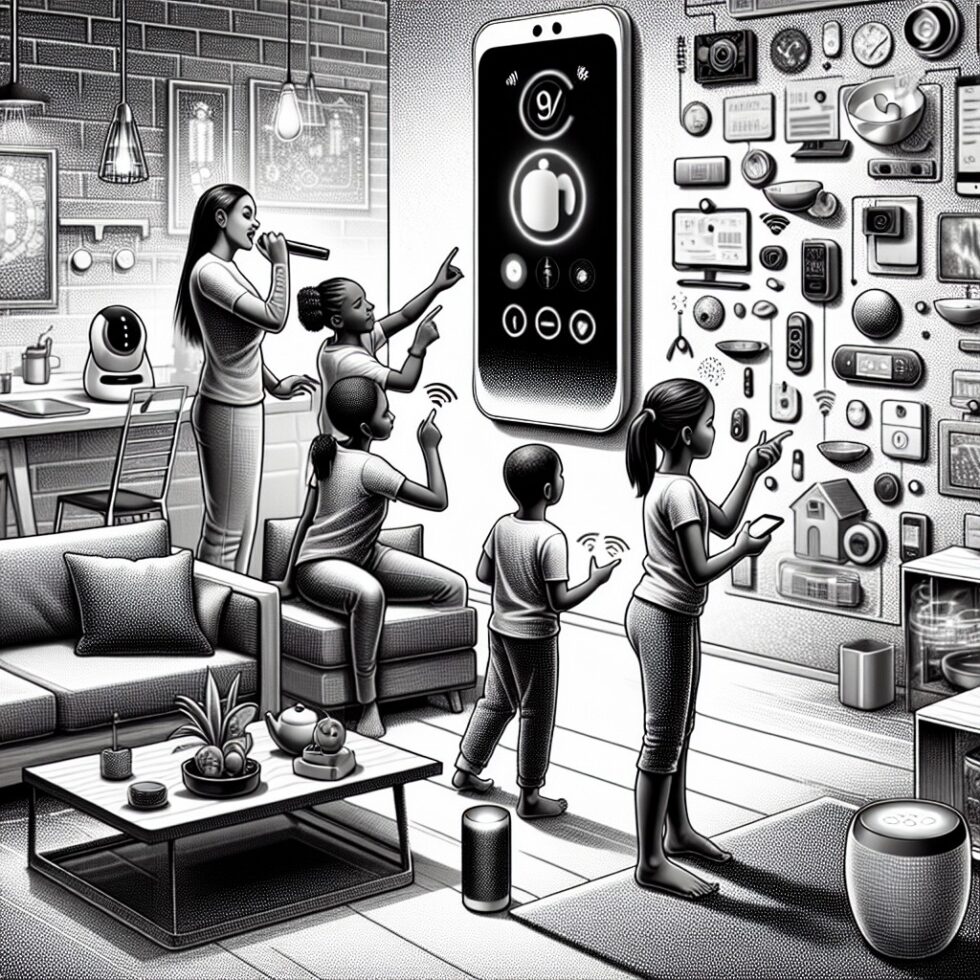
Why a Private Voice Assistant Now
The smart home has a trust problem. Cloud assistants are helpful but can be slow, noisy, and leaky. They falter when your internet stumbles, and they learn more about your life than you’d like. The good news: you no longer need them for most daily tasks. With small, efficient models and the open Matter standard, you can build a voice assistant that runs locally, responds in a beat, and keeps your data inside your walls.
This guide is about the practical build—not a lab demo. We’ll cover wake words that don’t shout to a server, on‑device speech recognition and text‑to‑speech, controlling Matter and Thread devices, and writing routines that your family actually uses. If you’ve ever said “turn on the light” four times and wondered who’s boss in your home, this article is for you.
What You’ll Build
The end result is a simple system that listens for a wake word, transcribes your speech locally, turns it into an action, and sends that action to your devices over Matter. No cloud round‑trips. Your voice, your home, your rules.
- A small computer (Raspberry Pi 5 or mini PC) running your voice pipeline
- One or more far‑field microphones and a small speaker
- A local smart home controller (e.g., Home Assistant) with Matter and Thread
- Optional: a Thread Border Router device (many routers and hubs already include this)
Hardware You Can Trust
The brain: a small edge computer
Pick something you can tuck behind a bookshelf but still upgrade later:
- Raspberry Pi 5 (4–8 GB): Efficient, quiet, runs quantized models well. Great for one to two rooms.
- Intel N100 mini PC (8–16 GB): Cheap, quiet, faster for larger Whisper models or multi‑room setups.
Both handle a wake word engine, a small on‑device speech‑to‑text (ASR), a basic natural language understanding (NLU) layer, and a compact text‑to‑speech (TTS). If you want full‑sentence conversations with a local LLM, lean toward the mini PC.
Your ears: microphones that hear you—not the TV
Use a far‑field USB microphone array. They include beamforming and noise reduction, which helps in kitchens and living rooms. Popular choices:
- Seeed ReSpeaker USB Mic Array v2.0
- MiniDSP UMA series
Place the mic where voices are clear and consistent. Avoid right next to speakers or TVs. If you have open‑plan rooms, consider one mic per zone rather than cranking sensitivity and catching false wakes from across the house.
Your voice back: a small speaker
A simple powered bookshelf speaker works well. If you prefer compactness, a USB speakerbar is fine. You’ll mostly hear short confirmations like “OK, dimming the living room to 30 percent.” Keep it audible but not loud so confirmations don’t confuse the microphone.
Software Building Blocks: From Wake Word to Action
Wake word detection that stays private
The wake word should be reliable, low‑latency, and fully local. Two good options:
- Porcupine by Picovoice: commercial but generous evaluation, fast, low CPU usage, broad device support.
- OpenWakeWord: open source, runs on commodity hardware, customizable phrases.
Keep your wake word distinct from TV dialog and family names. “Computer” is cute until your sci‑fi binge turns the oven on. Try a two‑syllable word with a hard consonant—“Piper” or “Nimbus”—and test with daily background sound.
Speech‑to‑text (ASR) on device
Two mature offline options:
- Whisper.cpp (local Whisper inference): Excellent accuracy, robust to accents, good in noise. Use small or base.en models quantized to 4–5 bits for speed on Pi 5; step up to medium on mini PCs.
- Vosk: Lightweight models, fast on modest hardware, easy to embed. Great for command‑style utterances and older devices.
Latency target: <1.2 seconds end‑to‑end for natural feel. Keep your pipeline streaming, not chunked. Start transcribing as soon as voice activity detection (VAD) triggers and stop when silence holds for a fraction of a second.
Natural language understanding: intents before LLMs
Resist the urge to feed every sentence into a large model. For home control, intents are easier to debug and faster:
- Define intent schemas: TurnOn, TurnOff, SetBrightness, SetTemperature, SetFanSpeed, Lock, Unlock, Open, Close, Start, Stop, SceneActivate.
- Write regular expressions or small grammar parsers that extract device, area, and numeric values.
- Add synonyms and nicknames: “lounge” = “living room”, “ceiling” = “main light”.
- Keep stateful clarifications minimal: “Which lights?” “The ones by the sofa.”
This approach is robust. It makes logs readable, edge cases testable, and family feedback actionable. If you want “chatty” features (unit conversions, timers, a quick shopping list), use a tiny local model as a fallback only for open‑ended queries, not device control.
Text‑to‑speech (TTS) you want to hear
Short confirmations deserve natural voices. Piper provides high‑quality neural TTS with small footprint. Cache common phrases to reduce latency. Keep responses short: your family wants to know it worked, not hear a lecture from the toaster.
Wiring the pipeline
One reliable flow looks like this:
- Mic → Wake Word (Porcupine/OpenWakeWord)
- VAD (e.g., WebRTC VAD) → Whisper.cpp/Vosk (streaming)
- Intent Parser → Action Resolver (maps an intent to a device/scene)
- Matter Command → Device
- TTS → Speaker (optional: only on explicit confirmations)
You can glue this together with Home Assistant’s voice features or compose services with a message bus (MQTT or a lightweight HTTP layer). Keep each piece swappable so you can upgrade models or replace components without ripping the whole setup.
Controlling Devices the Right Way: Matter and Thread
Matter in a sentence
Matter is a vendor‑neutral standard for smart home devices. It defines how devices securely identify themselves, describe their capabilities, and accept commands—across ecosystems. Lights, plugs, sensors, thermostats, and more can all expose clusters like On/Off, Level Control, and Thermostat with a consistent API.
Thread for reliability
Thread is a low‑power mesh network. Devices relay each other’s messages and keep working if a node drops. It needs a Thread Border Router to bridge to your IP network; many routers and smart speakers already include this. If you have Eero, Nest Hub, or an Apple TV/HomePod, you probably have Thread covered.
Home Assistant as your local hub
While you can talk to Matter devices directly from your voice app, using a hub like Home Assistant gives you structure: areas, scenes, device registries, and unified events. Add the Matter integration, commission devices, and keep vendors’ cloud apps at arm’s length. Bridges can bring in Zigbee/Z‑Wave legacy devices so the voice assistant sees one coherent home.
Naming devices for voice sanity
- Use areas consistently: “kitchen”, “hallway”, “nursery”.
- Prefer functional names: “island lights”, “sofa lamp”, “ceiling fan”.
- Give each device one canonical name and a few nicknames—avoid ten aliases for the same lamp.
Good naming turns ASR errors into harmless mis‑fires. Bad naming creates ghost devices and constant fine‑tuning.
Make Wake Words Work in the Real World
Placement and tuning
Put the mic where you naturally speak commands. Kitchen counter height works well; for living rooms, a shelf facing the seating area. Keep it away from air vents, fridges, and windows. Start with default sensitivity and tune after a week.
Echo cancellation and noise
Acoustic echo cancellation (AEC) prevents the assistant from hearing itself. Many mic arrays support AEC in hardware. If not, software options exist, but they come with CPU cost. Also consider a noise suppressor like RNNoise in your pipeline if your space is loud; it helps ASR cut through hiss and hum.
False wakes and misses
Track two numbers: false accept rate (how often it wakes when you didn’t call it) and false reject rate (how often it misses you). Aim for fewer than one false wake per hour and a miss rate under five percent in busy rooms. Adjust sensitivity and try alternate wake words if needed. If your TV triggers wakes, consider brief “do not listen” windows tied to TV power events.
Routines That People Actually Use
Start with two kinds of routines
- Immediate actions: “turn on the porch lights”, “set the living room to 20 percent”, “lock the front door”.
- Simple schedules: “every weekday at 7 am, warm the bathroom and start the coffee”.
Anchor the system on predictable wins. Once your family trusts the basics, layer in scenes and conditional logic.
Scenes beat long sentences
You could say “dim the lights to 30 percent, close the blinds, and turn on the projector,” or you can say “movie time.” Scenes reduce speech recognition surface area and are easier to tweak. When the scene changes—new bulb, updated dimmer curve—you edit the scene, not your NLU.
Clarification without frustration
If a command is ambiguous, ask a short, targeted question. “Which lights?” is better than guessing. Keep the conversation stateful for 8–10 seconds, then reset. You want snappy, not chatty.
Child and guest modes
Kids love voice control. Make sure there’s a safe subset of commands available at all times: lights, timers, weather. Guard devices like ovens, garage doors, and smart locks with a PIN or disallow them for unknown voices. For guests, a cheat sheet on the fridge with two or three useful phrases works wonders.
Privacy, Security, and Trust at Home
Keep data inside
Disable cloud fallbacks in your tools. Turn off telemetry unless you understand what’s sent. If you keep logs to improve accuracy, store them locally and rotate them frequently. Redact or disable audio recordings; a short text transcript is usually enough to debug.
Network hygiene
- Put smart devices on a separate VLAN or SSID. Allow your assistant and hub to reach them; block the rest.
- Use strong Wi‑Fi passwords and keep firmware updated.
- Back up your Home Assistant and voice config to a local NAS or an encrypted cloud bucket you control.
Consent and transparency
Tell your household what the assistant listens for and what it stores. Post the wake word and a link to your privacy settings in a common area. If you later enable optional features like voice notes, discuss them first. Trust is a feature.
Optional Extras That Add Real Value
Multi‑room audio pickup
Run a small process on each room’s mic device and send audio segments to a central processor, or run the whole pipeline per room for resilience. If you centralize, make sure your LAN is stable and latency stays low.
Follow‑up mode
After a successful command, keep the mic “armed” for 10 seconds so you can say “and turn the fan to medium.” This reduces wake word fatigue. Show a small LED during the follow‑up window for transparency.
Local knowledge pack
Pair your assistant with a tiny local model that answers device‑free questions: “how many tablespoons in a cup?”, “what’s 18 Celsius in Fahrenheit?”. Cache answers and keep the knowledge pack curated; your goal is utility, not endless chat.
Presence and context
If your hub knows you’re home (phone sees Wi‑Fi, motion in hallway), tailor default targets: “turn on the lights” maps to the room you’re in. Keep it predictable; don’t make the assistant feel moody.
Performance Targets and Tuning Tips
Latency budget
- Wake detection: <200 ms
- ASR: 400–700 ms for typical commands
- Intent parse + action: <100 ms
- Matter command: <100 ms on a healthy network
End‑to‑end goal: <1.2 seconds from wake to device reaction. If you’re slower, profile which stage drifts. Often it’s ASR model size or Thread mesh instability.
Model choices and quantization
Use quantized models for ASR and optional LLMs. 4‑bit quantization keeps them slim without killing accuracy for short commands. If your accent is under‑recognized, fine‑tune a small model on a dozen recordings of your voice with your common phrases.
Microphone gain and VAD
Set mic gain just below clipping when you speak at a normal volume from typical distance. Increase VAD hang time slightly in echoey rooms to avoid cutting off the last syllable of “porch”.
Costs, Parts, and a Simple Architecture
Approximate costs
- Pi 5 (8 GB): $80–$120, case and power included
- USB mic array: $60–$120 per room
- Small speaker: $30–$80
- Thread Border Router: often free if your router or smart speaker already has it
One‑room starter kit lands near $200–$300. Multi‑room adds mic arrays, potentially a faster mini PC.
A reference architecture
- Room Node: USB mic array + small speaker → runs wake word and VAD
- Edge Host (Pi or mini PC): ASR (Whisper.cpp/Vosk), NLU, TTS, and a connector to Home Assistant
- Home Assistant: Matter/Thread orchestration, scenes, schedules
- Thread Border Router: built into your existing gear or a dedicated device
This balances responsiveness and reliability. If the Edge Host reboots, the Room Node queues short audio segments and retries. If the internet drops, nothing changes—everything critical is local.
Testing Without Tears
Build a small test suite
Write a dozen test phrases that represent real usage—short, messy, overlapping background sounds. Run them after major tweaks. Log:
- What ASR heard versus what you said
- Which intent was selected and why
- Action timing and Matter command response
This takes an hour to set up and saves days of “why did it do that” later.
Household feedback is data
Give your family a quick way to mark a failure: a small button in the hallway or a phone widget that says “that didn’t work.” Capture the last transcript and intent for review. Fix naming issues or add synonyms based on these moments.
When to Use an LLM—and When Not To
For critical device control, stick to deterministic intent parsing. You don’t want “maybe” when locking doors. If you like a touch of conversation, add a tiny local LLM for non‑critical requests: “tell me a dad joke,” “what’s on the calendar.” Gate it behind a separate wake word or a phrase like “ask the assistant…” to keep expectations clear.
If you do run a local LLM, prefer a small 3–7B parameter model, quantized, and pin its output length and temperature. Predictability beats personality in a home where multiple people rely on the same system.
Troubleshooting the Tricky Bits
It hears me, but nothing happens
- Check that the NLU extracted a device that actually exists in your hub’s registry.
- Confirm the Matter endpoint supports the cluster you’re calling (e.g., Level Control).
- Ensure your hub and assistant agree on area names and entity IDs.
Wake word triggers too often
- Change the word to reduce phonetic collisions with TV content.
- Reduce sensitivity or require a brief “push‑to‑talk” button during movie nights.
- Use the TV’s power status to automatically lower sensitivity when it’s on.
ASR is slow
- Drop to a smaller, quantized ASR model.
- Ensure you’re using streaming inference and not waiting for long silence windows.
- Confirm CPU governor isn’t in a low‑power state on the Pi.
Thread devices are flaky
- Move the Border Router away from metal racks and microwaves.
- Add another powered Thread device to strengthen the mesh.
- Update firmware; Thread stability improves frequently with updates.
A Day in the Life, Offline
Morning. “Nimbus, good morning.” The bedroom lights rise to 25 percent, the bathroom warms, shades lift, and a timer starts for tea. No internet? You wouldn’t notice.
Evening. “Nimbus, movie time.” The assistant sets the scene, fans down, phone goes into focus mode. Halfway through the film: “Nimbus, volume down,” spoken softly. It hears you because the mic sits where it should. The house responds on the first try. That’s what success feels like: quiet reliability.
Summary:
- Build a fully local voice pipeline with a wake word, on‑device ASR, intent parsing, and TTS.
- Use Matter and Thread via a local hub for consistent, reliable device control.
- Choose distinct wake words, place mics smartly, and tune sensitivity to minimize false wakes.
- Favor deterministic intents for control; reserve small LLMs for non‑critical chatter.
- Name devices and areas clearly to reduce ambiguity and boost accuracy.
- Keep data private, segment your network, and maintain transparent household settings.
- Target sub‑1.2s latency by quantizing models and streaming ASR.
- Start with simple routines and scenes; expand once trust and reliability are high.
External References:
- Connectivity Standards Alliance: Matter Overview
- Thread Group: What is Thread
- Home Assistant: Open Source Home Automation
- Home Assistant: Matter Integration
- Picovoice Porcupine: Wake Word Engine
- OpenWakeWord: Local Wake Word Detection
- whisper.cpp: Local Whisper Inference
- Vosk: Offline Speech Recognition
- Piper: Fast, Local Text-to-Speech
- Seeed ReSpeaker USB Mic Array v2.0