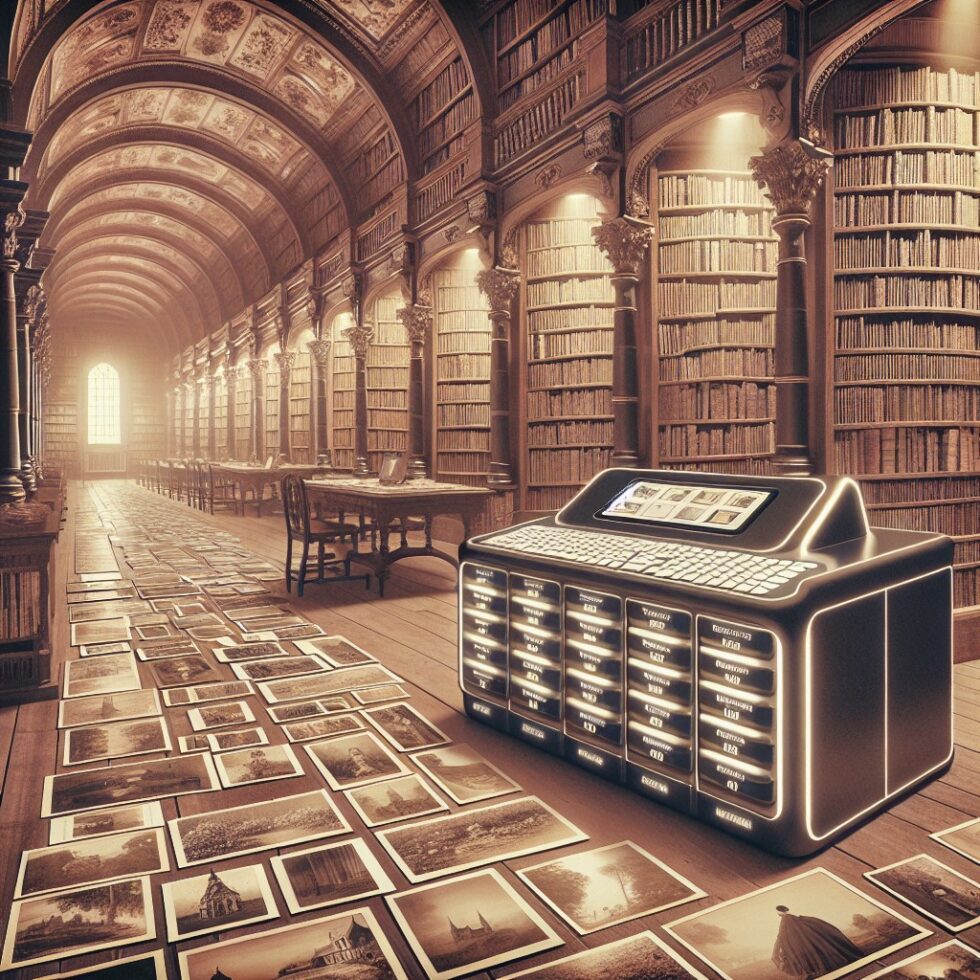
Your camera roll holds your life, but most of it is impossible to find when you need it. Cloud services promise automatic albums and “magic” search, yet they trade privacy for convenience and sometimes turn your library into a walled garden. There’s a better approach. With a few reliable tools and a clear structure, you can use local AI to make your photo library searchable, de‑duplicate thousands of near‑identical shots, cluster faces, and surface the moments you care about—without giving your data to anyone.
This guide walks through a practical, private workflow you can set up at home. It favors predictable results over flashy demos, and keeps everything exportable. The goal is a calm photo library you can actually live with.
What “calm” means for photos
Before we build, define the outcomes:
- Find anything fast. Type “beach sunset dog” and get the right set. Mix in “August” or “Spain” and results tighten.
- Kill duplicates without fear. Pick the best shot from bursts, edits, and re‑exports. Keep originals safe.
- Know who’s who. Cluster faces, suggest names, and respect opt‑outs. No creepy social graphs.
- Relive real stories. Surface trips and events automatically from time and place. Let you edit, rename, and share.
- Stay portable. Store metadata in plain sidecars. No lock‑in. If a tool dies, your library survives.
The pipeline at a glance
The system has five stages: ingest, normalize, embed, index, and present. Each stage is simple, testable, and replaceable. You can swap a model or database without rebuilding everything.
1) Ingest: bring photos home reliably
Ingest copies media from phones, cameras, old drives, and shared folders into a single “vault.” The rule: never rewrite originals. Use content addressing (hashes) to prevent duplicates before they land.
- Checksum first. Compute a cryptographic hash (SHA‑256) on the file as‑is. Use it for a stable filename and to eliminate byte‑identical duplicates across imports.
- Capture metadata. Read EXIF and container metadata on day one. Store raw JSON alongside the file. Tools like ExifTool save you from parsing edge cases.
- Time sanity. Normalize timestamps to UTC and record the offset. If a phone had the wrong timezone, keep a correction table instead of editing EXIF.
- Folder layout. Keep it boring: /vault/sha256_prefix/sha256.ext. Create a separate “derivatives” area for previews and thumbs. This keeps originals immutable.
2) Normalize: decode, transcode, and prepare for indexing
Modern libraries mix HEIC, JPEG, RAW, and video. To index consistently, you need uniform preview images and frames.
- Universal previews. Generate a high‑quality JPEG or WebP preview at a fixed long edge (e.g., 2560 px). Retain the color profile. Use libvips for fast, low‑memory processing.
- Video frames. Extract a key frame per N seconds or use a content‑aware sampler that picks sharp, distinct frames. Keep timestamps so searches can jump to a moment.
- Sidecar metadata. Never write to originals. Maintain an XMP or JSON sidecar for any derived tags, captions, labels, and corrections. This is your lifeline for portability.
3) Embed: turn pixels into vectors
Local AI models can convert images and frames into numerical vectors that capture visual semantics. With a good model, “red canoe on a lake” becomes a vector near other canoe‑on‑water photos. This powers text and image similarity search.
- Pick a robust model. CLIP‑family models work well for general search. Open‑CLIP variants offer strong open weights. For privacy and cost, run them locally on CPU or a modest GPU.
- Batch and cache. Preprocess previews to a consistent size, batch images to saturate your hardware, and cache embeddings. Store the model version so you can re‑embed later if you upgrade.
- Quantize smartly. 8‑bit or 16‑bit compressed vectors can slash memory without tanking recall. Validate on a sample set before committing.
4) Index: vectors, text, and filters together
Embeddings are only half the story. Great results come from fusing vector search with classic filters and metadata.
- Vector index. Use an approximate nearest neighbor index like HNSW in a vector database (Qdrant, Milvus) or a library (FAISS). Build separate indexes: one for photo embeddings, one for face embeddings.
- Keyword and captions. Add a small auto‑caption (e.g., “two people hiking on a trail”) and object tags. Keep them terse and human‑editable.
- Relational metadata. Store EXIF (date, lens, exposure), GPS, face clusters, and album membership in a simple relational database. It makes filtering fast and predictable.
5) Present: a simple, predictable UI
The UI doesn’t need to be clever. It needs to be clear:
- A search bar that accepts text and returns relevant photos quickly.
- Filters for date ranges, locations, people, cameras, and ratings.
- A “review duplicates” queue with confidence bars and one‑click decisions.
- Event timelines with inline maps and easy rename/share.
Make search feel like magic—and stay explainable
Text‑to‑photo search is the feature that changes how you use your library. But the interface should never act like a black box.
Text queries with CLIP‑style models
When you type a query, the system embeds your text with the same model family it used for images. It finds the nearest vectors and scores them. You can improve results with a few cues:
- Describe the scene. “Child blowing out birthday candles indoors” beats “birthday.”
- Add disambiguators. “Football in Spain” suggests soccer, “American football” suggests helmets and fields.
- Combine with filters. Tighten to a month, a city, or a person to get predictable results.
Hybrid scoring you can trust
For each candidate, compute a combined score: vector similarity plus boosts for matching captions, tags, date proximity, or GPS area overlap. Reveal why a photo ranks: “High visual match, has tag ‘dog’, taken in August.” This small note builds trust and helps you refine queries.
Local lexicon and synonyms
Different families use different words. Keep a simple synonym map you can edit: “sofa=couch,” “grandma=Nana,” “football=soccer when location=EU.” Apply it at query time only, so you never rewrite your originals.
De‑dupes and best‑shot selection without losing sleep
Modern phones shoot bursts, Live Photos, and multiple exposure versions. Edits create new files. Cloud re‑uploads add more duplicates. Your job is to cluster them and pick winners safely.
Perceptual hashing for near‑duplicates
Compute a compact perceptual hash (pHash/dHash/aHash) on previews. This hash is similar for images that look alike, even if they have different sizes or minor edits. Cluster hashes within a small Hamming distance (e.g., 8–12 bits) to form duplicate groups.
- Multi‑signal confidence. Combine pHash distance with vector similarity and EXIF proximity. Edits often share the same date and lens.
- Handle crops and exposure tweaks. Vector similarity is more resilient than pHash for these changes. Weight it higher when pHash is borderline.
Pick the best shot with simple quality metrics
Within each duplicate cluster, choose a “best” candidate using a transparent score:
- Sharpness. Use Laplacian variance on luminance to estimate focus. Higher is usually better.
- Exposure and noise. Penalize clipped highlights/shadows. Prefer lower ISO when other factors match.
- Faces open and centered. Detect faces; boost frames where eyes are open and subjects are not half‑cropped.
Always show your pick and the score, and offer one‑click overrides. Move non‑winners to a “Hidden duplicates” view instead of deleting. Safety first.
Face clustering with consent in mind
People search is useful, but it’s where privacy worries are highest. Keep it local, make suggestions clear, and let people opt out.
Embeddings and clustering
Use a face detector and embedder (e.g., InsightFace) on previews or full‑res when needed. For each face, store the vector, bounding box, and photo link. Cluster faces with a distance threshold to form “unknown person A/B/C” groups. Let users name clusters by confirming a few samples.
Prevent drift and false merges
Children’s faces change as they grow, and lighting can trick models. Protect users by:
- Conservative thresholds. Favor under‑merging over false merges. It’s easier to join two clusters than to split a wrong one.
- Time windows. Cluster within multi‑month windows first, then link with lower confidence across years.
- Manual anchors. A few explicit confirmations can seed more accurate expansions.
Consent and visibility
Not everyone wants to be searchable. Offer per‑person controls: “Include in search,” “Hide in shared albums,” “Never auto‑tag.” Store these preferences in sidecars for portability. Use suggestions instead of auto‑applying names by default.
Moments, trips, and stories
Events emerge naturally from time and place. You don’t need heavy ML to find them; a few rules go a long way.
Time gaps and location clusters
Split a timeline when the gap between photos exceeds a threshold (e.g., 6 hours). Merge adjacent segments if they share a location within a radius (e.g., 1 km). Name events with a simple pattern: “City + leading tag,” such as “Kyoto – Temple visit,” then let you edit.
Maps that work offline
Cache map tiles or use an offline vector map package. Show a small overview map for each event with a privacy‑first default: precise at home for your eyes only, generalized for shared links.
Captions you can edit
Local captioning models can draft short descriptions for albums: “Three days hiking in the Dolomites with Anna and Luca.” Keep them short, show the source photos used, and let users edit. Avoid generative flourishes you can’t justify. Focus on recall over flair.
Storage that stays useful for decades
Photo libraries outlive tools. Plan for migrations now so you never dread switching apps.
Content‑addressed vault
Storing files by hash means you can verify integrity anytime and avoid duplicate storage across imports. You can also de‑duplicate RAW+JPEG pairs and edited re‑exports without guessing.
3‑2‑1 backups and periodic scrubs
Keep three copies on two different media, one offsite. If you use a redundant filesystem like ZFS, schedule scrub jobs to catch bit rot early. Test restores twice a year—actually restore a small set to a separate disk and verify checksums.
Export is a first‑class feature
Any album or event should export as a plain folder with originals, human‑sized previews, and XMP/JSON sidecars containing captions, tags, face boxes, and event names. If the worst happens, another app can adopt your library without losing meaning.
Hardware, performance, and cost
You don’t need a datacenter. A quiet mini‑PC, a few disks, and a modest GPU (or Apple Silicon) can index a lifetime of photos over a weekend and stay idle most days.
CPU vs GPU
- CPU‑only works for small libraries and overnight batches. Expect a few images per second.
- Modest GPU (6–12 GB VRAM) can embed tens of images per second. Batch sizes and mixed precision matter more than raw TFLOPS.
- Apple M‑series can do well with Metal‑optimized builds. Keep models that fit in memory to avoid swapping.
Vector index trade‑offs
HNSW offers strong recall and fast queries at the cost of memory. IVF or PQ can reduce footprint with a small hit to accuracy. Start simple: HNSW for faces (smaller index), HNSW or IVF‑PQ for photos (larger index). Measure recall using a small labeled set: the queries you actually care about.
Throughput and heat
Run big jobs at night. Limit power draw on desktops. Keep ample airflow around disks. Write a guard: if device temps exceed a threshold, pause batching until they cool. Reliability beats speed.
Privacy and family UX
Homes are shared spaces. Your system should feel respectful to everyone who uses it.
Local‑only by default
Run the stack on your LAN. Provide a browser UI, with accounts for household members. Share albums through time‑limited links that contain only the exported subset, never the entire library.
Parental controls and opt‑outs
Give parents a simple switch: “Auto‑index kids’ faces: on/off.” Respect guest photos: when a friend uploads, default to not running face clustering on their images unless they consent.
Sync without friction
Use a simple cross‑platform sync (WebDAV, Syncthing) from phones to a staged inbox. The ingest service pulls from the inbox, acknowledges with a manifest, and removes files only after safe import and backup. If you switch phones, nothing changes.
Build or buy: you have options
You can assemble your own pipeline or adopt an open‑source app and extend it.
Open‑source foundations
- Immich targets a modern workflow with local indexing and mobile apps.
- PhotoPrism supports face recognition, places, and search with a traditional UI.
Both can be customized. You can plug in your own vector backend, change models, or adjust de‑duplication thresholds. If you build from scratch, you still benefit from their design ideas and file layouts.
Plugin mindset
Keep your custom logic as plugins or side services. For example, a “Best Shot” plugin that tags winners, or a “Trip Builder” plugin that emits event sidecars. If you need to change the core later, your plugins—and their sidecars—still apply.
Operate it like a small service
To keep the system healthy, treat it like a mini service in your home lab.
Schedules and queues
- Ingest every hour. Scan the inbox for new files and verify checksums.
- Index nightly. Embed new previews and faces in batches. Re‑index only when models change.
- Health checks weekly. Verify a random sample of sidecars and re‑run a few queries to detect regressions.
Audit and rollbacks
Keep a log of all tag assignments, face label confirmations, and de‑dup decisions with timestamps and user IDs. A small “undo” buffer can reverse recent changes. For bigger mistakes, re‑build indexes from sidecars.
Versioning and tests
Store model names and hashes in your index metadata. When upgrading, run a small test suite of queries and duplicate groups. If recall drops or you create merges you dislike, roll back. Your photos deserve the same discipline you bring to other important data.
A starter stack that works
If you want a concrete recipe, here’s a minimal stack that balances ease and control:
- Storage: Content‑addressed originals on a ZFS pool; previews on fast SSD.
- Ingest: Syncthing from phones to an “inbox” share; ExifTool for metadata; a small script to move files into the vault.
- Normalize: libvips for previews; FFmpeg for video frames; libheif for HEIC support.
- Embed: Open‑CLIP ViT‑B/32 for general search; InsightFace for face vectors.
- Index: Qdrant for vectors (HNSW); SQLite or Postgres for metadata; ImageHash for pHash.
- UI: A self‑hosted app such as Immich or PhotoPrism, extended with scripts that write/read sidecars.
Practical tips that save hours
- Start small. Index one vacation to prove your pipeline before ingesting your whole history.
- Label anchors. Name a few people and places early; it improves everything from search to event names.
- Don’t chase model hype. A stable, well‑tested model beats a state‑of‑the‑week that breaks captions or changes results wildly.
- Document your thresholds. Keep a simple config with your de‑dup and clustering settings. Future you will thank you.
Why this holds up
This approach isn’t about flashy filters or viral AI effects. It is about reliability. You get:
- Privacy by default. Everything runs on your hardware. Nothing leaks without your say‑so.
- Explainable results. You can see why a photo ranked or why two images were grouped.
- Portability. Sidecars keep meaning attached to media. Exports are simple and future‑proof.
- Control. You set thresholds, approve name suggestions, and choose what to share.
Summary:
- A calm photo library is private, searchable, de‑duplicated, and portable.
- Build a clear pipeline: ingest, normalize, embed, index, and present.
- Use local CLIP‑style models for text‑to‑photo search and InsightFace for people.
- Combine perceptual hashes and vector similarity to group near‑duplicates.
- Pick best shots with simple, transparent quality metrics and keep safety nets.
- Cluster faces conservatively, respect consent, and prevent false merges.
- Detect events from time gaps and location clusters; keep captions short and editable.
- Store originals by hash, keep sidecars for tags and faces, and follow 3‑2‑1 backups.
- Choose a vector database with HNSW or IVF‑PQ; batch and cache for performance.
- Operate it like a small service: schedules, logs, tests, and rollbacks.
External References:
- Immich — Self‑hosted photo and video management
- PhotoPrism — Browse your life in pictures
- OpenAI CLIP — Contrastive Language–Image Pre‑training
- Open‑CLIP — Open reproduction of CLIP
- Qdrant — Vector database for the next generation of AI applications
- Milvus — Open‑source vector database
- ImageHash — Perceptual image hashing in Python
- ExifTool — Read, write, and edit meta information
- libheif — HEIF and AVIF file format decoder and encoder
- InsightFace — 2D and 3D face analysis toolkit
- OpenZFS — Advanced file system and volume manager
- Syncthing — Open source continuous file synchronization
- OpenStreetMap — Open map data for visualization and offline use