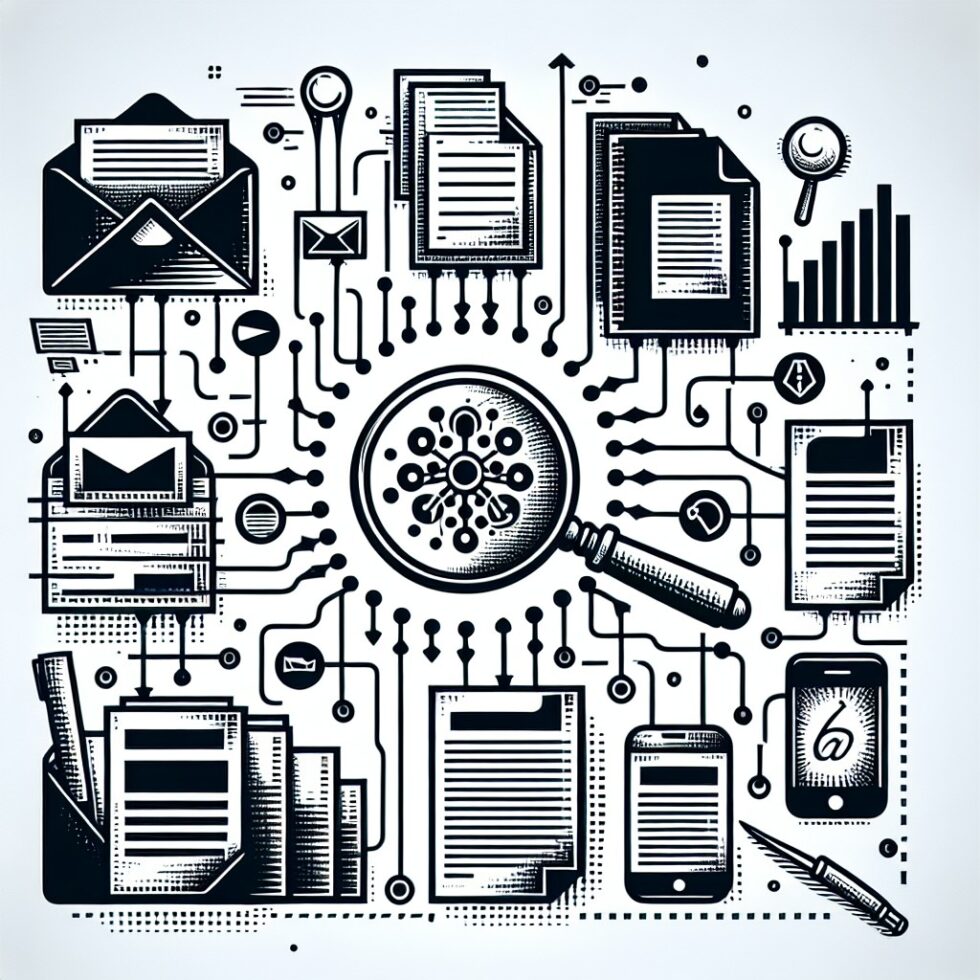
Your digital life is spread across folders, inboxes, calendar invites, and quick notes that felt “temporary” two years ago. Classic desktop search is fast but shallow. Cloud AI is powerful but risky for private material. There’s a better way: a local-first knowledge graph paired with modern embeddings. It gives you fast, flexible search that understands context and relationships—without sending your life to someone else’s server.
This guide walks you through a practical design you can build in a weekend and grow for years. You’ll connect files, emails, and notes; extract people, projects, and dates; and run hybrid search that blends keywords, vectors, and graph hops. Everything stays on your machine unless you choose otherwise.
What You’re Building
Think of the system as four small pieces that snap together:
- Ingestion pulls text and metadata from files, emails, calendars, and notes.
- Graph store keeps entities and relationships (who, what, when, where, how they connect).
- Vector index holds embeddings for semantic search and summarization.
- Query runner accepts your natural questions and returns ranked, linked results.
Each piece can be simple. A single SQLite database can hold your graph and basic indices. A small vector library adds semantic search. A lightweight local model can summarize or re-rank results when you ask for “the short version.”
Ingest Without Chaos
The fastest way to start is to pick one high-value source from each category, then expand. Keep a common format: store extracted text as Markdown, preserve original paths and message IDs, and track dates for every item.
Files: PDFs, Docs, Scans, and Media
Most personal knowledge lives in documents. Use simple, durable tools:
- Text from PDFs and Office docs: Utilities in your language of choice (for example, Python’s pdfminer or pypdf for PDFs) produce plain text. Save a snippet of the document head and the full text in your index.
- Scanned PDFs and images: Run OCR with Tesseract and store confidence scores. If the confidence is low, tag the record so you know to verify it later.
- Photos and videos: Read EXIF and container metadata with ExifTool. Titles, timestamps, and GPS coordinates are useful for linking trips, events, or projects.
- Audio: If you have voice notes or lectures, generate transcripts locally with whisper.cpp. Keep a pointer to timestamps for quick skimming.
Email and Calendars
Email threads encode relationships: people, topics, and decisions over time. They also come with clear identifiers.
- Email: Export to MBOX or fetch via IMAP into local storage. Index subject, from/to/cc, message ID, in-reply-to, date, and plain text (HTML stripped). Store attachment names and paths.
- Calendar: Parse .ics files for event titles, start/end times, attendees, and locations. Treat each event as a node connected to involved people and documents mentioned in the description.
Notes and Web Clippings
Notes carry dense insight, but formats vary. Choose one standard and stick with it.
- Markdown vaults: Tools like Obsidian or plain folders are ideal. Each note becomes a document node with a date, tags, and outbound links to other notes or URLs.
- Bookmarks: Export from your browser and parse titles, URLs, folders, and any saved descriptions. These often bridge your private content with public references.
As you ingest, normalize date to ISO 8601, store a source type (email, file, note, event), and keep a provenance pointer to the original. You’ll want to click back later.
Choose Models That Respect Your Laptop
You don’t need a data center to get useful embeddings and summaries. Pick small, well-tested models that run comfortably on a modern CPU or modest GPU.
Embeddings
Embeddings convert text to vectors for semantic search. Reliable options include:
- Sentence-Transformers models like all-MiniLM-L6-v2 for speed and quality on consumer hardware.
- bge-small variants for efficient multilingual coverage.
- nomic-embed style models for large corpora with good recall.
Strategy: start with a small model and store embeddings for chunks of 400–800 tokens. Keep chunk boundaries aligned with paragraphs or sections to reduce noise. If you change models later, version your embeddings by model name so you can switch without breaking history.
Lightweight LLMs for Reranking and Summaries
For natural-language answers like “summarize the last five emails from Dr. Chen about grant forms,” a modest local model is enough. Consider:
- Llama 3 8B Instruct for balanced performance.
- Mistral 7B for concise outputs and speed.
- Phi-3-mini for strong reasoning in small memory footprints.
Keep these models offline by default. If you ever route to a cloud model, pop a consent dialog, redact obvious secrets first, and log what you sent. Privacy is a feature—treat it like one.
OCR and Transcription
Tesseract and whisper.cpp run on laptops, are easy to automate, and produce useful confidence signals. Store those scores. Low confidence should not block indexing, but it should lower a document’s ranking or mark it for review.
Design the Graph: Who, What, When, Where
The “graph” in knowledge graph is literal: nodes and edges that represent the structure of your life. The structure matters more than the database engine. A single SQLite file with two tables can take you far:
- nodes(id, type, name, aliases, created_at, updated_at)
- edges(src_id, dst_id, type, weight, since, until, evidence_doc_id)
Nodes typically include:
- Person: name, normalized email addresses, optional phone.
- Project: code name, description, status.
- Organization: company, team, vendor.
- Document: path or message ID, title, date range.
- Event: start/end, title, location.
- Place: normalized address or geohash if you use location metadata.
Edges might include:
- MENTIONS: document → person/project/org
- PART_OF: document → project; event → project
- ATTENDED: person ↔ event
- COLLABORATES_WITH: person ↔ person (derived from email threads)
- LOCATED_AT: event/document → place
Extract Entities and Relationships
You can bootstrap entities with simple rules. From email, you already know people and threads. From calendar, you get events and participants. For documents and notes, apply NER (named entity recognition) to find people and orgs. When confidence is low, defer to a lightweight LLM to propose a label and attach the evidence (the sentence that suggested it). Always keep the evidence pointer.
Deduplicate by name and unique keys. For people, normalize email addresses; for projects, standardize slugs; for places, compress addresses to a common form. Keep a list of aliases to avoid dangling nodes when spelling varies.
Make Time a First-Class Citizen
Most questions are time-scoped: this month, last quarter, before a trip. Store since and until on edges and a clear timestamp on nodes. Be strict with time zones: convert to UTC on ingest and keep the original zone next to it for display.
Search That Feels Like Magic (But Is Explainable)
Good search blends three methods:
- Keyword search for exact names and codes.
- Vector search for fuzzy “what’s like this” and “find the context.”
- Graph traversal for relationships like “emails between these people within two weeks of the kickoff.”
Hybrid Ranking
Return results from all three methods, then re-rank. A simple scheme works well:
- Score keyword matches (BM25 or even a token-count heuristic).
- Normalize vector cosine scores to 0–1.
- Add a graph bonus if a document is linked to entities directly mentioned in the query (“Dr. Chen” or “Project Rain”).
Finally, group results by conversation or project so you see summaries instead of repeated hits. Let the user expand clusters on demand.
Answering With Citations
When you ask a question like “What did we decide about the vendor warranty?”, assemble an answer from the top 5–10 snippets, not the whole documents. A small local LLM can produce a paragraph, then attach a source list with document titles, message IDs, and timestamps. That way, every sentence is traceable.
Privacy and Safety Are Features
Decide your boundary upfront:
- Vault directory: Keep everything (data, graph, embeddings, logs) under one directory you can back up and encrypt.
- Offline by default: No network calls unless explicitly enabled per request.
- Redaction rules: Before any cloud call (if you ever allow them), apply allow-lists. Remove SSNs, card numbers, addresses, and secrets matched by regex or your password manager’s API.
Everyday Workflows You’ll Use
Wrap Up a Project Brief in Minutes
Ask: “Summarize the key decisions for Project Rain in the past 30 days with links to the emails and docs.” The system filters graph edges where type=PART_OF or MENTIONS Project Rain, intersects with time, retrieves top snippets via vector search, and generates a bulleted brief with citations. One click opens the original email threads or files.
Catch Up With a Person, Not Just a Folder
Ask: “Show the last five things involving Dr. Chen, grouped by topic.” That’s a graph hop from the person node to documents and events, then vector clustering by theme. You get a view that cuts across email, notes, and calendar, not just a folder or a tag.
Prepare for a Trip Without Hunting
Ask: “Find all travel receipts and event details for Berlin next month.” Place = Berlin, time window = next month, documents with receipts-like patterns, plus calendar events. You’ll get PDFs, booking emails, and calendar entries in one shortlist.
Weekly Digest You Actually Read
Schedule a weekly run: collect documents and emails linked to your active projects; re-rank by newness and edge weight; include a “what changed” summary with 3–5 bullets per project. Send it to yourself as a local HTML file you can read offline.
Storage, Speed, and Reliability
This system should feel snappy and never threaten your battery or sanity.
Keep It Simple and Inspectable
- SQLite for nodes and edges: fast, portable, and easy to back up.
- FAISS or a SQLite vector extension for embeddings: fast approximate nearest neighbors.
- Plain files for extracted text with a stable naming scheme (e.g., SHA-1 or message-id as filename).
Incremental Indexing
Watch your sources with file timestamps and IMAP UID ranges. Only re-embed changed chunks. If you rotate models, keep the old vectors until the re-embedding completes; queries can read both and pick the newest available.
Backups and Portability
Because everything lives in one vault directory, backup is simple. Encrypt the vault with system tools (FileVault, BitLocker, LUKS) and add a periodic off-device copy. Restore is just a folder move. No server rebuilds, no migrations you don’t control.
Quality You Can Measure
Search quality isn’t magic. You can test it with a small set of “golden questions.”
- Keep 10–20 frequent questions, each with a short list of documents you expect to see.
- Run nightly. Track precision@5 and recall@20. If scores fall after a change, roll back.
- Log the top features per result (keyword, vector, graph) so you can see why items ranked high.
Over time, add a few adversarial tests (OCR-heavy scans, long email chains) to ensure your pipeline handles the messy reality of personal archives.
Extending the Graph Without Breaking It
Once your core is stable, add cautious connectors:
- Chat exports: Most messengers allow export. Treat threads as documents, participants as people, and replies as edges.
- Task managers: Import tasks as nodes linked to projects; due dates become time edges.
- Wikis and shared drives: Export read-only copies into your vault so you can link them without permissions drama.
Whenever you add a new source, define a small mapping file: how the source’s fields map to your node and edge types. Keep mappings in version control. Test with a handful of items before bulk import.
Explainability: The Trail Back to Source
Every answer should be explainable. Attach a compact provenance panel to results with:
- Source type and path or message ID
- Snippet location (page/paragraph or timestamp)
- Why it matched (keyword, vector similarity, graph relation)
That panel builds trust. It also helps you squash indexing bugs quickly.
Practical Safeguards
De-duplication
The same PDF shows up in downloads, email attachments, and cloud backups. Hash files and de-duplicate by content, not path. Keep all provenance pointers so you still know who sent the file and when.
Time Zones and Recurrences
Calendar data bites hard. Normalize everything to UTC at ingest; keep the original zone for display. Expand recurring events as separate nodes if you often search by instance rather than series.
PII and Secrets
Apply a basic sanitizer on ingest: detect and tag likely PII, payment card formats, and API keys. This is not about paranoia; it’s so you can filter sensitive documents when generating shareable summaries or screenshots.
Lightweight UI That Gets Out of the Way
You don’t need a complex app to start. A simple split-pane window does the job:
- Left: query box and filters (date range, people, projects).
- Center: result clusters with short snippets and top reasons.
- Right: detail view with the provenance panel and one-click “open original.”
Add a toggle for “explain ranking” and a button for “copy with citations.” Keep a clearly visible indicator for online/offline state if you ever enable remote inference.
A Note on Names: Don’t Overfit to Buzzwords
You will see terms like RAG and GraphRAG everywhere. They’re useful patterns, not laws. The goal is a system that’s fast, private, and explainable. Whether you implement traversal before reranking or vice versa is less important than getting stable results you trust. Start small, measure, and iterate.
Performance Tuning on Everyday Hardware
- Batch your embeddings: Process 64–256 chunks at a time to keep the CPU busy without overheating.
- Use sparse+dense hybrid search: Keyword recall rescues OCR mistakes; vectors catch paraphrases.
- Cache intermediate results: Store the top candidates for common queries (your active projects) to make them instant.
- Throttle background jobs: Index when the laptop is plugged in; pause on battery.
When You Outgrow the Laptop
If your vault crosses millions of chunks or you want shared access at home, move to a small server or NAS. Keep the same schema and APIs so the laptop UI continues to work. For the vector index, a dedicated service like OpenSearch or Milvus scales well. For the graph, a lightweight graph database or a tuned relational schema both work—don’t migrate unless you feel pain.
Ethics and Boundaries
Personal archives often include other people’s messages and documents. Be thoughtful:
- Restrict access to the vault. Your graph is not a shared team drive unless you’ve asked everyone involved.
- Honor deletes. If someone asks you to remove content, remove it and its derived embeddings and edges.
- Be transparent with family or collaborators if you index joint accounts or shared calendars.
Troubleshooting: The Greatest Hits
- OCR garbage: Drop OCR-only hits below a confidence threshold or combine with keyword cues before ranking high.
- Desync after renaming folders: Track documents by stable IDs (content hash, message ID). Paths are display-only.
- Duplicate people: Merge on normalized email addresses. Keep a log of merges in case you need to split later.
- Slow first run: It’s normal. Embed in batches overnight; your second day will be fast.
- Model drift: If results change after a model update, re-run your golden questions and keep older embeddings until the new set passes thresholds.
Why This Works
Classic desktop search is great when you know the exact file name. Pure vector search is great when phrasing matters. Graphs are great when relationships carry meaning. Combining all three, locally, gives you a system that feels smart and stays under your control. It’s not a black box. It’s your archive, organized by structure and meaning, with citations you can open.
Getting Started Checklist
- Create a vault directory and an empty SQLite database with nodes and edges.
- Pick one embedding model and one LLM; download them locally.
- Ingest one source per category: a documents folder, an email export, and your notes.
- Run NER on a few items to seed people and organizations; link emails by thread.
- Build a simple query that merges keyword, vector, and a one-hop graph traversal.
- Write three golden questions and verify the results manually.
Summary:
- Build a local-first knowledge graph that joins files, emails, notes, and calendars.
- Use small, reliable embedding models and a lightweight LLM for summaries and reranking.
- Store entities and relationships with simple tables and keep strong provenance pointers.
- Blend keyword, vector, and graph search for fast, explainable results.
- Start with one source per category, measure quality with a golden questions set, and iterate.
- Keep everything offline by default, with clear redaction rules if you ever enable cloud calls.
- Scale up only when you feel pain; a single laptop and SQLite can go surprisingly far.
External References:
- Microsoft GraphRAG on GitHub
- spaCy NLP for NER and text processing
- SQLite Database
- FAISS: Facebook AI Similarity Search
- Milvus Vector Database
- Tesseract OCR
- whisper.cpp: Local speech-to-text
- ExifTool: Read and write meta information
- RFC 4155: The application/mbox Media Type
- RFC 5545: iCalendar Specification
- OpenSearch Search and Analytics Suite