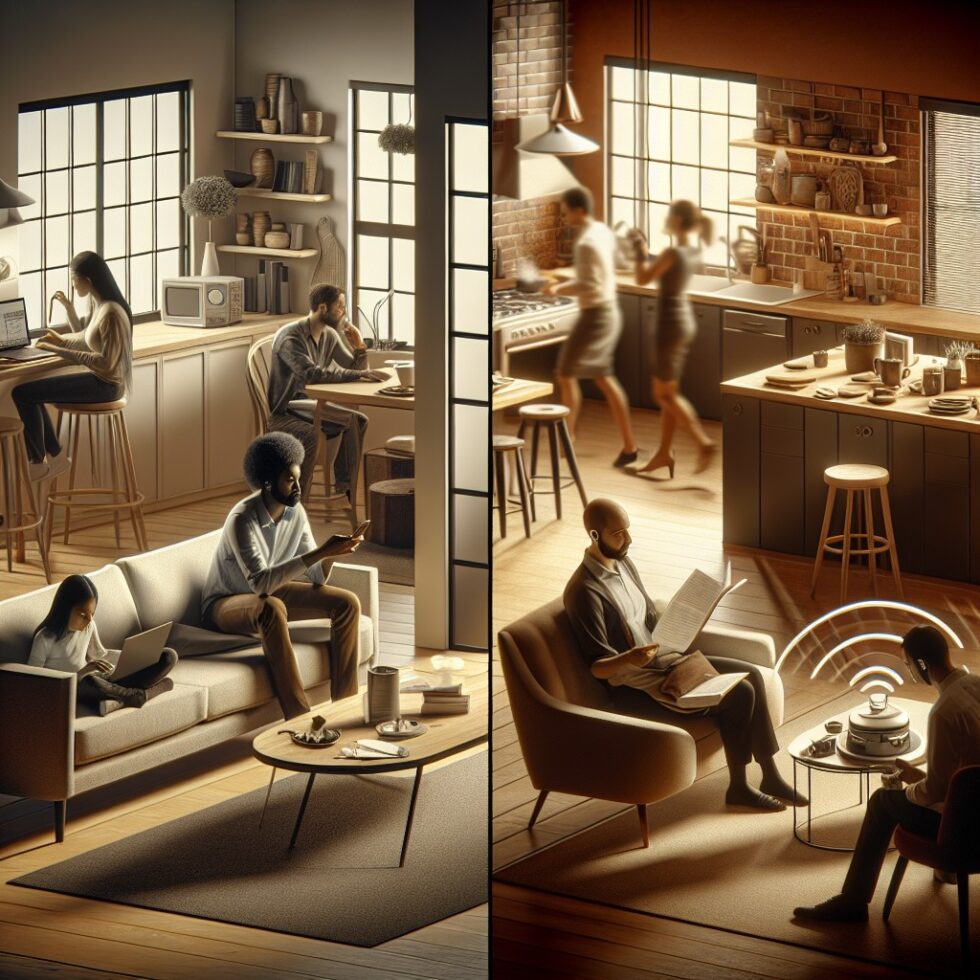
Wi‑Fi is getting a new job. Beyond moving data, your access points and devices can soon sense motion and presence by reading subtle changes in radio waves. The upcoming IEEE 802.11bf standard defines a common way to do this, and early tools already let you try it today. Done well, Wi‑Fi sensing adds ambient awareness without cameras, extra wearables, or constant cloud uploads. This guide shows what’s possible, how to set it up, and how to avoid the traps that make people give up.
What Wi‑Fi sensing actually does
Every Wi‑Fi transmission bounces around your space. When someone moves, those paths change. The receiver sees tiny variations in the radio channel called Channel State Information (CSI). With the right software, those variations reveal motion, walking direction, even coarse gestures. Think of it as a room‑scale “dimmer” for movement: not a picture, not a sound, just a signal that the environment changed.
802.11bf aims to make this reliable. Today’s experiments use the CSI that existing chipsets leak or expose through developer APIs. 802.11bf formalizes how devices schedule and share soundings (special packets used to probe the environment) so results are repeatable across brands.
What it’s not
- It’s not a camera. It cannot identify faces or read text.
- It’s not a medical device. Some demos show fall detection, but do not rely on it for life‑critical alerts.
- It’s not GPS. It can estimate presence and motion direction; sub‑meter positioning remains difficult in typical homes.
Why it matters now
- Access points are everywhere, so you don’t need to add a sensor to each room.
- Wi‑Fi chips are improving CSI access and timing accuracy.
- 802.11bf provides a shared language, so vendors can build interoperable features and APIs.
What you can do with it today
You can start with two paths: an off‑the‑shelf platform that bundles sensing into your router, or a DIY setup for hands‑on control. Both can power useful automations:
- Smart presence: Turn lights on when someone enters, off when rooms go quiet. No need for motion PIR sensors on every wall.
- “Was anyone here?” logs: Silent occupancy history for offices or shared labs, without cameras.
- Auto‑lock and privacy: Lock screens or doors when an office is empty for a set time. Unlock with a code or token, not motion alone.
- Energy savings: Put HVAC into setback when zones are empty while keeping fresh air for occupied areas.
- Gentle safety cues: Alert a caregiver if there’s unusual inactivity in a room during daytime hours. Keep it low stakes and opt‑in.
These work best when you treat Wi‑Fi sensing as a presence signal—one input among several. Combine it with schedules, door sensors, or phone geofences to reduce false triggers.
How 802.11bf fits in
Today, sensing pipelines piggyback on packets sent for normal data. That makes results noisy. 802.11bf adds coordinated “sounding” exchanges so devices can send clean probes on demand. It also defines how to share measurements across vendors, so your access point and your smart speakers or laptops can participate in one sensing session. Over time you’ll see:
- Better reliability: Consistent measurements instead of guesswork based on traffic bursts.
- Lower overhead: Sounding that doesn’t clog the network or drain client batteries.
- Standard APIs: Normalized motion/presence streams instead of chipset‑specific hacks.
You don’t need to wait. You can build useful presence flows now and plan to swap data sources when your next router supports 802.11bf out of the box.
Hardware and software options
Option A: Ready‑made platforms
Some vendors ship routers and cloud services that enable “motion over Wi‑Fi.” These are simple to deploy and are good for occupancy‑style use cases:
- ISP or mesh systems with built‑in sensing from companies like Cognitive Systems (often branded as “Motion”).
- Enterprise Wi‑Fi platforms that expose basic presence events for space analytics.
Pros: Fast to install; managed updates; no fiddling with drivers. Cons: Less control; often cloud‑tethered; may require subscription.
Option B: DIY with CSI on commodity chips
If you want privacy, control, and learning value, extract CSI yourself. Three mainstream routes:
- ESP32 nodes: Low‑cost microcontrollers that can report CSI while connected to your network. Good for distributed sensing across rooms.
- Intel 5300/AX200‑family NICs: Older 11n NICs have a well‑known CSI tool; newer chips expose CSI through research drivers.
- Nexmon‑enabled Broadcom chips: Raspberry Pi 3/4 Wi‑Fi chips can output CSI with custom firmware.
With DIY, you run a small data pipeline to clean, interpret, and publish presence signals. You can keep everything local, which many people prefer for privacy.
A practical DIY recipe
What you’ll need
- One Wi‑Fi access point you control (OpenWrt helps, but not required).
- Two ESP32 boards (or a laptop with a compatible Wi‑Fi NIC) to act as receivers.
- A small computer (Raspberry Pi, old mini‑PC) to run scripts and send presence events via MQTT or HTTP.
- Home Assistant or another automation tool to use the events.
Network topology and placement
- Keep receivers still: Mount ESP32 boards away from fans, vents, and wobbling shelves.
- Create coverage triangles: Place at least two receivers so their lines of sight cross the area you care about.
- Start simple: Instrument one room before scaling to a whole home or office floor.
Collecting CSI
On ESP32, enable CSI reporting with Espressif’s API and forward frames to your base machine over UDP. With Intel 5300 or Nexmon, run the provided tools to log CSI on a laptop. The access point can be your existing router, but a steady channel helps.
Preprocessing that makes results stable
Wi‑Fi is chatty and messy. Clean signals before you decide anything:
- Downsample and window: Aggregate CSI magnitudes in 100–200 ms windows to prevent micro‑spikes.
- Subtract a rolling baseline: Use a slow moving average to adapt to daily drift.
- Filter known noise: Fans or aquarium pumps create periodic patterns; notch them out with a simple band‑stop filter.
Deciding presence with simple logic
You don’t need deep learning for basic presence. Start with features and thresholds:
- Variance or energy of the CSI amplitude over the last few seconds.
- Zero‑crossing rate for signs of motion versus stillness.
- Multi‑receiver fusion: If any receiver sees motion above threshold, mark the room occupied; require 30–60 seconds of quiet to mark vacant.
This simple model avoids overfitting and runs on tiny hardware. You can add sophistication later, such as direction cues (which receiver leads) or fast “entry spikes” that trigger lights quickly without making them flicker.
Publishing events to the rest of your home
Use MQTT topics like home/room1/presence with values occupied or vacant, plus a confidence score. In Home Assistant, create automations with time guards and scenes. For example: if occupied after 6 pm and brightness below target, turn lights to warm white; if vacant for 15 minutes, dim to 30% then off.
Tuning for reliability
Start with ground truth
Log a week of CSI features alongside a simple motion sensor or manual labels. Review false alarms. You will spot patterns like “AC starts at 7:00” or “pet crossing the doorway at noon.” Adjust thresholds and filters with those facts.
Design for drift
Furniture moves. Humidity changes. Your baseline must adapt slowly. Use a two‑speed baseline: a fast one to detect motion spikes and a slow one to track hours‑long shifts. Avoid “learning” during motion by freezing the baseline when the system is in an occupied state.
Pets, fans, and open doors
- Pets: Set a minimum motion duration or feature energy that typical pet motion won’t hit. Fuse with door sensors to ignore corridor movement if the door is shut.
- Fans: Apply a notch filter at the fan’s fundamental frequency and its first harmonic.
- Doors and curtains: Treat large slow motions as occupancy but give them longer decay times to avoid light flicker.
Wi‑Fi performance and coexistence
CSI collection should not slow your network. Use low‑rate, low‑duty soundings during quiet times. If you collect CSI only from normal traffic, you add zero overhead. If you inject soundings, keep them short and sparse (e.g., a few packets per second in one channel) and avoid busy channels.
Privacy and safety done right
Wi‑Fi sensing can be more private than cameras, but it still observes people. Be transparent and respectful:
- Tell people the home or workspace uses radio‑based presence detection. Summarize what is collected and why.
- Keep it local by default. If you use a cloud service, use least data and clear retention limits.
- Disable in sensitive areas like bathrooms unless everyone explicitly opts in.
- Use it as a helper, not a gatekeeper. Don’t lock someone out because they failed to trigger a presence event.
On the safety side, remember RF exposure from Wi‑Fi is limited by standard power levels and regulations. Sensing does not need high power. If you add dedicated soundings, keep them brief.
How it compares to other presence tech
Versus PIR motion sensors
Passive infrared (PIR) is cheap and simple, but it only triggers on fast motion and needs one sensor per room. Wi‑Fi sensing can see small motions like typing or reading, and a single AP can cover multiple spaces, though walls still matter.
Versus mmWave radars
MmWave sensors can detect micro‑motion and breathing through some materials. They offer finer granularity but require new hardware per room and careful aiming. Wi‑Fi sensing rides on what you already have and can cover larger areas with fewer devices. Many homes will end up mixing both: mmWave for beds or desks, Wi‑Fi for general occupancy.
Versus cameras
Cameras are rich but invasive and power‑hungry. Wi‑Fi sensing provides a strong presence signal without imagery, which is enough for most automations.
Preparing for 802.11bf gear
When routers and clients support 802.11bf, expect cleaner APIs and better coverage. To be ready:
- Abstract your logic: Separate “how presence is detected” from “what to do with it” in your automations. Use a simple presence data model in your code.
- Favor local brokers: MQTT or a local HTTP endpoint lets you swap in new sensing sources later.
- Choose hardware with updates: If you buy a new AP, pick vendors that publish firmware roadmaps and security updates.
Example: a one‑evening pilot
You can build a minimal system in an evening to see if Wi‑Fi sensing fits your space.
Steps
- Place two ESP32 boards in opposite corners of a room.
- Enable CSI on both and send data to a laptop.
- Compute a rolling variance of CSI magnitudes in 200 ms windows.
- Set a threshold that triggers “occupied” on large spikes; decay back to “vacant” after 45 s of calm.
- Publish presence to MQTT and tie it to a lamp in Home Assistant.
Walk in and out, sit still, wave, and see how it reacts. Note where it fails. You will learn a lot about your room’s radio personality in a single hour.
Pitfalls and how to avoid them
- Overfitting: A neural net that works on one day and fails the next is worse than a simple threshold that is stable. Start simple.
- Ignoring time: Presence is not a single frame. Use time windows, decay, and cooldowns.
- Assuming direction: Inferring “walking east” is tricky. Use it as a hint, not a gate.
- One sensor to rule them all: Rooms vary. A hallway’s model won’t transfer to a kitchen. Tune per zone.
- Silent updates: Log model and threshold changes with timestamps so you can correlate behavior changes later.
Integration ideas that feel magical
- Energy trims: Drop HVAC to eco mode when a floor is vacant for 30 minutes; return to comfort when motion resumes.
- Screen hygiene: Auto‑lock computers in shared offices when the room is empty, but allow a grace period if a video call is active.
- Quiet mornings: Turn on coffee lights only after the first motion in the kitchen, not at sunrise every day.
- Meeting rooms: Release a reserved room back to the calendar if no motion is seen for 10 minutes after the start time.
Security and maintenance
Keep the sensing system as robust as your network:
- Separate credentials for CSI nodes and MQTT; limit permissions with strong passwords and, if possible, client certificates.
- Patch regularly and update firmware from trusted sources.
- Watch the logs for gaps in data or unusual spikes that hint at interference.
- Back up configs, thresholds, and Home Assistant automations.
When to choose something else
Wi‑Fi sensing shines for broad presence and motion. Use another tool when you need:
- Exact location: UWB tags or beacons are better for 10–30 cm accuracy.
- Per‑person identity: Use phones or badges with Bluetooth or NFC, not radio reflections.
- Vitals: Use medical‑grade devices. Do not rely on Wi‑Fi sensing for health diagnostics.
What the future looks like
As 802.11bf rolls into access points and client devices, expect presence sensing to become a toggle in your network UI, not a science project. The most useful products will be boring on purpose: local, opt‑in, and predictable. The exciting part won’t be the sensor itself. It will be the small, considerate automations that make a space feel responsive without being creepy.
Summary:
- Wi‑Fi sensing uses CSI changes to detect motion and presence without cameras.
- 802.11bf standardizes soundings and APIs for reliable, interoperable sensing.
- You can start today with off‑the‑shelf platforms or DIY using ESP32, Intel, or Nexmon tools.
- Keep processing simple at first: windowing, baselines, thresholds, and multi‑receiver fusion.
- Design for drift, filter periodic noise, and combine signals to reduce false triggers.
- Prioritize privacy: keep data local, disclose use, and avoid sensitive areas.
- Use Wi‑Fi sensing for presence and energy savings; pick other tech for precise location or identity.
- Prepare for 802.11bf by abstracting your automations and using local brokers so you can swap data sources later.