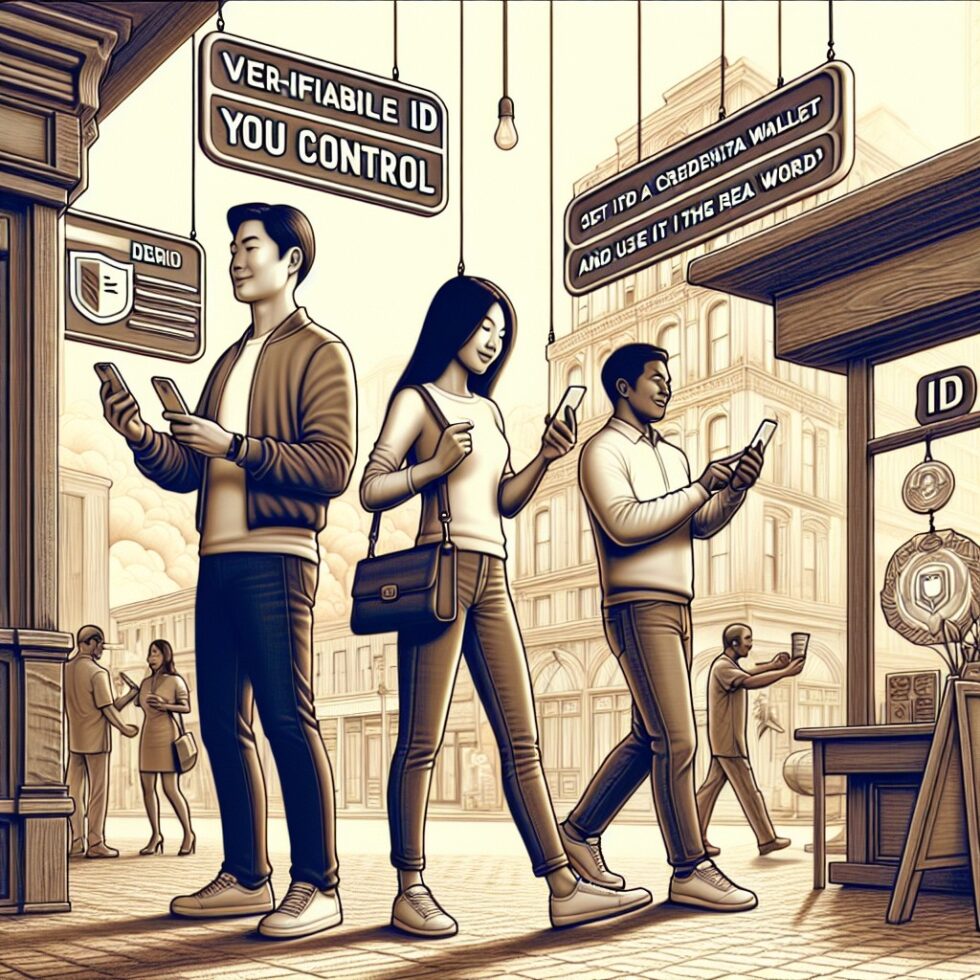
Most of your identity is asked for in bulk. A bartender checks your whole license just to see your age. A website asks for a passport scan to prove a simple fact. We do this because paper and PDFs cannot prove only what’s needed. The good news: verifiable credentials fix that. They let you carry cryptographic facts about yourself, present them on demand, and reveal only what’s required. No account handcuffs. No data spill by default.
This article is a practical guide to using verifiable identity today. You will learn how to pick a wallet that doesn’t trap you, how issuers can mint credentials that age well, and how verifiers can accept them with low friction. We’ll stay concrete and avoid buzzwords. You can use this to design your own flows at work or to set up a personal wallet that helps you in daily life.
What counts as a verifiable credential?
A verifiable credential (VC) is a signed digital statement about you (or a device, or a company). It is issued by a trusted party and stored in your wallet. When someone asks for proof, your wallet creates a presentation that the verifier can check. If the signature is valid and the issuer is known, the verifier can trust the claim with high confidence.
There are two families you will see the most:
- W3C Verifiable Credentials: A flexible data model that carries claims about subjects. Often delivered as JSON with a cryptographic signature. Newer profiles support selective disclosure and zero-knowledge proofs, so you can reveal “age over 18” without sharing your birthdate.
- ISO/IEC 18013-5/7 mobile ID (mDL/mdoc): A standard for mobile driver’s licenses and similar credentials. It supports offline and proximity checks (QR, NFC, BLE) and selective disclosure too. Many pilots use it for age checks, access control, and travel processes.
On top of these data formats sit the interactions that move data between wallet, issuer, and verifier. Today the most common patterns are:
- OpenID for Verifiable Credential Issuance (OID4VCI): A standard way for wallets to request and receive credentials from issuers, often after you authenticate or pass a check.
- OpenID for Verifiable Presentations (OID4VP): A way for verifiers to request claims and for wallets to reply in a structured, secure manner.
- mDL Presentation: ISO and IETF define QR/BLE/NFC flows so a verifier device can ask for specific attributes from an mDL wallet nearby.
If you remember nothing else, keep this model in mind: issuer creates a signed credential → you hold it in your wallet → verifier requests the minimum data → your wallet presents it with a fresh signature and protections against replay. That’s the loop.
Pick a wallet that doesn’t trap you
Your wallet is where convenience and privacy meet. Choose one like you would pick a bank account: plan for daily use, unpleasant surprises, and long-term portability. Look for these traits:
Interoperability first
- Standards support: W3C VC (including selective disclosure), OID4VCI and OID4VP, and ISO mDL if you need proximity use cases. If a wallet only supports a vendor’s closed scheme, skip it.
- Issuer flexibility: It should accept credentials from many issuers, not just one brand or country. Watch for “supported networks” and published compatibility lists.
- Export and migration: You need a way to move to a different wallet later. That can be encrypted backups, seed-based recovery, or export of keys and credentials. If migration is blocked, assume lock-in.
Security that matches your life
- Strong device lock: Require biometric + device PIN. Favor passkey-based wallet unlock when offered. The wallet should use the secure element or TEE for key storage if the platform supports it.
- No single point of failure: Can you recover if you lose your phone? Good wallets offer recovery phrases, co-signers, or cloud backups with end-to-end encryption. Pick a model you can actually manage.
- Clear risk settings: Look for per-credential security levels, anti-screenshot, and warnings before sharing attributes. A visible “what will be shared” panel is a must.
Selective disclosure you can trust
- Minimal share by default: The wallet should encourage revealing only the requested attributes, not the whole document.
- Pairwise identifiers: For repeat visits, the wallet should use different identifiers per verifier to avoid cross-site tracking.
- Explainability: Before you tap “Share,” the wallet should show the verifier’s name, the purpose, the attributes, and a time limit.
Daily use patterns
Watch the day-to-day flows and how they feel:
- QR flow: You scan a verifier’s QR code at a door or on a website, your wallet opens, and you approve. It should be quick and show a trusted domain.
- Proximity flow: With mDL, your phone uses BLE or NFC. You approve attributes without handing over the device. The verifier can’t see other apps or data.
- Deep-link handoff: On desktop, you can click a link and continue on your phone. The wallet should keep the session secure and forgetful by default.
Issuance that won’t haunt you
If you run a school, company, club, or online service, you can issue credentials your members will be proud to hold. Done well, issuance is simple and sustainable. Done poorly, it leaks data and creates support debt.
Design the claims
- Minimize: Issue only what you need. For a membership, store “member since,” “tier,” and a public directory key if needed. Avoid addresses, SSNs, or private IDs unless required by law.
- Think in predicates: Many checks boil down to yes/no. “Age over 21,” “enrolled full-time,” or “valid until” are safer than sharing exact birthdates or student IDs.
- Choose sane expirations: Short-lived credentials reduce risk. Renewable ones let you fix mistakes and update branding without breaking users.
Issue with standard flows
- OID4VCI for W3C VCs: After your user authenticates, offer an issuance QR or deep link. The wallet fetches and stores the credential. Keep logs minimal.
- mDL-style issuance: Many jurisdictions or enterprises use in-person or remote checks. Use well-known validators, and keep the issuance device isolated.
- Revocation and status: Publish a status list. Plan for emergency revocation, key rotation, and a contact channel for users who lose devices.
Be clear and fair
- Consent screens: Show exactly what you will issue, for what purpose, and how long it lasts.
- Support real people: Provide a human fallback for device loss and name changes. Don’t trap people with broken bots.
- Don’t hoard data: Delete scans and documents after issuance. Keep only what is needed to manage status and audits.
Verify with low friction
Verification should feel like a tap, not a chore. Build your verifier so that users finish in seconds and you collect only what you truly need.
Pick the acceptance stack
- On websites: Use OID4VP. Show a QR with your domain and a short list of requested attributes. Accept responses via redirect or a secure backchannel. Bind the request to your domain to prevent phishing.
- At doors and counters: For mDL, support QR + BLE. Display what you’re asking for on a small screen, let the guest approve on their phone, and show a clear “verified” state to your staff. Consider a hardware scanner only if you need offline or gloved use.
- In apps: Hand off from your app to the user’s wallet via a deep link or on-device API, then resume. Store only an attestation receipt, not the raw document.
Security you can automate
- Freshness: Every request must include a nonce and short expiration. Reject replays automatically.
- Status checks: Cache issuer keys and status lists. Fail closed if the credential is revoked or the status endpoint is down for too long.
- Logging: Log events, not personal data. Keep a hash of the presentation receipt and a timestamp. That’s enough for audits without tracking people.
Security hygiene without the lecture
You don’t need a security degree to avoid the big mistakes. Use these guardrails and you’ll sidestep 90% of issues.
- Audience binding: Requests should specify the exact verifier identity. The wallet must sign for that audience, so a redirected reply is useless elsewhere.
- Key rotation: Issuers and verifiers should rotate signing keys on a schedule and publish them with stable metadata. Automate it, document it, and test it.
- Least privilege: Ask for fewer attributes. Your lawyers and your users will thank you later.
- Device lock: Wallets should refuse to open if the device has no lock or is jailbroken/rooted without explicit user warning.
- Offline policy: If you must operate offline (festivals, rural clinics), define what you accept, how long, and how you reconcile later. Set bright lines.
Interop pitfalls and how to fix them
Standards are alive, and implementations differ. Expect these bumps and plan workarounds.
- Different data formats: Some issuers use JWT-based VCs, others use JSON-LD or COSE. Your verifier should support at least two profiles or rely on a well-tested library that does.
- QR scanning limits: Very long requests won’t fit in a QR. Use a short request URI and fetch details server-side. Keep font sizes large and contrast high for quick scans.
- BLE noise: For mDL proximity, events with lots of wireless chatter can be flaky. Offer a QR fallback and place verifier devices away from dense metal and big screens.
- Time zones and clock drift: Nonces and expirations are time-bound. Sync verifier devices to a reliable time source. Add a small grace window.
- Platform quirks: Mobile browsers handle deep links differently. Test Safari and Chrome on real devices. If in doubt, show a QR for cross-device handoff.
Practical recipes you can run this week
Age check without oversharing
- Verifier displays “Prove age over 21” via QR or BLE.
- Wallet shows the verifier name, the single attribute requested, and asks for approval.
- Verifier stores a short-lived receipt only. No birthdate, no address, no photo.
Student discount that updates itself
- University issues a VC with “enrolled full-time,” “valid until end of term.”
- Local venues request this single claim at checkout.
- When the term ends, the credential expires and cannot be used. No manual revocation calls.
Reusable KYC for fintech onboarding
- A trusted identity provider issues a “KYC-level-2” credential after a one-time check.
- New services request that proof. They store only the attestation, not your passport photo.
- If the issuer downgrades or revokes, verifiers see it during status checks.
Guest access for offices
- Front desk sends a pre-arrival issuance link for a time-boxed “Guest Pass.”
- Turnstiles verify the pass via BLE/QR. Staff sees a green check, not private details.
- Passes auto-expire at the end of the visit. No badges to collect.
Privacy-preserving analytics you can defend
You will be asked to “measure engagement.” Do it in a way that protects people. Pairwise identifiers let a verifier count unique visits per verifier without global tracking. For example, your verifier can request “pairwise ID for example.com” and count returning users to your site without linking them elsewhere.
For events and venues, limit logs to counts and coarse time bins. If you must study flows, aggregate on the device first, and upload only summaries. The test: if your logs leak, could they expose someone’s identity? If yes, you’re collecting too much.
Backups, device changes, and loss
Plan for the day your phone is gone. A smooth recovery keeps identity user-controlled and stress low.
- End-to-end encrypted backups: Many wallets support cloud backups protected by a strong passphrase. Test recovery before you need it.
- Emergency kit: Print a recovery code and store it safely. Consider a co-signer model for work-issued wallets so IT can help when someone leaves or loses a device.
- Re-issuance policy: Issuers should allow re-issuing active credentials when a user proves account control by other means. Keep the new credential fresh with a new key binding.
What’s coming and how to prepare
Expect broader acceptance, better selective disclosure, and smoother platform support. European EUDI wallet pilots are making cross-border use more normal. ISO mDL proximity flows are entering security lines and age-gate lanes. More wallets are adopting passkeys for device-unlock and pairing that feels seamless.
Design for this future by keeping your verifier flexible, your issuer minimal, and your wallet portable. Choose standards-driven tools, keep data small, and let the cryptography do the heavy lifting.
Summary:
- Verifiable credentials let you prove facts with minimal disclosure and strong trust.
- Pick a wallet that supports open standards, selective disclosure, and portable backups.
- Issuers should issue only what’s needed, set sane expirations, and publish status lists.
- Verifiers should use OID4VP or mDL flows, bind requests to their domain, and log events not PII.
- Guard against replay with nonces, and rotate keys on a schedule.
- Expect interop bumps: data format differences, QR limits, BLE noise, and platform quirks.
- Practical recipes: age checks, student discounts, reusable KYC, and office guest passes.
- Use pairwise identifiers for privacy-preserving analytics that you can defend in audits.
- Prepare for loss and upgrades with encrypted backups and simple re-issuance policies.
- Keep it simple: smaller claims, shorter lifetimes, and workflows that take seconds.