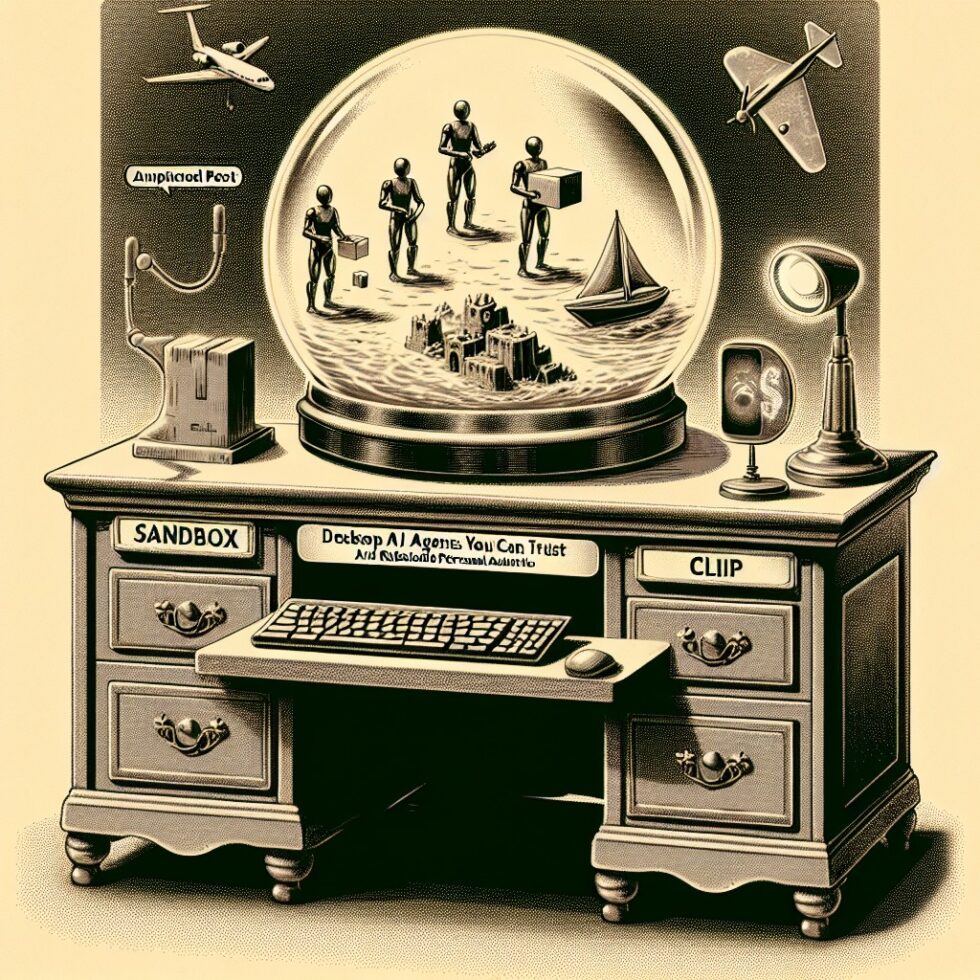
“Just let the AI handle it” sounds great—until an agent closes the wrong tab, emails the wrong file, or loops through a login page until midnight. The new wave of desktop and browser agents is real, powerful, and risky. You can ask them to collect invoices, reschedule meetings, compile reports, and run small workflows across the apps you already use. But that freedom demands a design that keeps your data, devices, and sanity intact.
This guide shows you how to build desktop AI agents that you can actually trust. You’ll choose the right scope, create a sandbox that contains mistakes, define tools that don’t backfire, wire up a safe credential model, write runbooks for recovery, and measure performance so your agent gets better every week. No hype, just patterns you can implement on a real laptop or workstation.
Decide What Your Agent Should Actually Do
Agents are best at repeatable, bounded tasks with predictable inputs, clear success signals, and modest consequences for failure. Start there. If it works, widen the scope carefully.
High‑value, low‑risk starters
- File wrangling: rename, tag, and file PDFs from a downloads folder into dated subfolders and cloud drives.
- Inbox triage drafts: label and draft replies to routine customer emails; never auto‑send without your final click.
- Report assembly: scrape a handful of known dashboards, export CSVs, and update a standing slide deck or spreadsheet.
- Calendar cleanup: spot conflicts, propose two new time windows, and draft reschedule messages.
- Vendor invoice capture: download monthly invoices from the same three portals and attach them to your accounting tool.
Tasks to avoid at the beginning
- Money movement: never let a new agent move funds, sign contracts, or approve purchases.
- Irreversible deletes: keep delete permissions off until you’ve run the agent safely for weeks.
- Open web crawling: uncontrolled browsing has too many edge cases; start with a whitelist of known sites.
- Mass messaging: no bulk email or DMs until you have strong preview and approval steps.
Architecture That Keeps You Safe
Think of your agent as a small service on your machine, with a planner and an executor, talking to a short list of tools, all wrapped in strong guardrails.
Core components
- Planner: decides the next action based on the current goal and observations. Use a model that supports tool use or function calling.
- Executor: calls the tools (e.g., “click button,” “download file,” “read cell B4”) and returns results.
- Observation stream: screenshots, DOM snapshots, window titles, file lists, and error messages the agent can “see.”
- Policies and budgets: max steps, timeouts, whitelisted apps/sites, and a “no irreversible action” rule by default.
- Journal: append‑only log of actions, observations, summaries, and user approvals. Make it easy to read and search.
How the loop runs
The agent reads the latest observations, proposes an action with a confidence statement, checks policy, asks for approval (if required), executes, logs the outcome, and repeats. Good agents stop early when a success signal appears—like a file in the right folder with the right name—and they escalate to you with a clear summary when they’re stuck.
Build a Sandbox, Not a Horror Show
A sandbox is your best friend. It turns “oops” into “rollback.” You want layers: process isolation, profiles kept separate from your main accounts, brokered file access, and strong network rules. A sandbox doesn’t have to be fancy to be effective.
Browser sandbox patterns
- Separate profiles per agent: one profile per task domain (e.g., “invoices”). Use distinct cookies and extensions.
- Automation‑friendly browsers: favor a toolchain like Playwright or Selenium that can run headful sessions with visible windows.
- Whitelist hosts: allow only the known portals your agent needs. Block everything else with a local firewall rule.
- Download vault: set the browser to auto‑download to an agent-only folder. No desktop, no documents, no surprises.
- Ephemeral sessions: optional: nuke the profile after each run and re-login with short‑lived tokens to reduce drift.
Desktop sandbox patterns
- Virtual machines or containers: run the agent in a small VM for strong isolation. Snapshots let you roll back state after each job.
- File brokering: mount a single exchange folder that the VM can read/write; review before syncing to your main drive.
- Network fencing: restrict outbound traffic to whitelisted domains; block LAN access if not required.
- Process entitlements: deny camera/microphone by default; require explicit approval to screen-share or record.
- Human in the loop switch: place a hardware or software toggle that pauses input emulation on demand.
Goal: the agent can see and touch only what it needs, for only as long as it needs, and you can pull the plug without losing your machine.
Tools That Don’t Backfire
If you give an agent a hammer, everything looks like a nail. Define small, typed tools with clear preconditions and postconditions. Prevent foot‑guns with structure, not vibes.
Design rules for tools
- Be explicit: “click(selector)” is too vague. Prefer “click_button({locator, expected_label, within_window})”.
- Double‑check assumptions: after “click,” assert the page shows a known element or a URL matches a pattern.
- Idempotent if possible: re‑running a tool should not cause damage; adopt “create_or_update” semantics for file ops.
- Two‑man rule for danger: irreversible actions require user approval with a clear diff of what will change.
- Return rich results: always return structured data and human‑readable notes, not just “success.”
Credentials and Data: Valet Keys, Not Master Keys
Agents don’t need your full digital identity. Give them valet keys—short‑lived tokens and one‑app accounts with least privilege.
- Service accounts when possible: many tools let you create secondary logins or API tokens scoped to read‑only tasks.
- Short lifetimes: rotate tokens automatically; sessions expire at the end of a run or after a day.
- Brokered secrets: store credentials in a vault; inject them at execution time; never hard‑code in scripts or prompts.
- Redaction in logs: mask tokens and PII in journals and screenshots; encrypt journals at rest.
- Data minimization: sync or export only what a workflow requires; avoid “mirror the whole drive” patterns.
Runbooks for Agents: Escalation Without Drama
Even great agents fail. What matters is how they fail. Write runbooks that turn unknowns into known, safe exits.
Runbook anatomy
- Trigger: what went wrong? (Login loop, selector missing, file not found, captcha appeared.)
- Immediate action: stop retries; save all artifacts; capture a final screenshot and console log.
- Human escalation: send a short summary with links and a “fix suggestions” list. No floods—one message per incident.
- Fallback: mark the task as partial; move files to a “needs review” folder; schedule an automatic retry window.
- Learning step: create a small test case or selector update; add an assertion so this specific failure can’t recur silently.
Observability and Replay: See What Happened, Reproduce It, Fix It
Logs no one reads won’t help. Capture evidence in ways that are searchable and replayable.
- Structured action logs: timestamp, tool, parameters, outcome, and a compact screenshot or DOM diff.
- Session bundles: zip downloads, final artifacts, and the journal together with a manifest.json.
- Replay harness: run the same steps against a recorded or mocked page to verify fixes before production use.
- Metrics dashboard: success rate, mean steps per task, human approvals per run, timeouts, and error families.
Start With Three Practical Agents
1) The document tamer
Goal: take invoices and statements from email or portals, rename them with a policy (YYYY‑MM_vendor_amount), and file them to a monthly folder in cloud storage.
- Observation: email subject/from, known vendor portals, download folder.
- Tools: “login_with_vault_credential,” “download_latest_pdf,” “rename_file_with_policy,” “move_file_to_month_folder.”
- Safety: read‑only email; downloads inside an agent-only folder; no delete permissions.
- Signal of success: a file in the correct folder whose name matches the policy and a checksum logged.
- Escalation: if a captcha appears or a portal changes layout, capture a screenshot and send a concise note.
2) The calendar smoother
Goal: detect double‑booked meetings next week, suggest two alternative slots per conflict, and draft reschedule emails you can approve in one click.
- Observation: read‑only calendar scope and office hours preferences.
- Tools: “find_conflicts,” “find_candidate_slots,” “draft_reschedule_message.”
- Safety: no automatic sends; you approve drafts in your client.
- Signal of success: conflicts list reduced or marked as “awaiting responses.”
- Escalation: if invitees span time zones with no overlap, send a summary with three async alternatives.
3) The monthly report stitcher
Goal: log into two dashboards, export CSVs, create a pivot in a spreadsheet, and paste top metrics into a standing slide deck.
- Observation: dashboard URLs and export button selectors, local template files.
- Tools: “export_csv_from_portal,” “update_pivot,” “paste_values_into_slide(template_id, cell_map).”
- Safety: read-only; drafts saved as “Report‑YYYY‑MM‑DRAFT.pptx.”
- Signal of success: slide deck produced with updated numbers and a checksum of source files.
- Escalation: if an export fails, include the last stable chart and mark the delta as “pending.”
Guardrails That Actually Work
Policies shouldn’t live only in prompts. Put them in enforceable code and system settings.
- Step budget: e.g., max 40 actions per run; stop and escalate on budget breach.
- Time budget: hard cap per task; kill the session at the deadline.
- Whitelists: only certain apps, windows, and domains are permitted.
- UI interlock: agent can use only one display and one foreground window; prevent cross‑screen clicks.
- Approval gates: preview screens for any bulk change, external message, or file upload.
Testing: Shadow Mode First, Automation Second
Before an agent takes control, let it watch and propose. That’s shadow mode: it runs the plan, labels every step, but you execute the clicks. You’ll see where it misreads a page or guesses wrong.
A useful test ladder
- Unit tests for tools: click helpers, file movers, and parsers get deterministic tests and mocks.
- Recorded pages: save HTML snapshots and run the plan against them for fast, repeatable tests.
- Canaries: every run starts with a quick “is portal up?” health check.
- Staging creds: when possible, test in sandbox accounts before touching real ones.
- Smoke runs: a weekly full run in read‑only mode that produces a report, not changes.
Choosing Models and Keeping Costs Sensible
Your agent doesn’t need a giant model to succeed. Most steps are classification or extraction, not open‑ended writing.
- Small local models: use on-device models for label classification and tool selection to keep latency and cost low.
- Function calling for structure: ask the model to produce a typed action with clearly named fields, not free text.
- Prompt caches: many decisions repeat; cache the result of “which button is export?” after you confirm it.
- Deterministic post‑processing: rely on regexes, schema validators, and assertions—save LLM calls for ambiguity.
- Budget guardrails: cap token spend per run; stop early with a useful partial result if you hit a limit.
Edge Cases: Where Agents Fall Down (And How to Catch Them)
- Changing selectors: portals redesign; prefer role‑based or text‑based locators; keep a selector map under version control.
- Latency and animations: over‑eager clicks miss targets; use waits that check for stable elements, not fixed sleeps.
- Multi‑factor auth: expect it; keep a human approval step or use app passwords that are scoped and revocable.
- File collisions: if a name exists, append a suffix and log a warning; never overwrite silently.
- Non‑standard dialogs: treat OS‑native dialogs specially; keep one or two confirmed patterns and block the rest.
Security, Compliance, and Basic Ethics
Even for personal agents, treat data with care. Three basics go a long way: least privilege, clear logs, and easy off switches.
- Least privilege: read-only wherever possible; separate accounts for automation.
- PII handling: avoid sending sensitive docs to third‑party APIs; if you must, encrypt at rest and redact logs.
- Consent: if the agent touches shared calendars or inboxes, let people know and keep human approvals in place.
- Right to review: you can inspect every action the agent took. Journals are saved and searchable.
- Fail safe: one hotkey pauses the agent; a second kills the session.
Operating the Agent: Make It Boring (In a Good Way)
Agents become valuable when they’re boring and predictable. Treat them like a tiny service you operate, not a mysterious pet.
- Run schedule: predictable windows; don’t let an agent thrash your machine during your workday.
- Release notes: write a one‑liner when you update a selector or tool; roll back if metrics dip.
- Backups: copy journals and artifacts to a safe place nightly; they are your audit trail.
- Housekeeping: clear cache profiles and temp folders weekly to limit drift.
Where This Is Heading
In the near term, expect richer policy engines you can attach to agents, stronger on-device vision that reads UIs faster than you can, and simpler runbook builders that convert your “if this fails, do that” wisdom into reusable steps. You don’t have to wait. With the patterns above, you can put a careful, capable agent to work this week and expand its reach with confidence.
Summary:
- Pick bounded, repeatable tasks first; avoid money moves and bulk messaging early on.
- Use a planner + executor loop with rich observations, strict budgets, and human approvals.
- Sandbox browsers and desktops: separate profiles, VM snapshots, whitelists, and brokered file access.
- Define small, typed tools with assertions; require two‑step approvals for irreversible actions.
- Issue valet credentials: scoped, short‑lived, and injected at run time; redact secrets in logs.
- Write runbooks for common failures; capture evidence and escalate with clear summaries.
- Invest in observability and replay so you can reproduce bugs and verify fixes quickly.
- Control costs with small models for classification, function calling, and prompt caching.
- Operate the agent like a service: scheduled runs, release notes, backups, and housekeeping.
Related Reading
- ship-safe AI agents — related guide.
- keeping AI agents on the rails — related guide.
External References:
- Playwright: Reliable end-to-end browser automation
- Selenium WebDriver: Browser automation project
- Chrome DevTools Protocol
- Robocorp Docs: Open-source RPA tooling and patterns
- OWASP ASVS: Application security verification
- HashiCorp Vault: Secrets management
- Open Policy Agent (OPA)
- LangChain: Agent executor overview
- Qubes OS: Compartmentalized desktop OS