Wireless charging just graduated from “nice to have” to actually dependable. With Qi2, the Wireless Power Consortium has standardized magnetic alignment, improved efficiency, and created a shared language for phones, earbuds, and power accessories. You get faster lock‑on, less fuss, and better energy transfer—if you buy and set up wisely.
This guide cuts through the clutter. We’ll explain how Qi2 works, what makes it different from earlier Qi pads and Apple’s MagSafe, how to choose gear that won’t fry your battery, and the small setup tricks that make a desk, nightstand, or car mount feel seamless. Expect practical checklists, heat‑saving steps, and troubleshooting tips you can apply on day one.
Qi2 in Plain English
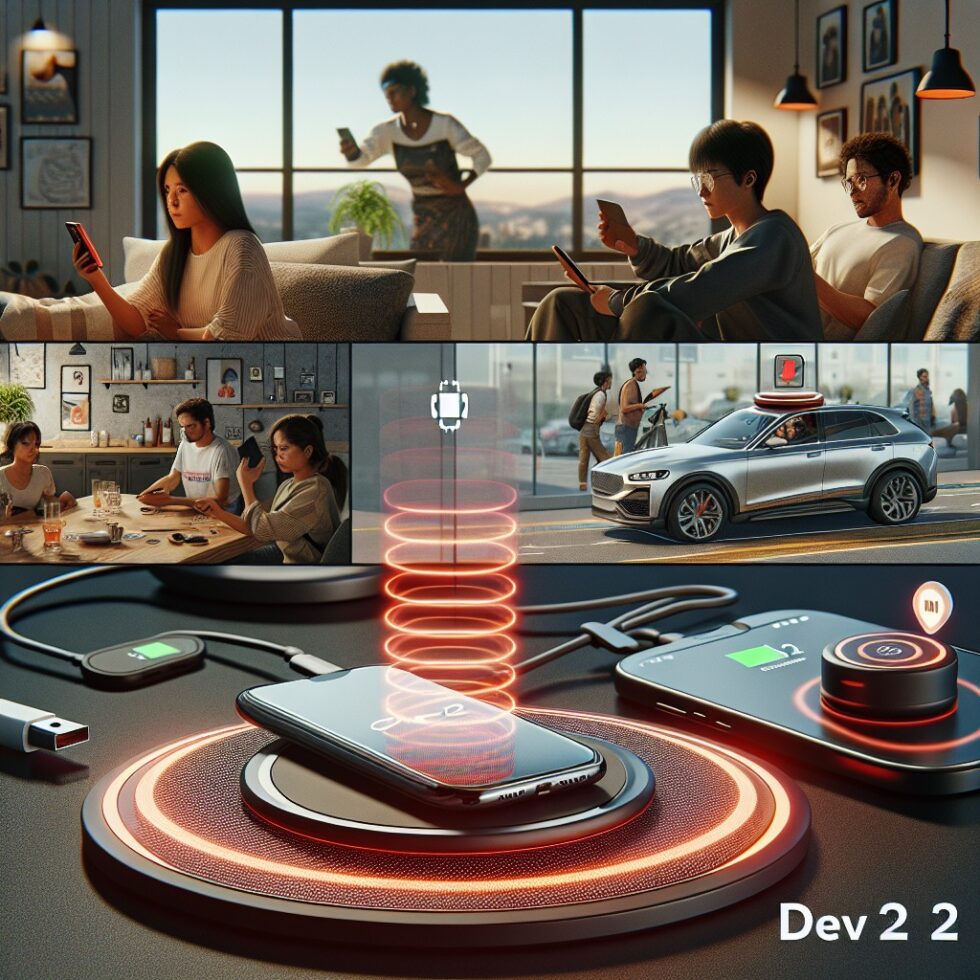
Think of Qi2 as Qi plus magnets and better control. Traditional Qi pads could charge most phones by placing a coil in the pad near a coil in the phone. The problem: alignment was guesswork. Miss the sweet spot and you waste energy as heat or don’t charge at all. Qi2 adds magnetic alignment, so the charger and the device snap into the right spot. That helps the power move across the air gap more efficiently and consistently.
Magnets, But Smarter
Qi2 leans on a standard called Magnetic Power Profile (MPP). It borrows ideas from Apple’s MagSafe but makes them part of an open spec so Android makers can join. The charger and the device talk to each other about how much power to send and can throttle when they detect rising temperatures. The result is less trial and error and fewer overheated phones.
What Qi2 Is Not
- It is not long‑range charging. You still need the device touching the puck or stand.
- It is not a guarantee of the maximum advertised wattage at all times. Real‑world power depends on temperature, coil design, and your phone’s limits.
- It is not proprietary to one brand. Qi2 is designed for cross‑manufacturer interoperability, subject to certification.
Compatibility Snapshot
Most recent iPhones understand magnetic charging thanks to MagSafe, and many will pair cleanly with Qi2 accessories. Newer Android flagships and mid‑range models are adding Qi2 support. If your phone only supports older Qi, a Qi2 pad will fall back to standard Qi. You still get a charge; you just won’t get the magnetic snap or the same efficiency. Always check your device’s specs for “Qi2” or “Magnetic Power Profile” support.
Picking Chargers That Don’t Cook Your Battery
Wireless charging creates heat. Heat ages lithium‑ion cells. The right gear and habits cut that heat dramatically. Here’s how to shop and set up like a pro.
Certification, First and Always
Look for Qi2 certification on the product page and packaging. Certified gear has passed tests for communication, alignment, foreign object detection, and thermal limits. Skip knock‑offs that mimic the magnetic ring but skip the brain. When in doubt, search the official product database before buying.
Power Budgets That Match Reality
More watts are not always better. A Qi2 phone might advertise up to 15 W on a magnetic pad, but that number is the ceiling under ideal conditions. Real‑world sustained rates are lower, and that’s good: less heat, healthier cells.
- Phones: 7.5–12 W sustained is realistic for cool rooms and good stands.
- Earbuds: 2–5 W is plenty. A big charger won’t make them fill faster.
- Smartwatches: Many use proprietary pucks; don’t assume a Qi2 pad will work unless specified.
Pick a charger that matches the device’s sustained needs, not just the headline. For night charging, even 5–7.5 W can be ideal because it keeps temps low and still fills the battery by morning.
Pad vs. Stand vs. Car Mount
- Flat pads are compact and good for earbuds. They can run warmer because airflow underneath the phone is limited.
- Stands improve cooling by letting air circulate behind the phone. They also make Face ID/face unlock easier at a desk.
- Car mounts are a win for navigation, but cab temperature swings matter. Choose mounts with robust vent clamps or dash adhesives rated for heat. Prefer devices with active thermal throttling and solid magnet strength to survive potholes.
Don’t Forget the Wall Adapter and Cable
A Qi2 puck depends on a stable USB‑C PD power adapter. If the adapter browns out under load, the charger will sag and heat may spike as it hunts for a steady state. Use a reputable 20–30 W USB‑C PD adapter for one stand, or a 45–65 W adapter for combo stands with multiple coils. Keep the cable short (under 2 m), use e‑marked cables for higher power, and replace frayed ones promptly.
Heat, Efficiency, and Battery Health
Battery wear accelerates with high temperature and time spent at 100%. Wireless charging adds conversion losses and coil resistive heating. The game is to minimize waste heat and keep the phone cooler more of the time.
Practical Temperature Targets
- Aim for device surface temperatures under ~40–42°C during wireless charging.
- If it hits 45°C or higher for more than a few minutes, that’s a red flag. Improve airflow, lower power, or swap hardware.
- Room temperature matters. Hot room = hotter charging.
How to Measure Without Lab Gear
- Touch test: Warm is fine. Hot to the point of discomfort is not.
- Phone diagnostics: Many devices show battery temperature in developer tools or third‑party apps. Check occasionally during a new setup.
- USB‑C PD meters: Inline meters between the wall adapter and the charger show real‑time watts. Stable power and fewer spikes usually correlate with lower heat.
Habits That Save Your Battery
- Use scheduled charging: Many phones learn your routine and pause at ~80–90%, finishing before you wake.
- Prefer slow and steady at night: A lower wattage stand is fine for sleep. Use higher power only when you need a quick top‑up.
- Case sanity: Thick cases or metal plates trap heat and misalign coils. Use Qi2‑compatible cases with built‑in magnet rings and no metal.
- Keep it clean: Dust and pocket lint add micro‑gaps that reduce coupling. Wipe the puck and case weekly.
Setup Tips That Make Daily Use Delightful
Convenience is the point. A few tweaks turn “works” into “effortless.”
Desk and Nightstand Layout
- Angle matters: A 60–70° stand angle is comfortable for glanceable notifications and video calls.
- Cable relief: Route the cable so it doesn’t tug the puck. Gentle loops, small clips, and a rear exit reduce connector strain.
- Cool air path: Leave 3–5 cm behind the stand for airflow, away from sunny windows or warm monitors.
- Multi‑device stands: If you pair a phone and earbuds, prefer stands with separate regulation per coil to avoid the phone throttling when you drop buds on the base.
Travel Proofing
- Use a foldable puck with a short, flexible cable. It packs small and reduces strain in your bag.
- Bring a single PD adapter with multiple ports. Label ports if one is for the laptop so you don’t starve the puck.
- Hotel nightstand tip: Put a small non‑slip pad under the charger to avoid accidental drags.
In the Car
- Vent mounts keep temps lower in summer by feeding the charger cool air.
- Secure magnet rating: Look for “holds up to X g shock” or similar road‑test claims. Reviews should mention potholes and rough roads.
- Check cable slack: Leave some loop so phone vibrations don’t stress the USB‑C connector.
Understanding the Numbers: What Wattage Really Means
Marketing loves peak wattage. Real charging is a curve. Your phone might start near the max, then taper as it warms or approaches 80–100% state of charge. If you see claims like “15 W all the time,” be skeptical.
Why Tapering Is Good
Tapering is a built‑in health feature. As lithium‑ion cells fill up, internal resistance increases, and pushing hard creates more heat. Thermal throttling and charge tapering reduce stress. With Qi2, chargers and phones can coordinate that dance more reliably since alignment is consistent.
Quick Top‑Ups vs. Full Charges
- Top‑ups (20–70%): Great for speed on higher power, with less heat accumulation.
- Full charges (80–100%): Go slower. Schedule or lower power overnight to stay cool.
Troubleshooting Common Issues
Even with better standards, things can go sideways. Here’s how to correct the most common hiccups fast.
It Charges, Then Stops
- Foreign object detection (FOD): The pad may see a metal object. Remove credit cards, keys, or metal rings from between the phone and puck.
- Thermal cutback: If the phone or puck is hot, both may pause. Improve airflow or reduce ambient heat.
- Power adapter mismatch: Ensure your wall adapter provides enough USB‑C PD power for the stand’s advertised rating.
It’s Too Hot
- Drop wattage: Try a lower power pad, or swap the stand for one with better ventilation.
- Lose the case: Test without a case to check if it’s the bottleneck.
- Move it: Off the sunny windowsill, away from routers and monitors that vent heat.
Weak Magnetic Hold
- Use a Qi2 case: Magnets must be the right size and height. Generic metal rings can misalign and harm efficiency.
- Worn magnets: Some pucks lose grip over time. Reputable brands list retention specs; replace if the snap weakens.
Credit Cards and IDs
Keep magnetic stripes and certain RFID cards away from the magnet ring. Many cases include a wallet that sits below the ring to avoid demagnetization. Better yet, remove the wallet while charging.
Medical Devices
Magnets and electromagnetic fields can interfere with some medical implants if placed too close. Follow your device manufacturer’s guidance and maintain recommended separation distances. When in doubt, ask your clinician and err on the side of caution.
Why Qi2 Saves Energy Compared to Old Pads
Wireless charging always has conversion loss. But magnets help by reducing lateral misalignment, which can be a large source of waste. With the coils properly overlapped, the charger can run at a more efficient operating point. Some stands also use larger coils with lower resistance and better ferrite backing to direct the field—less stray flux, less heat.
What Efficiency Feels Like
- Faster lock‑on: You hear a chime or see a reliable animation within a second.
- Lower surface temps: The phone feels warm, not hot, even after 10–15 minutes.
- Stable wattage: Readings from a PD meter don’t oscillate wildly.
Building a Setup That Lasts Years
Buy once, cry never. A future‑proof setup doesn’t chase the highest number on the box; it optimizes for certification, cooling, and repairability.
Questions to Ask Before You Buy
- Is it Qi2 certified and easy to find in the official database?
- Does it have a replaceable cable rather than a permanently attached one?
- Are there thermal protections and per‑coil regulation on multi‑device stands?
- What’s the return window and warranty in case your device throttles more than expected?
Tiered Gear: One Size Rarely Fits All
- Bedside: A low‑to‑mid‑power stand with night mode, quiet indicators, and good magnet alignment.
- Desk: A mid‑power vertical stand for calls and glanceability, with vents and a heavy base.
- Travel: A compact, foldable puck and a 30–45 W dual‑port PD adapter.
- Car: A vent or dash mount rated for high temps, with a short, robust cable.
Case Studies: Real‑World Tweaks That Help
Night Charging Without Heat Soak
Problem: A user wakes to a hot phone and 100% charge from midnight onward. Solution: Enable optimized charging in settings. Replace the flat pad with a ventilated stand. Result: Surface temps fall ~5°C, and the phone reaches 100% 30 minutes before the alarm, not five hours early.
Office Stand That Keeps Up With Calls
Problem: Video calls while charging led to overheating and drops in wattage. Solution: Raise the stand for airflow, shift it away from the monitor’s warm exhaust, and swap to a higher quality USB‑C PD adapter with stable output. Result: Fewer throttling pauses and a cooler device during long calls.
Car Mount in Summer Heat
Problem: Charging frequently paused on a windshield mount. Solution: Switch to a vent mount, add a short cable, and pre‑cool the cabin before attaching the phone. Result: Steady charging even in July traffic.
What’s Next for Qi2
Standards evolve. Qi2 has laid the foundation for better alignment and cross‑brand compatibility. Expect more devices—especially mid‑range Android phones—to add MPP support. Accessory makers will iterate on cooling designs, with improved heat spreaders and smarter firmware. You’ll also see more multi‑device stands with separate regulation per coil, minimizing one device affecting another.
As adoption grows, prices will fall for certified gear, and more transparent performance metrics should show up on spec sheets—sustained wattage at 25°C ambient, for example. Until then, lean on certification, trusted brands, and the simple tests in this guide.
Buying Checklist
- Qi2 certification visible and verifiable in the official database.
- USB‑C PD wall adapter from a reputable brand, with headroom over the stand’s needs.
- Short, quality USB‑C cable; replace if warm or worn.
- Ventilated stand for desks and nightstands; vent mount for cars.
- Qi2‑compatible case with no metal plates and a proper magnet ring.
- Optimized charging or scheduled top‑offs enabled on the phone.
FAQ: Short Answers You Can Use
Does Qi2 charge faster than MagSafe?
Qi2 formalizes magnetic alignment across brands. Speeds depend on your phone. Some iPhones stick to familiar rates; many Android phones will approach similar magnetic power levels. In practice, alignment and cooling are the big wins, not raw wattage.
Will a Qi2 charger work with my old phone?
Yes, it will fall back to standard Qi without the magnet benefits. You still get a charge; it may be slower and require careful placement.
Is wireless charging worse for battery health?
It can be if it runs hot. With Qi2, better alignment plus good habits—lower power at night, airflow, smart cases—keeps temps down. Heat is the enemy, not the charging method by itself.
Can I use metal kickstands or rings?
Metal accessories near the coil disrupt coupling and can trigger safety shutdowns. Use Qi2‑compatible accessories specifically designed to coexist with magnetic charging, or avoid them entirely while charging.
Summary:
- Qi2 adds magnetic alignment and smarter control for more reliable wireless charging across brands.
- Buy Qi2‑certified hardware, pair it with a solid USB‑C PD adapter, and keep cables short and quality.
- Lower heat equals longer battery life; target warm, not hot. Use slower night charging and good airflow.
- Choose stands for desks and nightstands, vent mounts in cars, and compact pucks for travel.
- Troubleshoot by removing metal, improving cooling, and checking power delivery stability.
- Expect more Qi2 devices and cooler, smarter accessories as the standard matures.
Related Reading
- making device batteries last — related guide.