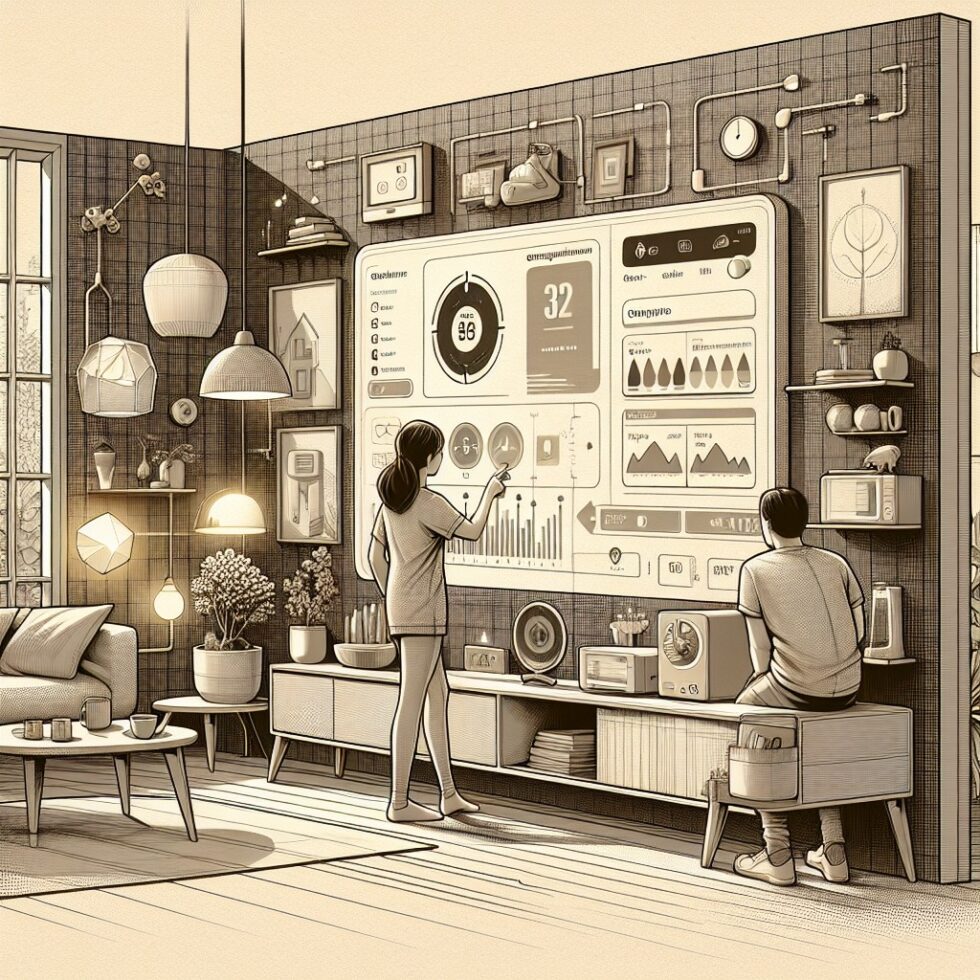
Why Smart Panels Are Suddenly Useful
Your electrical panel used to be a static box of breakers. Today, it can be a living system. A smart panel watches every circuit, decides what can run together, and makes sure you never trip the main. When paired with an EV charger, a heat pump, or a battery, it can shed or shift loads automatically. That turns a costly service upgrade into software.
Prices have fallen, integrations have improved, and utilities now reward flexibility. If you are adding major loads—EV charging, induction cooking, heat pump water heaters—this is the right moment to plan circuit-level visibility and control. This guide shows you how to choose, install, and actually use smart panels and monitors in a way that is safe, maintainable, and future-aware.
What a Smart Panel Actually Is
You’ll see three broad architectures, each with tradeoffs. Understanding them helps you avoid an expensive mismatch.
1) Full Replacement Panels
Systems like all-in-one smart panels replace your existing panel and provide per-circuit control and metering at the breaker. Many also integrate with batteries and solar.
- Pros: Clean install, native per-circuit control, strong safety certifications, designed for backup orchestration.
- Cons: Highest upfront cost, requires licensed electrician and potential service downtime, brand lock-in on breakers.
2) Smart Breakers in a Modern Load Center
Some newer load centers accept connected breakers that add metering and sometimes switching.
- Pros: Incremental cost if you are already upgrading the panel, native breaker-level telemetry, standard form factor.
- Cons: Limited ecosystems, adds up in price per circuit, may not support whole-home logic out of the box.
3) Retrofit Monitors and Relays
Clamp-on current transformers (CTs) provide circuit-by-circuit consumption without replacing your panel. Add relays or smart receptacles to control specific loads.
- Pros: Affordable, minimal downtime, works with existing panels and subpanels, flexible integrations.
- Cons: Control is indirect (not at the breaker), some reliance on cloud for app features, careful installation needed to keep CTs oriented and tidy.
In many homes, a hybrid works best: a primary panel with smart breakers for critical loads, CT-based monitoring for the rest, and a small number of relays for big, shiftable circuits (water heater, EVSE, pool pump).
Pick the Right Architecture for Your Home
Start with a simple inventory. Photograph your panel (cover on and off), list breaker ratings and labels, and note any subpanels. Identify big loads you plan to add in the next two years.
Decision Checklist
- If you’re upgrading service or adding batteries/solar soon, consider a full smart panel that supports backup orchestration natively.
- If your panel is recent and you want better visibility, add a CT-based monitor and map your circuits carefully.
- If you only need two or three controlled loads, keep your panel and use a combination of CT monitoring and listed contactors or smart breakers for those circuits.
- Renters or condo owners often do best with clamp-on monitoring (in-unit subpanel) and smart plugs or appliance-level controls.
Also think about support. Panels and breakers are safety devices you’ll live with for decades. Favor vendors with UL listings, clear documentation, and long-term update policies.
Plan a Safe Retrofit
Working inside a panel can be dangerous. In many jurisdictions it also requires a permit. The best practice is simple: hire a licensed electrician. But even if you hire out, you should plan like an owner-operator so the system is maintainable.
What “Safe” Means in Practice
- Certifications: Look for UL 67 (panelboards), UL 916 (energy management equipment), and appropriate listings for any control devices. If you add storage or solar, UL 1741 (inverters) and UL 9540 (energy storage systems) matter.
- Permits and inspection: Ask your electrician to pull permits and schedule an inspection. This captures your changes in local records and de-risks future insurance claims.
- Work practices: The main lugs remain live even with main breaker off. Do not touch service conductors. Use a torque wrench for breaker lugs. Keep CT wires neat, secured, and away from bus bars and sharp edges.
- Labeling: Update the directory. Label any relays or contactors with the controlled circuit name and rating.
Mapping Circuits the Right Way
Proper circuit mapping is the backbone of useful automation. The goal is a human-readable list that matches physical reality.
- Flip each breaker one by one and record what turns off. Do this with two people on a quiet day.
- Plug a small lamp or outlet tester into each room to confirm which outlets map to which breakers.
- Mark any multi-wire branch circuits (MWBC) and paired two-pole breakers for 240 V appliances.
- Capture photos of the panel interior, CT placements, and any in-line devices for future reference.
Make Load Control Useful, Not Annoying
Smart panels are often sold on “AI” and “appliance detection.” Treat those as helpful hints, not truths. The most reliable wins come from deliberate policies you define by circuit.
Prioritize by Function, Not Just Watts
- Must-run: Critical health and safety (refrigerator, medical equipment, sump pump, network core).
- Time-shiftable: EV charging, electric water heater, dishwasher, laundry, pool pump, dehumidifier.
- Comfort-shiftable: Heat pump auxiliary heat, electric resistance backup, space heaters.
- Nice-to-have: Garage outlets, exterior lighting (beyond security), exercise equipment.
Write a simple policy: For example, “If main draw exceeds 80% of service for more than 30 seconds, pause water heater; if still high, cut EVSE to 20 A.” A two-tier policy like this prevents nuisance trips without constant toggling.
Scheduling That Sticks
Time-of-use (TOU) rates reward running loads mid-day or overnight. Build schedules with:
- Guardrails: A minimum hot water setpoint or a latest-finish time for the dishwasher ensures comfort.
- Deadbands: Avoid rapid cycling by requiring a minimum off-time before a load can restart.
- Overlap rules: Never run EV charging and electric oven on high simultaneously if you’re near your service limit.
Don’t Over-Rely on Appliance Disaggregation
Non-intrusive load monitoring (NILM) can guess which device is on based on waveform signatures. It’s clever, but imperfect. Use it to surface candidates—then promote the big ones to explicit, controlled circuits with known names.
Backup and Outage Orchestration
If you have or plan to add batteries, the magic of a smart panel is how it curates what stays on. Focus on starting currents and sequencing, not just steady-state watts.
Plan by Scenarios
- Short outage: Keep everything except obviously heavy loads. The battery can handle a blip.
- Overnight outage: Essential circuits only, plus low setpoints for heating/cooling. Tell the EV to stop charging.
- Storm day: Pre-charge batteries, pre-heat or pre-cool within comfort bands, and pre-heat water.
Inrush and Staggering
Motors can draw 5–7x current at startup. Stagger restarts after an outage and avoid simultaneous starts. Many smart panels let you specify a delay per circuit. For example: refrigerator first, then network, then well pump, finally HVAC air handler. Five-minute gaps can prevent nuisance battery trips and extend runtime.
Generators and Transfer
If you have a standby generator, ensure your smart panel and transfer equipment are compatible. Follow NEC Article 702 for optional standby systems. Generally, your control logic should defer to the transfer switch when on generator power and keep sensitive electronics behind surge and proper grounding.
Data, Privacy, and Staying in Control
Power data can reveal occupancy patterns and appliance habits. Decide early how much to share beyond your four walls.
Local vs Cloud
- Local dashboards: Some systems offer on-prem web UIs or LAN APIs. Favor these if you want resilience during ISP outages.
- Cloud features: Firmware updates and remote access are convenient. Confirm export options (CSV, MQTT) and data retention policies.
- Authentication: Use strong, unique passwords and enable MFA for cloud accounts. Limit who has access to control features.
Data Resolution That Matters
1-second data is enough for monitoring and basic automation. Sub-second is useful for NILM but not required for practical control. Keep raw data for a few weeks for troubleshooting, but long-term, roll up to hourly to save space.
Integrations That Pay Off
Good integrations turn your smart panel from a fancy graph into a helpful teammate.
Home Automation Platforms
- Home Assistant: Many monitors and panels expose APIs or MQTT topics. Use them to drive automations that coordinate climate, shades, and loads.
- Smart thermostats: Tie pre-cooling or pre-heating to TOU schedules or predicted outages.
- EV chargers: Set max amps dynamically based on real-time main draw; pause charging during peaky dinner hours.
Utility and Grid Signals
If your utility offers demand response, register for events. Otherwise, you can use public price or carbon feeds to pick better times to run flexible loads. The point isn’t perfection; it’s simple, repeatable savings without babysitting.
Costs, Payback, and When It’s Worth It
Costs vary by home and ambition. Ballpark ranges help set expectations:
- CT-based monitor: $150–$400 hardware, DIY-friendly but often installed by an electrician in an hour or two.
- Smart breakers or partial smart load center: $60–$120 per breaker, plus the base panel.
- All-in-one smart panel: $2,500–$5,000 hardware, plus labor. More with backup/battery integration.
- Relays/contactors for large loads: $80–$250 per circuit with enclosure, labeling, and wiring.
Payback depends on avoided service upgrades, TOU savings, and rebates. If smart load control prevents a 200 A service upgrade or transformer work, you may sidestep thousands. Even without that, automating EV charging and water heating around off-peak rates can shave 10–25% of your monthly bill.
Commissioning and Testing: The First 30 Days
The fastest way to confidence is a short commissioning plan you actually follow.
- Week 1: Map circuits fully, fix mislabeled breakers, and create clear names. Verify CT polarity so increases on a circuit show as positive.
- Week 2: Add one or two control automations with generous deadbands (e.g., EV charging max 24 A; water heater pause only above 80% main draw for 30 seconds).
- Week 3–4: Review graphs for nuisance toggles. Refine delays and, if needed, add another controlled circuit.
At the end of 30 days, export a month of data and save your panel directory and automation policies as a PDF. Future you—or your electrician—will thank you.
Troubleshooting Without the Headache
Most issues are small but nagging. A quick checklist keeps things tidy.
Common Problems and Fixes
- “Negative” watts on a circuit: CT is reversed. Flip the clamp orientation.
- Totals don’t match the sum of circuits: Some loads are unlabeled or on a subpanel. Add CTs to the subpanel feeders.
- Flaky Wi‑Fi in the panel area: Move the hub/antenna a few feet and use 2.4 GHz for range. Consider Ethernet where supported.
- NILM keeps guessing wrong: Disable auto-labeling and rely on explicit circuit names for big appliances.
- Relays chatter on and off: Increase minimum off-time and add a higher threshold before re-enabling.
Future-Proofing Your Setup
Think in 10-year terms. Panels last. Trends change. Your design should survive at least one appliance turnover and one platform migration.
Design for Change
- Space: Leave breaker spaces for future EVs, heat pumps, or shop tools. If possible, choose a panel one size up.
- Document: Keep a printed and digital directory with circuit IDs, wire sizes, and photos. Store your automation policies alongside.
- Open interfaces: Prefer devices with local APIs or well-documented integrations. Avoid critical features that only live in a vendor cloud.
- Modularity: Use separate, labeled enclosures for contactors. That lets you service or upgrade controls without touching the panel.
Putting It All Together
A good smart panel strategy is boring by design: safe install, clear mapping, small policies, and steady savings. Start with visibility, add control where it’s clearly beneficial, and keep human-friendly names and fallback modes. When done well, it’s the kind of infrastructure you forget about—until it saves you from a tripped main on a holiday dinner or carries you through a four-hour outage without drama.
Example Rollout: A 150 A Home Adding an EV and Heat Pump
Here’s a sane plan for a typical older home with 150 A service, a new 48 A EVSE, and a heat pump conversion.
Step 1: Add Circuit Monitoring
Install a CT-based monitor on the main feeders and on subpanel feeders. Map every breaker. Tag the top five loads (range, dryer, water heater, heat pump, EVSE). Confirm Wi‑Fi stability or use Ethernet if available.
Step 2: Establish Policies
- Set an “80% of main draw” line at 120 A for more than 30 seconds.
- When above that limit, pause EVSE; if still high for 60 seconds, pause water heater.
- Schedule EV charging midnight–6 a.m., capped at 24–32 A during winter peaks.
- Heat pump: allow lower setpoint during peak with a 2 °F deadband; disable electric resistance backup during peaks unless outdoor temperature is below a defined threshold.
Step 3: Add Hardware Where Needed
If the water heater is electric, install a listed contactor in a small adjacent enclosure with a low-voltage control line from your automation hub or the panel’s control module. Label it clearly. For the EVSE, use the charger’s API to set max amps dynamically.
Step 4: Simulate and Test
Force a high-load scenario (oven on, dryer on) and watch the panel react. Verify no nuisance cycling. Adjust delays if needed. Export a week of data and confirm that total energy aligns within a few percent of your utility meter.
Step 5: Optional Backup
When adding a battery later, move essential circuits (fridge, network, some lights, heat pump air handler) into the backup panel or configure priorities in the smart panel. Stagger restarts with 3–5 minute gaps. Confirm the EV pauses automatically in backup mode.
Summary:
- Smart panels and monitors give per-circuit visibility and control to manage new electric loads safely.
- Choose between full smart panels, smart breakers, or retrofit CT monitors based on your goals and budget.
- Hire a licensed electrician, use listed equipment, and label everything. Safety and clarity come first.
- Build simple, circuit-level policies with deadbands and delays to avoid nuisance switching.
- For backup, plan scenarios and stagger restarts to manage inrush and extend battery runtime.
- Keep data local where possible, use strong authentication for cloud features, and export your mappings and policies.
- Integrate with home automation and EV chargers for practical savings without babysitting.
- Expect meaningful benefits: avoided service upgrades, smoother peak times, and better resilience during outages.